Boundary-wire mowers need a cable laid around the lawn. RTK mowers need a satellite antenna in your yard and a walk around the perimeter with a phone. TerraMow built its range around avoiding both.
That sounds simple, but a lineup with several models, specs and policies can make a purchase feel less so. This guide works through the decisions in the order that matters: lawn size, terrain, grass, model, care and warranty.
Everything here comes from the brand’s own materials and from independent testers, not from hands-on use of my own. Where a detail could not be confirmed, I say so.
Why Camera-Only Mowing Is Different
Boundary wire and RTK are two older ways for a mower to learn its limits. One marks the edge physically, and the other fixes the mower’s position from satellites with the help of an antenna. TerraMow skips both. The V Series reads the yard with TerraVision 2.0, a set of three forward-facing cameras.
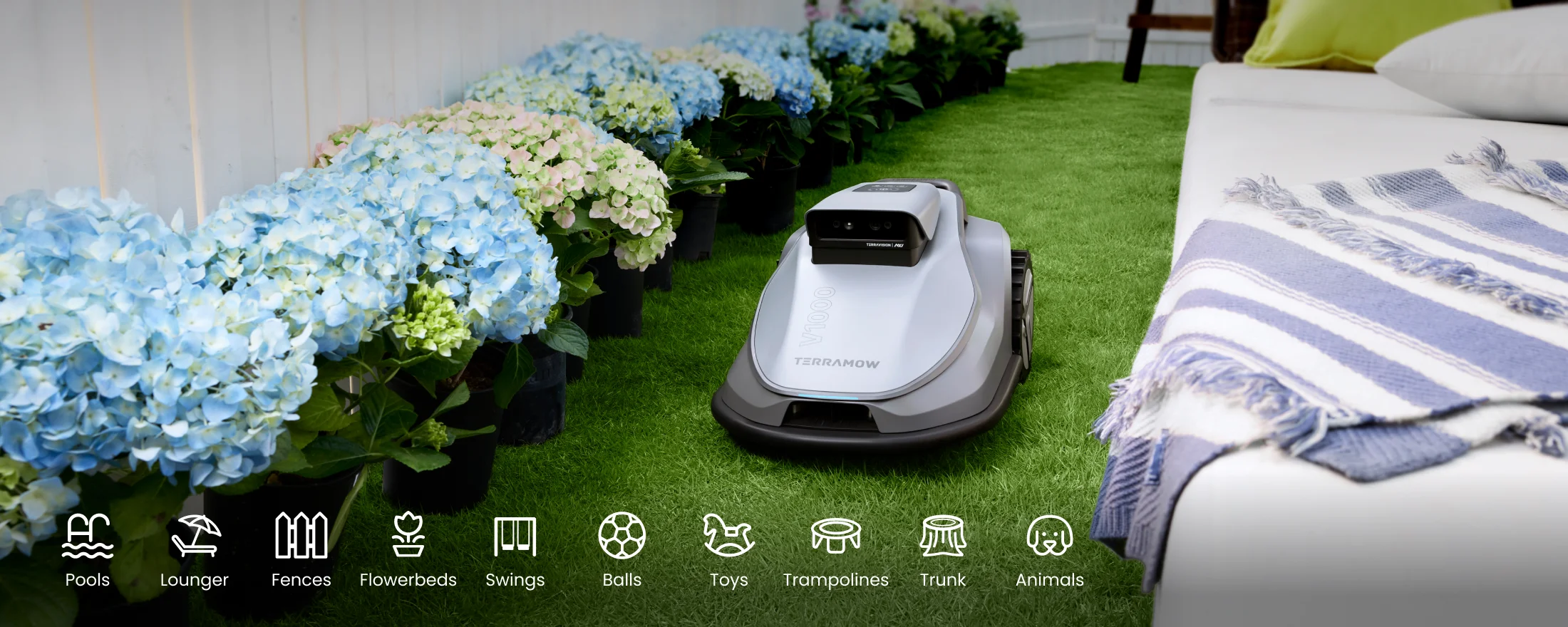
TerraMow says the combined camera views let the mower build a 3D model of its surroundings, map the grass, chart a route and classify obstacles such as toys, pets, hoses and flower beds.
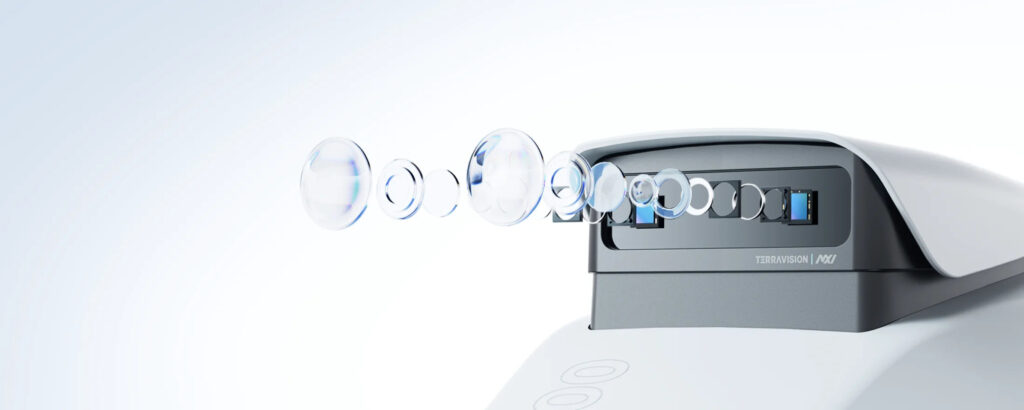
The second-generation system has larger image sensors that collect more light, the brand says, plus HDR processing for yards where harsh sun meets deep shade. Treat both as the brand’s stated intent rather than a measured result.
How mapping works
Mapping is the practical payoff. RTK setups usually begin with you steering the robot along the edge. Here you tap Mapping in the app, and the mower explores by itself, finds where the grass stops, returns to its dock and stores the map. One independent tester’s V1000 mapped a 250 m² lawn in a little over an hour.
For that first pass the dock must be on or beside the lawn. Once the map is saved, an app pathway lets the dock relocate as far as 60 m from the lawn.
Where cameras beat satellites
Satellite positioning needs a clear view of the sky, so RTK can struggle under dense trees or beside tall walls and houses. Cameras are unaffected by that. One independent tester judged pure vision the better fit for heavily planted plots.
RTK still suits wide-open lawns, which is why TerraMow’s X AWD pairs nRTK with six cameras. On a suburban yard with trees, vision alone sidesteps the signal problem.
Where cameras struggle
Light is the weak spot. Night mowing is a poor fit, TerraMow says the mower returns to its dock in rain or low light, and one tester suggests daytime schedules. Some RTK rivals, such as the Anthbot M9, can keep working after sunset with a headlight.
Two more quirks came up in testing. Plants hanging over the lawn triggered swerves, and the edge obstacle setting can be turned down to low yet never disabled. The map also updates as the yard changes, which one tester saw backfire when a once-puddled patch stayed marked as off limits.
Start With an Honest Lawn Measurement
Measure the turf the mower will actually cover, not the whole property. A free satellite map tool gives a workable estimate. Then match the figure to each model’s rating:
- The Mini 500 is rated for 500 m², roughly 5,400 sq ft.
- The V600 is rated for 600 m² (0.15 acre), roughly 6,500 sq ft.
- The V1000 is rated for 1,200 m² (0.3 acre), roughly 12,900 sq ft.
- The X AWD comes in three versions covering 0.5 to 2.7 acres, roughly 21,800 to 117,600 sq ft.
Leave headroom. TerraMow quotes the V Series at roughly 80 to 120 m² mowed per hour, depending on how intricate the lawn is, so a mower rated close to your lawn size cannot easily make up a rained-off day. Stepping up a size can be the safer call, even on a mid-size yard.
One lawn or several
If your front and back lawns are separate, the app can link them with pathways up to 60 m long, provided the route between them is flat and clear. TerraMow lists the V1000 as supporting 20 zones spread over 3 separate maps.
For a small detached patch, a Spot Mode lets you set the mower down on the spot. It can cover anywhere from 5 to 120 m² and then drives back to its starting point rather than to the dock.
Slopes, Terrain and Grass Type
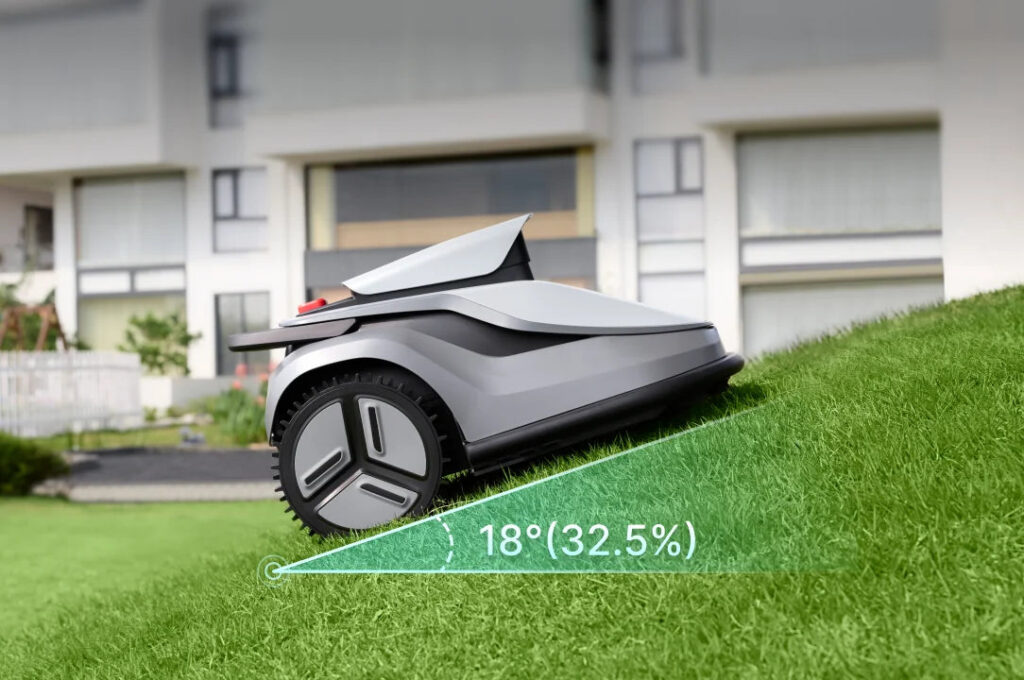
TerraMow rates the Mini 500, V600 and V1000 for inclines up to 18° (32.5%). One independent tester’s V1000 climbed a ramp at that angle, though the tester called it no mountain goat. For serious hills, roots or ruts, TerraMow points to the X AWD, which adds four independently driven wheels and dual suspension.
Grass type
Grass can rule out a model before size even matters. TerraMow advises against thick or coarse varieties and names tall fescue over 3 in, Zoysia, Buffalo grass and St. Augustine. Several of them are widespread in the southern states, so identify yours first, and ask TerraMow support if you are unsure.
Raised edges and borders
Expect an uncut gap beside raised edges. The blade disc is 8 in wide and sits at the center of a body nearly 16 in across, which leaves roughly 4 in of grass out of reach next to walls and raised beds. One independent measurement found just under 10 cm on the V1000.
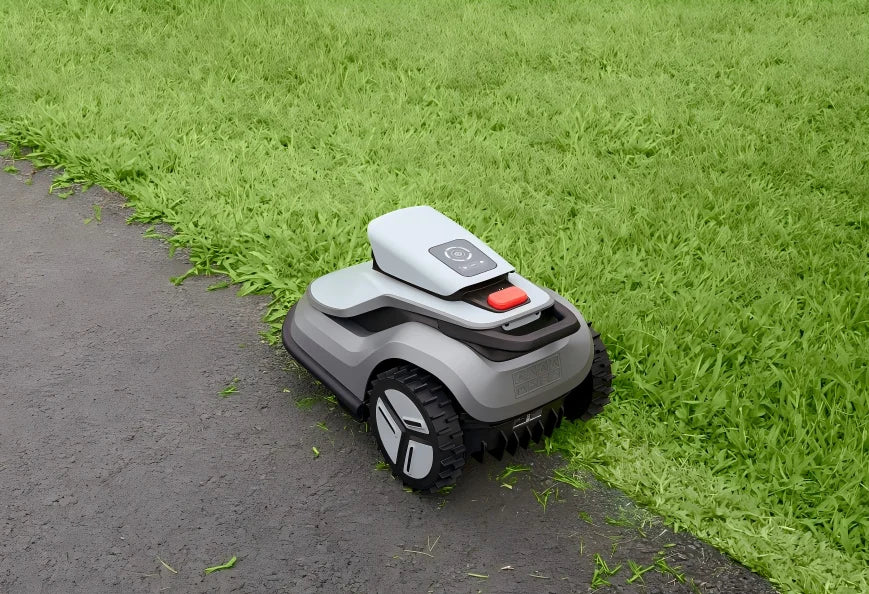
Flush paths and pavers are no problem, and the app’s edge settings help. The cutting line can shift by up to 15 cm either way, a map edge lock keeps the mower inside the saved map, and segmented edge mowing sets separate rules for individual stretches of border. One tester found the edge options improved noticeably after a large software update. A string trimmer is still the answer for raised borders.
The TerraMow Lineup, Model by Model
All four models navigate by camera, which makes lawn size and terrain the main dividing lines.
Mini 500: small, simple gardens
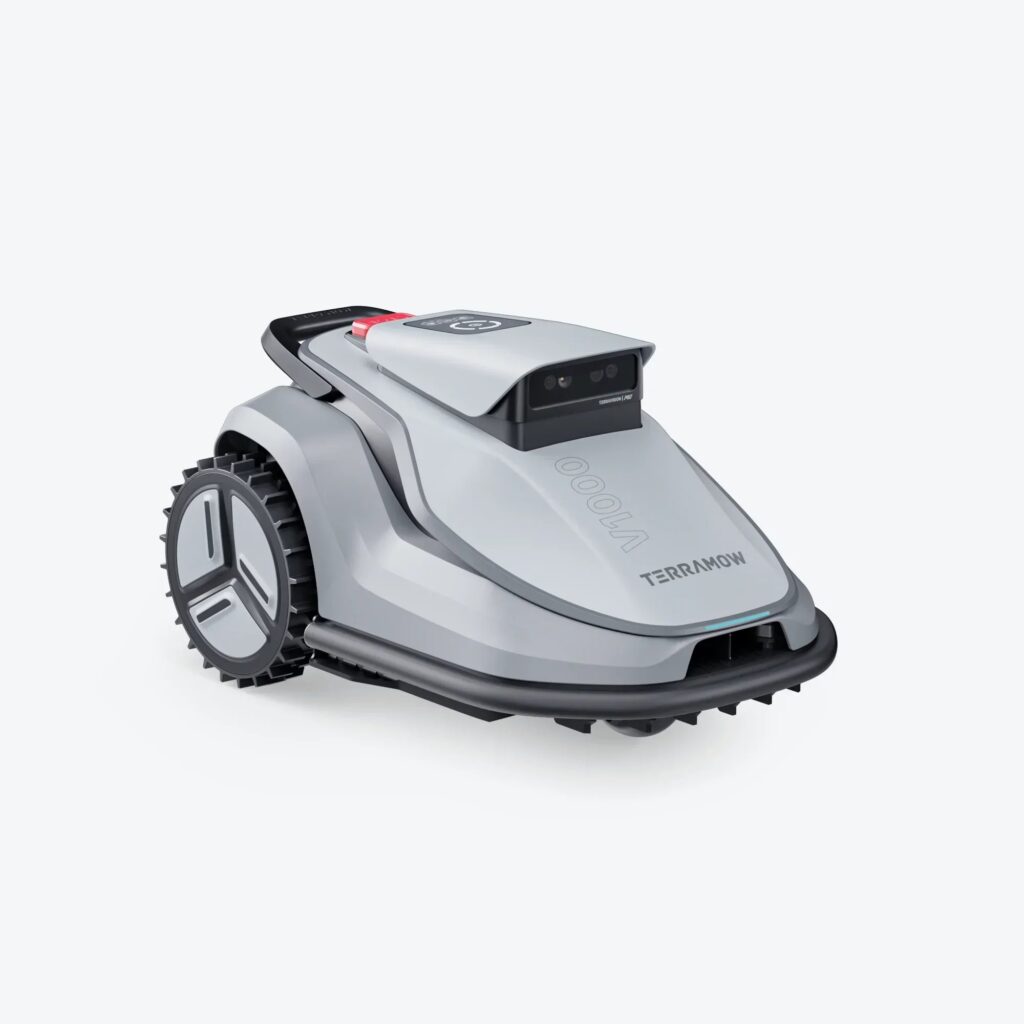
TerraMow’s smallest mower targets 500 m² lawns. Its cameras are the same TerraVision 2.0 set, and it copes with 18° inclines and carries an IPX6 rating. It is sold with or without a garage. The sources do not confirm US availability, so check local listings.
V600: a smaller backyard
The V600 matches the V1000 on cameras, app and core features. It swaps in a 3.8 Ah battery, good for about 120 minutes per run with a roughly 100-minute recharge, and it is rated for 600 m². TerraMow’s FAQ names lawn area and battery as the only real differences between the two.
V1000: the 0.3-acre model
The V1000 pairs a 4.5 Ah battery, good for up to 150 minutes, with a 1,200 m² rating. It weighs 26 lb (11.8 kg), and the box adds a base station with a garage-style roof plus 12 spare blades. With trees, beds and several zones, its rating and runtime fit that kind of yard on paper.
If it sounds right for your yard, see the V1000 listing on Amazon and compare it with the numbers above.
X AWD: large and hilly properties
The X AWD sits in a different class. Six cameras work alongside nRTK, and the cutting side has a floating 20-inch deck with a 900W system. Runtime reaches about three hours, or six with expansion batteries. TerraMow has offered it through crowdfunding late pledges, so allow for the delivery-timing risk that comes with crowdfunded hardware.
What every model shares
Across the range you get camera-based obstacle avoidance and over-the-air updates, plus app tools for schedules, zones and edge cutting. V Series mowers also stream a live camera view and carry a 4G link for GPS anti-theft tracking, while the X AWD lists geo-fencing, lift alerts and PIN protection alongside GPS tracking.
The button below opens the V1000 page on Amazon.
How TerraMow Compares With eufy
A natural comparison is the eufy E18, a camera-based mower of similar size. The two brands are closer than they look. One independent tester found eufy’s first two mowers, the E15 and E18, a near match for TerraMow’s original S Series, from the styling to the technology, and reported that Anker does not hide its work with TerraMow. A later V1000 test went further, calling the S Series the model that inspired Anker’s first mower.
So the useful question is which generation and which package suits you.
Where the V1000 and E18 match
- Rated area, slope and weather protection are identical on paper: 1,200 m², 18° and IPX6.
- Both cut between 1 and 3 in with an 8 in disc, and both ship with a garage-style roof for the dock.
- Both leave an uncut strip beside raised edges, which a tester measured at no less than 11 cm for the eufy and just under 10 cm for the V1000.
Where the V1000 pulls ahead
Runtime favors the V1000: up to 150 minutes, versus roughly 120 for the E18. Its 98.55 Wh battery is slightly larger than the eufy’s 93 Wh, and at 26 lb it is a little lighter than the eufy’s roughly 27.5 lb.
Boundary control is the bigger difference. On a lawn that merged into a neighbor’s grass, the tester watched the eufy keep extending its map outward. TerraMow’s map edge lock confines the mower to the saved map, and the same tester said it prevents exactly that issue. The V1000’s app also adds corner reworking and advanced edge settings.
What eufy offers
If you already run eufy cameras or vacuums, one app ecosystem can appeal. eufy’s own pages say the E18 is meant for flat lawns, with grass kept below 9 cm. The sources do not cover eufy’s US warranty, so compare the terms yourself before choosing.
Care and Troubleshooting
Low maintenance is not the same as no maintenance. TerraMow’s support guides are easiest to use by symptom, so this section is organized that way.
The mower reports rain under a clear sky
TerraMow’s FAQ blames dust, cut grass or early-morning moisture on the rain sensor. A dry cloth fixes it, or you can wait for the sensor to dry out. For the rain sensor and the TerraVision camera panel alike, the guide recommends a soft, clean tissue, since a smudged panel affects a mower that steers by sight.
It struggles to dock or will not charge
Docking relies on a QR-style marker on the base station, so clean the marker first if parking goes wrong. For charging faults, wipe the contacts on both the robot and the dock with a dry, soft cloth, and inspect the cable connector for rust, grime or moisture. Leave 0.5 m (1.6 ft) free at each side of the dock, and 1.8 m (5.9 ft) of space ahead of it.
The cut looks ragged or sounds different
The cutting parts are small razor blades on a spinning disc. TerraMow publishes no replacement schedule, so judge by cut quality and by new noises. Switch the main power off before touching the underside, wear gloves, and keep a screwdriver nearby, because one tester found none in the box.
Each screw should hold a single blade, TerraMow says, and any grass wrapped around the disc should be cleared. For unusual noise the brand suggests lowering the mowing speed first, then checking for loose or damaged blades and screws. A 15-piece refill set fits every TerraMow model.
A patch keeps getting skipped
A camera mower can read tall grass along a fuzzy border as an obstacle, and one tester found that occasional edging helps it reach the borders. Start by clearing branches, hoses and toys. If the patch is still ignored, the app offers two fixes: designate the spot a Grass-Cutting Zone, or increase that area’s Obstacle Avoidance Height.
The mower itself is dirty
With the IPX6 rating, TerraMow says an ordinary garden hose is fine. Its cleaning guide adds three cautions: no pressure washer, no direct spray on the camera panel or the front wheel axle, and a soft-brush pass over the case and chassis first, with your hands well clear of the blades.
Software updates
TerraMow pushes frequent over-the-air updates. Install them from the app’s settings under Firmware Update, on stable Wi-Fi and with the battery above 50%, and never start a mowing job mid-update.
Winter storage
TerraMow advises bringing the mower indoors when daytime temperatures average under roughly 41°F (5°C). Give the lawn one last trim at roughly 2 to 3 in, then skip mowing for the winter. The brand’s routine runs in this order:
- Clear every scheduled task from the app.
- Top the battery up to 85% or more to avoid deep discharge.
- Power the mower off, then clean and dry it.
- Take the blades off, wearing gloves.
- Unplug the base station, clean it and dismantle it together with the garage roof.
- Store everything indoors, cool and dry, away from direct sun and heat.
If the original box is gone, TerraMow also sells a dustproof storage bag made for S and V Series mowers.
Warranty, Returns and Buying Safely
With a mower this size, the seller you choose shapes who handles repairs. TerraMow’s policies split by channel like this:
| Where you buy | Repairs and warranty | Returns |
| TerraMow’s own website | TerraMow pays for parts, labor and two-way shipping on a valid claim serviced in the country of purchase | Request within 30 days of delivery, with approval |
| TerraMow’s official store on Amazon | Same TerraMow cover | Follows Amazon’s own return policy |
| An official Kickstarter campaign | Same TerraMow cover | Check the campaign’s own terms |
| Any other retailer | The seller handles repairs, replacements, refunds and shipping; TerraMow still gives technical support | That store’s own policy |
TerraMow runs a dealer program, so other stores may stock the mowers. Before buying from one, ask who repairs the unit, who pays for shipping and how long their coverage lasts.
What the warranty covers
On V Series and Mini 500 models, the robot, dock and power adapter carry three years of cover, and the battery carries two. Blades, cosmetic wear, screws and the hex key are excluded, and an activated data package and SIM cannot be refunded. The older S800 and S1200 get two years across the board.
Expect to supply a receipt and the ICCID number of your robot, and TerraMow describes its technical support as free for life. The cover can be voided by unauthorized modifications or non-approved parts, by ignoring the manual or in-app instructions, and by misuse, accidents, foreign objects or natural disasters.
To start a claim, send feedback from inside the app and attach the robot’s logs. TerraMow says it replies within 24 hours and checks first whether the problem can be fixed remotely. It also has official service centers covering five European countries as well as the US and the UK.
Returns on the brand’s website
You have 30 days from delivery to ask for a return. A TerraMow specialist must approve it, and after that you get 14 days to send the mower back, packed in its original packaging with every accessory.
A defect reported inside that window earns a free return, exchange or replacement. A change-of-mind return is stricter: the mower must be unused and never activated, return postage is yours, and TerraMow keeps a 15% restocking fee. Settle your grass type and slopes before you open the box.
Region and used units
Region matters too. TerraMow makes separate US, EU and UK versions with region-specific power adapters, and free warranty shipping applies only to claims serviced in the country of purchase. A unit meant for another market can bring extra shipping, customs and service fees.
If you buy a used mower, ask about four things:
- Receipt. Claims call for a receipt from an official channel along with the ICCID number.
- Warranty start. With no receipt, TerraMow counts from first recorded use, or from 90 days after production if nothing was recorded.
- Account. The seller’s account has to be replaced. Setting the mower up again on Wi-Fi under your own TerraMow account clears the previous owner and any shared users.
- SIM status. The built-in SIM on a V Series mower stops working if it is not activated within two months of delivery.
Whatever you buy, take photos of the outer box, the packaging inside and each part before throwing anything away. TerraMow’s FAQ asks for those photos on damaged or missing-item claims. Keep the box too, since returns must go back in the original packaging.
The Story Behind the Brand
TerraMow is a Shenzhen robotics company, and one of its press releases describes the team as having originated at DJI, the drone maker. Development sits with Shenzhen Muxin Intelligent Technology, while RoboTerra Limited issues warranties for it.
Camera vision before mowers
Before it built mowers, the team developed camera vision for robot vacuums. The same release credits it with the three-eye AI vision in the Eufy S1 Pro and the Rowenta X-Plorer 240 AI+. That background fits the company’s camera-first design, since finding your way around a room and around a lawn share much of the same vision work.
The crowdfunding record
The brand made its public debut with a Kickstarter for the S800 and S1200. Its blog says more than 6,000 members had joined its Facebook group before the campaign opened, and the campaign closed with 706 backers. Three rounds of beta testing with more than 300 applicants came before mass production.
TerraMow says every backer who supplied a shipping address received a mower. Its year-end recap describes a setup of roughly five minutes with no wires and no RTK station, and notes that custom no-go areas and better scheduling are now standard in the app.
Trade shows and certification
TerraMow showed the V Series and TerraVision 2.0 at its first international trade show, Spoga+Gafa in Cologne. There, a TÜV representative handed the company’s leadership a certification covering the V Series. That mark comes from an outside testing body rather than from TerraMow itself. The brand later appeared at IFA Berlin for the first time, and the V1000 went on sale soon afterward.
Around then, Anker’s eufy launched its first robot mowers, which is where the family resemblance mentioned earlier comes from. A young brand carries risk when the purchase is a large one. Against that, TerraMow points to a Kickstarter it says delivered to every backer, a third-party certification, regular over-the-air updates and official service centers on two continents. It is not a decades-old name, so decide how much a long track record matters to you.
Common Questions
Do I need a boundary wire or antenna?
Not for the Mini 500, V600 or V1000, which use the camera system alone. The X AWD is the odd one out, pairing nRTK with its cameras for large open spaces.
Does it need Wi-Fi all the time?
No. The mower follows its saved maps and timetables on its own. It only needs a connection for first setup, app changes, firmware updates and the live camera, and the network can be 2.4 GHz or 5 GHz.
Is the 4G data plan mandatory?
No. Activating the robot switches on a 1 GB plan that is free for a year, and afterward you can renew it or bring your own SIM. The 4G link supports remote control and GPS anti-theft tracking when you are away from Wi-Fi.
How loud is it?
TerraMow rates the V Series under 54 dB. One tester’s meter read about 58 dB, varying with the task, and the same review noted that a Home Assistant connection is possible for smart-home users.
Making the Final Call
- Small, flat lawn with simple shapes: the Mini 500 or the V600.
- Roughly a quarter acre with trees and beds: the V1000.
- Large or hilly property: the X AWD, or another all-wheel-drive mower.
- Coarse southern grass such as St. Augustine or Zoysia: none of these.
If your lawn sits in the quarter-acre range, you can read our full verdict on the TerraMow V1000 before deciding.
When you are ready to compare, check the TerraMow V1000 on Amazon and make sure the listing comes from TerraMow’s official store, so any warranty claim stays simple.