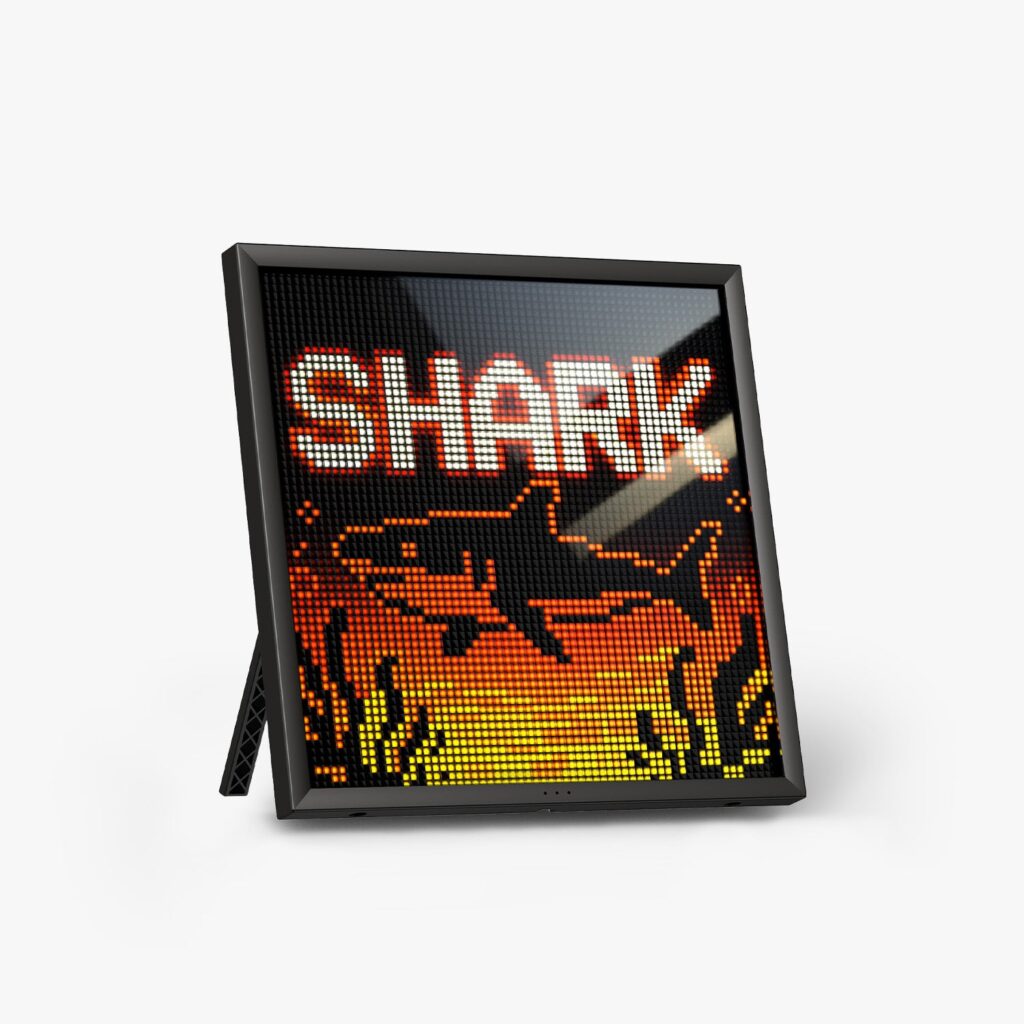

The Divoom Pixoo-64 II is a square pixel display that sits on a desk or hangs on a wall. Its 64×64 LED grid shows pixel art, a clock, the weather and live follower counts, all controlled from a phone app. Divoom sells it through its own store, where you can browse Divoom’s range at its own store.
This is a research-based review, built from Divoom’s own spec sheet, FAQ, shipping and return pages, plus what independent reviewers have said about the display. There was no hands-on testing, so every point below traces back to those sources.
The short version: it is a lively, flexible display for anyone who wants live stats and pixel art in one frame. It has to stay plugged in, and the app asks for a little patience.
What It Is and What It Does
The Pixoo-64 II is the flagship of Divoom’s pixel displays. The panel measures 10.3 inches across, and it connects over dual-band Wi-Fi plus Bluetooth.
- Display: 10.3-inch LED panel with a 64×64 pixel grid
- Connectivity: Wi-Fi on both the 2.4G and 5G bands, plus Bluetooth
- Storage: 4GB onboard
- Power: corded USB, with no internal battery
- App: Divoom app for iOS and Android, with no desktop version
- Price: check the current price at Divoom
Its headline trick is live data. The grid can show follower counts from YouTube, Twitch and Instagram, along with weather, stock prices and calendar widgets. Between those, it doubles as a small canvas for pixel art and animations.
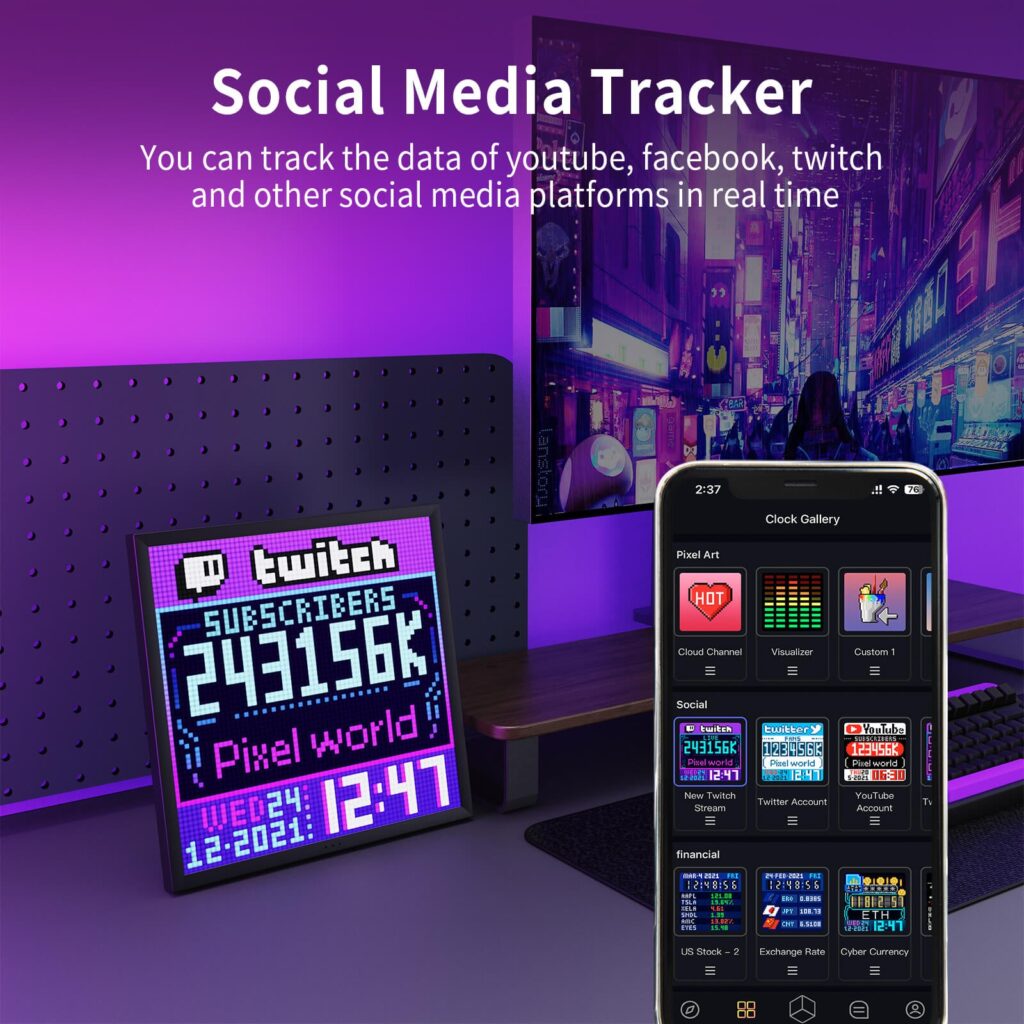
You can draw your own designs in the app, or borrow from Divoom’s community gallery. The community page says users have shared more than 3 million creations across over 100 countries, so a new owner starts with plenty to browse.

The same app drives every Divoom product. A design or clock face you pick up for this display comes from the same library as the ones for Divoom’s speakers and backpack.
What Independent Reviewers Say
What they like
One tech outlet praised the pixel density for a display this size and said the pictures look sharp even though the resolution is modest. Independent reviews also single out the app’s customization, whether that means clock faces, weather screens or fully custom pixel art.
Animation playback gets good marks too. Reviewers say it runs smoothly once a design has loaded onto the panel.
What they don’t
One independent reviewer found the screen underwhelming at maximum brightness. The same review noted some overall blur and pointed out that the blur comes from the pixel grid, not from a build defect.
That reviewer also found the app tricky when connecting outside accounts, including YouTube and Fortnite, to feed the live widgets. The missing internal battery gets flagged in the coverage too, and Divoom’s own product page confirms it. Treat this as a display for a fixed spot, not a portable one.
Divoom’s own product pages carry no star scores or review tallies, so independent reviews are the main outside signal.
Setup and Everyday Use
Start with the network. Divoom advises against public Wi-Fi for setup, since hotel, office and school networks often put a browser login between the device and the router. On a regular home network, reviewers describe the process as quick, with the display ready within a few minutes.
If pairing freezes anyway, the percentage on screen is a clue. Divoom’s FAQ links a stall near 40% to an out-of-date app, so update or reinstall it, and a stall near 60% to the router connection, so retype the password with every capital letter exactly right.
Only one phone controls a Divoom device at a time. Switching phones means disconnecting from the old one in the app first, then pairing the new one.
Wi-Fi powers the live widgets, though Divoom’s FAQ says some content still shows offline once it has been loaded onto the device. Pick the spot before you buy. Because there is no battery, the route from the panel to a wall outlet decides where it can live.
How It Compares With LaMetric Time
LaMetric Time is another Wi-Fi pixel clock, so it makes a fair yardstick. The figures below come from the two brands’ spec sheets.
| Spec | Divoom Pixoo-64 II | LaMetric Time |
| Price | Check the current price at Divoom | About $200 |
| Display | 64×64 pixel LED panel, 10.3-inch | A 37×8 white scrolling strip with one color icon (8×8) |
| Speakers | None built in | Yes, 2x2W stereo |
| Connectivity | Dual-band Wi-Fi and Bluetooth | 2.4GHz Wi-Fi and Bluetooth 4.0 |
| Power | Corded USB, no battery | External power adapter, no battery |
| Storage | 4GB onboard | No figure published |
Where Divoom pulls ahead: the canvas. A 64×64 grid holds far more pixels than LaMetric’s 37×8 strip, which suits scrolling text and simple icons better than full pixel art scenes. Divoom also brings its community gallery, so there is a deep library to draw on.
LaMetric’s strengths are sound and integrations. Two built-in 2x2W stereo speakers mean one box can serve as an alarm clock, an internet radio or a Spotify Connect speaker. Its own app marketplace and links to Slack, IFTTT, Home Assistant, Google Assistant and Alexa add more smart home options out of the box.
For pixel art and social widgets, the Pixoo-64 II is the better fit, and you can see Divoom’s range at its store to check the current price. If you would rather have a small speaker and a smart display sharing one device, LaMetric’s built-in audio is the reason to pick it instead.
Who It Suits and Who Should Skip It
It suits streamers and creators who like seeing a live subscriber count at a glance. It also suits anyone who wants a conversation piece for a desk or wall and does not mind spending an evening in an app.
Skip it if you need something portable, because there is no battery. Skip it if you want a built-in speaker. And think about the room: one independent reviewer found the display underwhelming at full brightness, so a very bright space may not flatter it.
If the Pixoo-64 II is more than you need, Divoom’s smaller pixel speakers start at about $70 at Divoom, and most of its speakers also work as ordinary Bluetooth speakers without the app.
Price, Shipping and Returns
Check the current Pixoo-64 II price at Divoom before you order, since store prices can change. Across Divoom’s whole catalog, prices run from roughly $70 to $200.
On shipping, Divoom says it processes orders within 48 hours, not counting weekends and holidays. Orders placed after 1 PM Pacific go out the next business day. US and European deliveries usually take two to five working days by UPS, USPS or DHL, and standard shipping is usually free there.
The return window is 15 days from delivery for unused products. Accessories and original packaging must come back too, and the buyer pays return shipping unless the item has a quality defect. In that case, Divoom provides a prepaid label and replaces the unit with a refurbished or new one, depending on availability.
The warranty runs 12 months for quality-related defects on products bought directly from Divoom, and proof of purchase is required. Divoom also advises against opening the device yourself, since that can cause damage and affect warranty eligibility. The full policies live on Divoom’s own store, so read them there before you order.
Frequently Asked Questions
Does the Pixoo-64 II have a battery?
No. It runs on corded USB power, so keep it near an outlet wherever it goes.
Does it need Wi-Fi all the time?
The live widgets need Wi-Fi. Divoom’s FAQ says content already loaded onto the device can still show offline.
Can I run the app on a computer?
No. The Divoom app is available for phones and tablets only, on iOS and Android.
What if setup stalls partway through?
A stall near 40% usually points to an out-of-date app, so update or reinstall it. A stall near 60% usually means a router connection issue, so recheck the Wi-Fi password.
How long do I have to return it?
Fifteen days from delivery. The item must be unused and come back with every accessory and the original packaging. Return shipping falls on the buyer, unless a quality defect is the reason.
The Verdict
The Pixoo-64 II does two jobs well: it keeps live stats in view, and it works as a pixel art canvas. LaMetric Time, the rival compared here, adds speakers and wider smart home support.
Go in with open eyes. The panel must stay plugged in, the app has a learning curve, and one independent reviewer found the screen underwhelming at maximum brightness. If those trade-offs are fine with you, the Pixoo-64 II is an easy pick for a desk or wall, and Divoom’s store is where to check the current price.