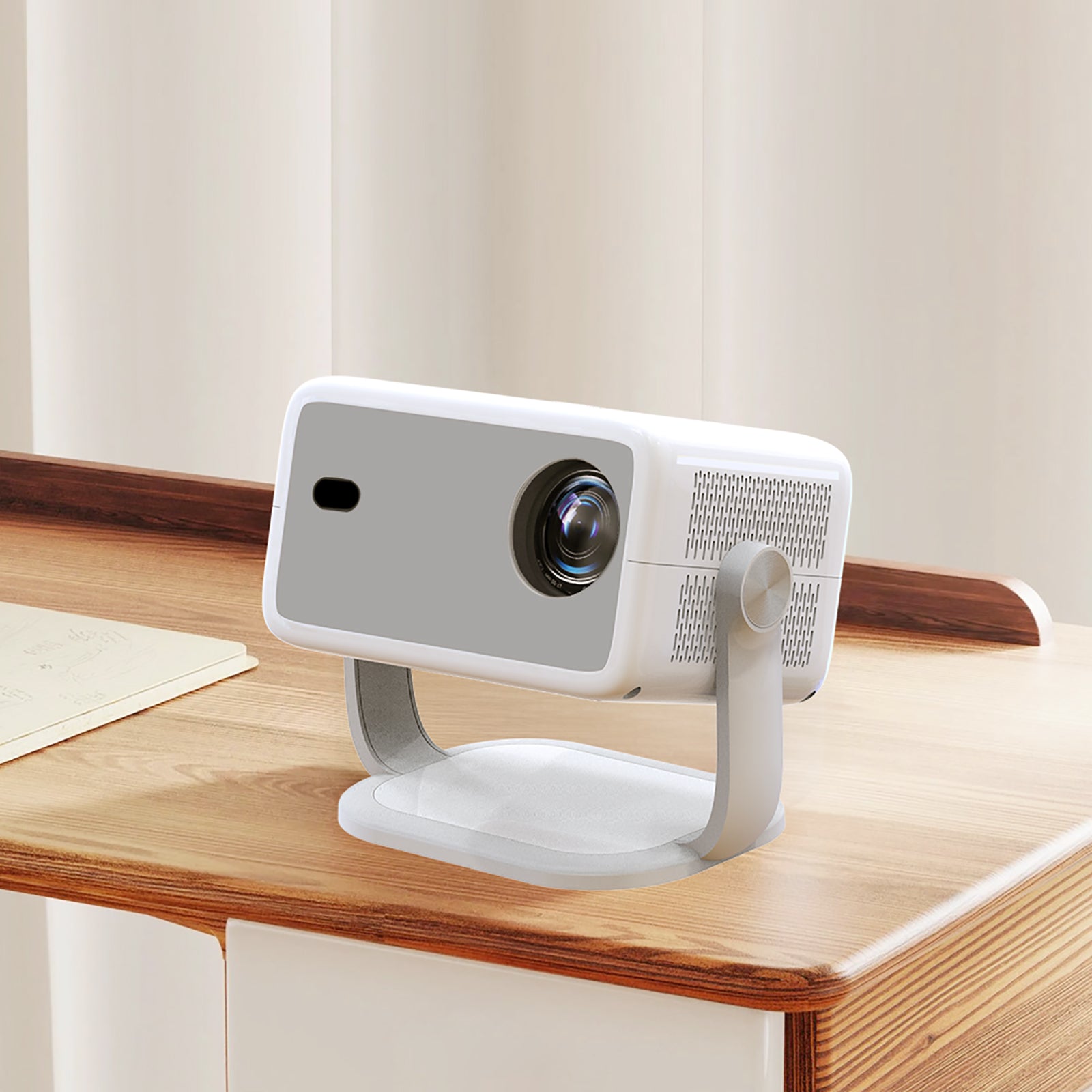
Shopping for a Lyncast projector can feel like comparing clones. Every listing promises 4K, Android and Wi-Fi 6, and the model names run together.
This guide untangles it. You will learn who stands behind the brand, what the headline specs really change on your wall, which model suits which room and how to avoid buying a look-alike.
The facts come from Lyncast’s own listings and spec charts plus public records. There is no hands-on bench testing here, and any time the brand contradicts itself, the text flags it.
What Lyncast Is and Who Makes It
Lyncast sells its projectors mainly through Amazon. Those listings name Lyncast Inc. as the seller, leave shipping to Amazon and link back to one LYNCAST brand store. Away from that storefront the company says little about itself, so public records and its own supplier profile do most of the work.
What can be checked
Trademark filings are the firmest ground. The table separates what public records show from what the company says about itself.
| Detail | What is stated | Where it comes from |
|---|---|---|
| LYNCAST trademark | Filed with the US trademark office by Xinzhisheng Technology Chengdu Co., Ltd., covering digital projectors among other goods | Public record |
| XLYNCAST trademark | A related filing, made a few weeks earlier by Xinzhisheng Technology Co., Ltd. | Public record |
| Founding | A smart-projector label from 2021 | Company profile, self-reported |
| Factory | A Chengdu plant above 6,000 square meters, with 200-plus workers and output of up to 100,000 units a month | Company profile, self-reported |
| Reach | Customers in more than 100 countries, among them Japan, France, the UK, Germany and the US, plus over 5 million end users | Company profile, self-reported |
The self-reported rows all trace back to a Global Sources profile. Global Sources is a business-to-business supplier directory, and it notes that it cannot verify what suppliers claim. Those figures are large for a label that dates itself to 2021, so treat them as marketing until an independent source confirms them.
Chengdu is plausible territory for the trade, since XGIMI, a smart-projector maker, is based in the same city. That is geography only, and it implies no tie between the two companies.
What is still unknown
Several basics are missing from the material behind this guide: it names no founder and cites no press release or independent coverage. The lyncast.com address also belonged to an unrelated Chinese-language site when it was checked. Even Lyncast’s own listings disagree at times, since one comparison chart gives the X7 a 2000-lumen figure while the title of that model’s listing says 1500.
Gaps like these say nothing about product quality. They only mean the product pages carry most of the story.
The early Lyncast lineup was built around HY300-style minis, small cylinders on tilting stands, and older models named HY300 and HY320 show up in a public projector database. Newer models head upmarket, including Netflix-licensed versions and one running licensed Google TV.
Software is where Lyncast tries to stand apart, through an app called Lumina Go. It is free, runs on your phone and replaces the remote with voice input, an air mouse, a touchpad and a keyboard. One listing bills it as the “World’s First” remote app built for projectors. That cannot be verified, and phone-remote apps are not new, but it gives you a second way to control the projector.
Reading the Specs Without the Hype
Listing copy is written to impress rather than inform. These notes translate the figures Lyncast repeats into what they change in a room, starting with the easiest one to misread.
Native resolution and the 4K label
Native resolution is the pixel grid a projector truly draws. A 4K support label only says which video files it can open. The X1 draws 1280 x 720, and its listing states that sharper content is displayed at that size, so a 4K film plays but looks like 720P. From the X3 upward, models list native 1080P, which gives on-screen text, games and close seating a crisper image.
Brightness in ANSI lumens
ANSI lumens set how much light in the room the picture can tolerate. Lyncast lists 300 on the base X1, 400 on its twin listing, 600 on the X3, 800 on both the X3 Pro and X6 Pro, 1200 on the X5 and 1500 on the X7. A figure of 300 to 400 belongs in a dark room, while past 1000 a lamp can stay on without bleaching the image.
When two models tempt you, take the brighter one. It leaves headroom for a lit room later, and no accessory can add lumens.
Licensed and unlicensed streaming
Streaming certification is a separate question from the app list. On the X1, Android 14 TV OS comes with Netflix, YouTube and Prime Video among the listed apps, yet there is no Netflix-Licensed label. That label appears on the X3 Pro and X6 Pro, while the X5 runs licensed Google TV. Certification means the streaming service has approved the hardware, and without it some apps may not play as expected. When Netflix is the point, choose a certified model or add a licensed streaming stick through HDMI.
Chip, Wi-Fi and Bluetooth
The chip is the processor behind menus and apps. The X1 and X7 share the H726, which Lyncast presents as a step up from the older H713. Its quoted gains, such as 44% faster operation, are the brand’s own figures and were not checked here.
Every Lyncast model lists Wi-Fi 6, a sensible spec for a projector that shares a router with other devices. Most list Bluetooth 5.4, handy for pairing a speaker or headphones. The X6 Pro is the exception at Bluetooth 5.2, though it works in both directions and can double as a Bluetooth speaker.
Throw ratio, keystone and focus
Throw ratio ties the lens-to-wall distance to the picture width. On the X1’s 0.8:1 lens, a 40-inch picture means placing it about 0.71 meters (28 inches) from the wall, and a 100-inch picture means about 1.77 meters (70 inches), in step with Lyncast’s own distance chart.
Two corrections are easy to mix up. Keystone straightens the trapezoid that appears when a projector sits off-axis, while focus sharpens the image. Keystone is digital on these models, so software reshapes the picture instead of the lens shifting. The X1 pairs automatic keystone with manual focus, and auto focus is listed from the X3 upward.
Stand, power and light source
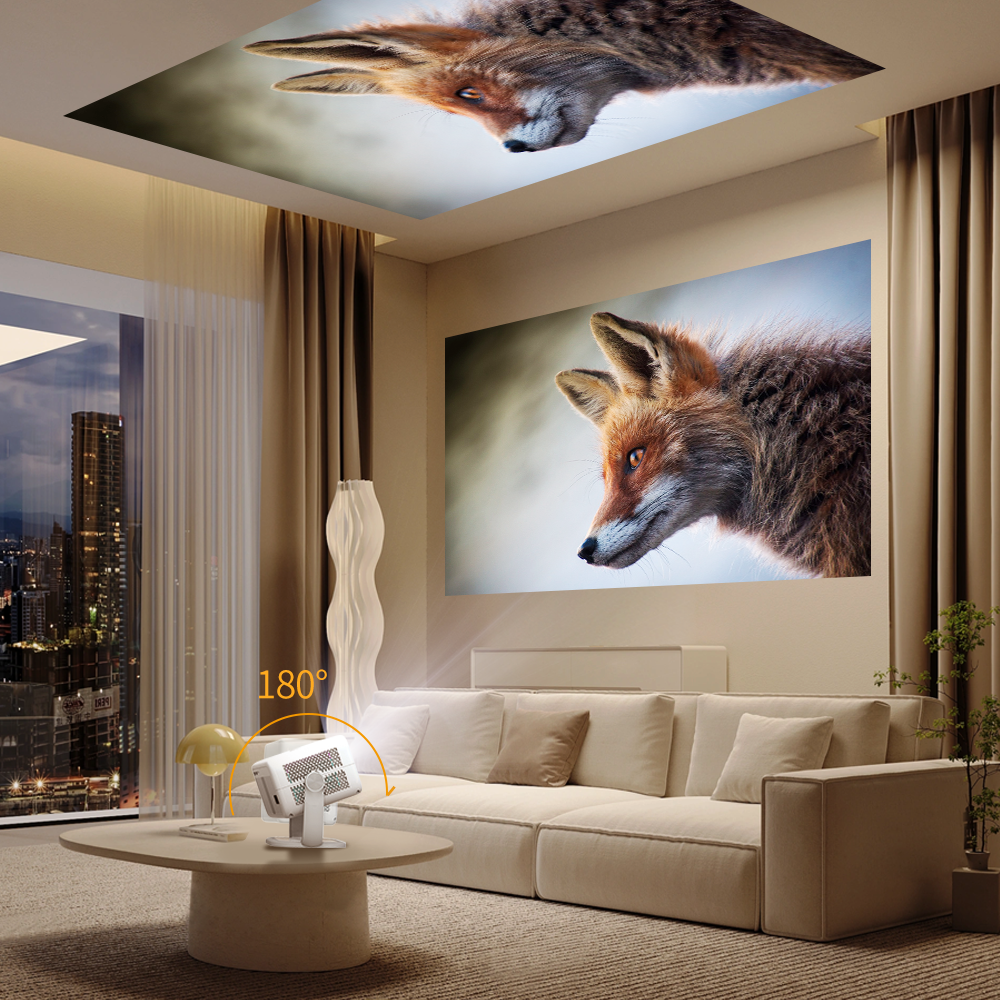
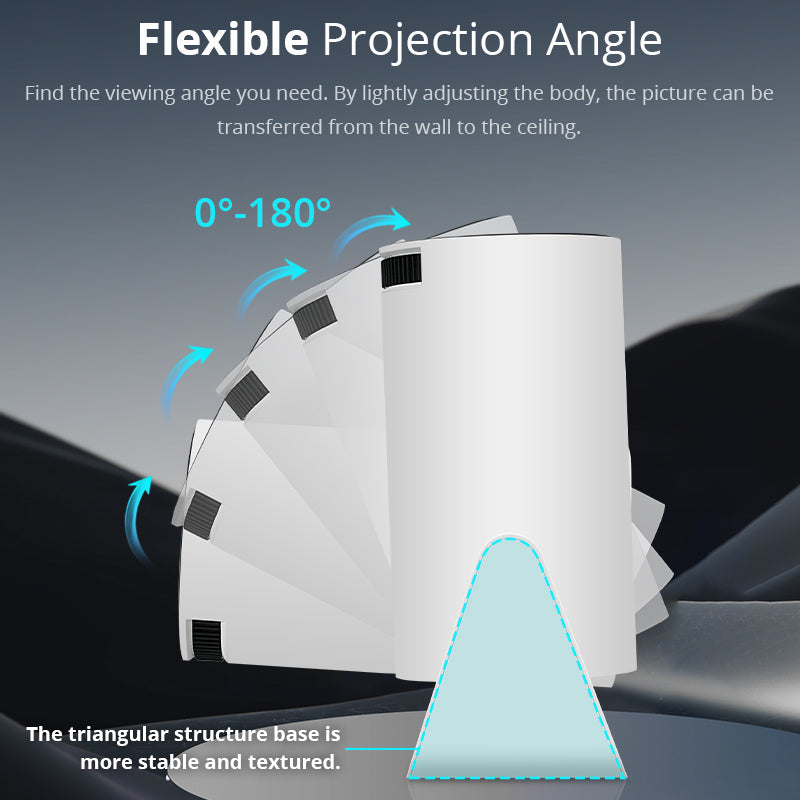
Rotation shows how far the stand tilts, which sets where you can aim the picture without brackets. That means 180° on the 300-lumen X1, 270° on the 400-lumen X1 and the X3, and a full 360° on the X6 Pro. Even 180° reaches the ceiling.
The X1 draws 48 watts and lists no battery, so it needs a wall outlet. Lyncast quotes 30,000 hours for the light source, though the electronics and software will probably date before the lamp does.
Treat contrast numbers cautiously. The X1’s spec table says 15000:1, yet a product image on that same listing shows 10000:1. Lumens and native resolution are the safer yardsticks.
Match the Projector to Your Room
Three questions narrow the field: how dark the room gets, whether Netflix matters and how crisp you want the picture.
How dark is your room?
| Where it will sit | Lumens to look for | Models that fit |
|---|---|---|
| Bedroom with the lights off, or ceiling viewing | 300 to 400 | X1 |
| Dim room with the curtains closed | 600 to 800 | X3, X3 Pro, X6 Pro |
| Living room with lamps on, or a patio at dusk | 1200 to 1500 | X5, X7 |
Do you need Netflix?
Certification narrows the list further. The X3 Pro and X6 Pro carry Netflix-Licensed labels, the X5 runs licensed Google TV, and the X1, X3 and X7 run Android TV OS with no label.
If you mostly watch YouTube or cast from your own devices, an unlabeled model will do. If Netflix is the whole point, buy a certified model or leave room in the plan for a streaming stick.
Quick picks by situation
| Situation | Suggested model | Why |
|---|---|---|
| Teen’s or student’s bedroom | X1 | A dark room suits 300 lumens, and the stand tilts to the ceiling |
| Dorm room | X1, or X3 for a sharper picture | Compact body, with native 1080P available one step up |
| Camper or van | X1 | It weighs only 350 grams |
| Family movie night | X5 | Stronger sound and certified apps |
| Console gaming | X3 or X7 | Both give native 1080P over HDMI |
Features worth paying for, and ones to skip
Put money into native 1080P first, since it brings the most visible gain for on-screen text, games and close seating. Auto focus comes next if the projector will move between rooms, and it is standard from the X3 upward. Better audio ranks third: the X3 has twin speakers, the X7 lists a 20W unit and the X5 advertises dual 36W drivers.
Two things deserve little weight. One is the 4K support label, which every model claims. The other is a giant maximum screen size, because a 200-inch claim is meaningless when the lamp cannot fill it. Judge by lumens first.
Meet the Lineup
Lyncast lists seven models, shown here from dimmest to brightest.
| Model | ANSI lumens | Native picture | Listed highlights |
|---|---|---|---|
| X1 (300 version) | 300 | 720P | Android 14, Bluetooth 5.4, 180° stand, 350 grams |
| X1 (400 version) | 400 | 720P | 270° stand, HDMI cable listed as included |
| X3 | 600 | 1080P | Auto focus, twin HiFi speakers, 270° stand |
| X3 Pro | 800 | 1080P | Netflix-Licensed, Android 13, auto focus |
| X6 Pro | 800 | 1080P | Netflix-Licensed, 360° stand, HDMI with CEC and ARC |
| X5 | 1200 | 1080P | Licensed Google TV, voice remote, twin 36W Dolby Audio speakers |
| X7 | 1500 | 1080P | H726 chip, Android 14, AI auto calibration, 20W speaker |
The two X1 listings are easy to confuse. One claims 300 lumens with a 180° stand, the other 400 lumens with a 270° stand, so check the lumen figure in the bullet points before ordering. Our full verdict on the Lyncast X1 mini projector covers the 300-lumen version, its strengths and its limits in depth.
A few extra details help when comparing. The X6 Pro’s certified remote includes shortcut keys, and Lyncast says its cooling stays under 28dB, a plus for quiet bedrooms. The X5 and X7 add keystone and obstacle avoidance or AI calibration respectively, and the X7 supports Lumina Go with a voice and air-mouse remote in the package. The X3 and X5 remotes need two AAA batteries, which are not included.
How the X1 Compares to a Look-Alike
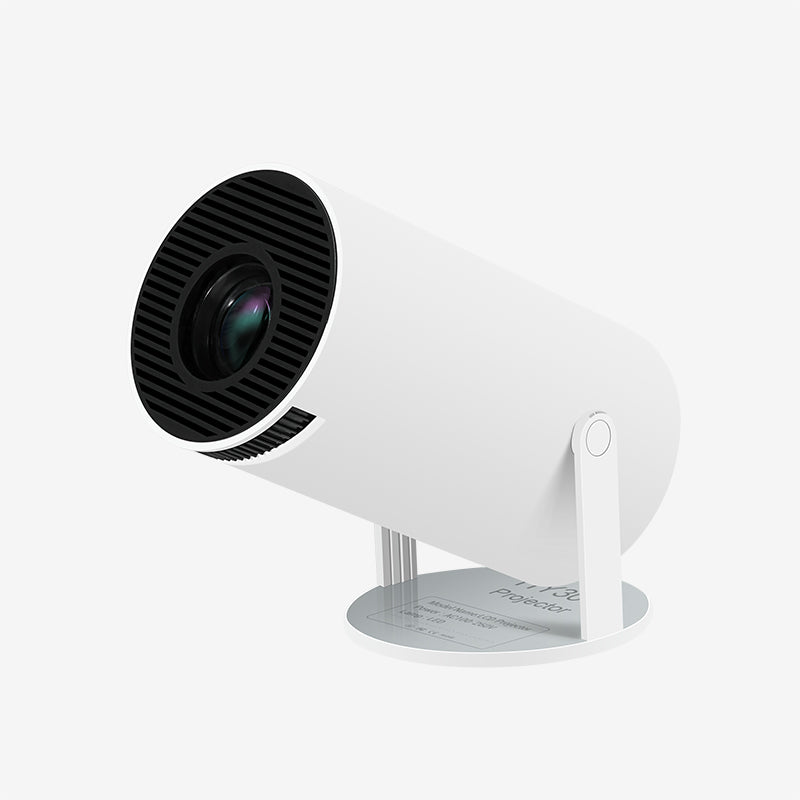
HY300 is a body style rather than a company, and several brands sell it. Even Lyncast’s own X1 artwork labels the casing HY300 Pro and HY300 Pro+. Magcubic’s HY300 Pro is the nearest match.
| Projector | Brightness | Largest picture | Throw distance | Wireless |
|---|---|---|---|---|
| Lyncast X1 | 300 ANSI lumens | 100 inches | 0.6 to 3 m | Wi-Fi 6, Bluetooth 5.4 |
| Magcubic HY300 Pro | 200 ANSI lumens | 130 inches | 0.6 to 2.6 m | Wi-Fi and Bluetooth, no versions given |
The X1 is brighter and names its wireless versions, while Magcubic claims the larger maximum picture. A 200-lumen projector would look dim at 130 inches, so that advantage means little.
Both brands claim 4K support while drawing 720P, and both suit dark rooms. Magcubic says its latest model is 30% smaller than the one before it and that an external power supply keeps the unit cooler, which costs one extra brick in the bag. Its listing also asks owners to update the system by hand so the built-in apps run properly.
The same shape never guarantees the same parts, so shop by spec sheet and seller, not silhouette.
Add-ons that help either one
Three small extras suit both minis. For Netflix, a licensed streaming stick in the HDMI port avoids any certification trouble. A Bluetooth speaker upgrades the sound, since both projectors support Bluetooth. A small tripod helps with leveling, and each listing mentions tripod mounting.
Where to Buy and What to Check
Amazon’s LYNCAST storefront is the simplest place to begin. With Lyncast Inc. as the seller and Amazon shipping the order, Amazon’s return process applies and no reseller sits in between. Open the LYNCAST brand store on Amazon and use the Visit the LYNCAST Store link beneath any product title to see the whole lineup.
Four checks on a listing
- Read the model name: real Lyncast listings use X-series names, from the X1 up to the X7.
- Find the brand line under the title, which should say Visit the LYNCAST Store.
- Look at the buy box, where the seller should be Lyncast Inc. and the shipper Amazon.
- Search the description for Lumina Go. It is Lyncast’s own app, so a listing that never mentions it deserves a closer look.
Warning signs
Any seller other than Lyncast Inc. is a reseller with separate rules. A plain HY300 mini projector with no brand name is not a Lyncast, however alike it looks. The specs should also agree with the listing: the 300-lumen X1 should show Bluetooth 5.4, Android 14 and a native 720P picture.
Model names matter outside Amazon too. Lyncast-branded units called LumeCube 300 and VisualCube 300 have appeared at another retailer, and those names do not match the current X-series. If you buy elsewhere, confirm who the seller is and read the return policy before paying, because you will not automatically get Amazon’s return window.
Be careful with web addresses as well. The lyncast.com domain is not the projector brand, so avoid entering payment details on any site that only claims to be Lyncast. Shoppers outside the US should check seller details in their local Amazon store and follow its return rules.
When the box arrives, compare its contents with the listing. The X3 should hold a remote, an HDMI cable, an adapter, a manual and a cleaning kit, and the 400-lumen X1 lists an HDMI cable. If anything is missing, message the seller through your Amazon order promptly.
Setup and Care Tips
These tips combine the X1’s listed features with general projector habits. They are not the result of bench testing.
Pick the spot first
Mounting choices include a tabletop, a ceiling or wall bracket and a tripod, and a tripod is the simplest way to reach a level picture at a good height. Whatever you choose must be safe from pets and kids, because a fall can damage the lens. Keep the vents clear, avoid closed cabinets or soft blankets, and keep the unit away from water.
Dial in the picture
Work through the picture in this order for the least rework.
- Place the projector level and square to the wall, somewhere between 0.6 and 3 meters away. The middle of that span is a sensible start for a 40 to 100 inch picture.
- Size the image with the 50% to 100% digital zoom. That is simpler than moving the unit, which would force keystone to be redone.
- Turn the focus wheel last, slowly, while watching small text. Refocus whenever the projector moves.
- If automatic keystone leaves the corners uneven, turn it off and fall back on the manual 4-point setting.
- When a wall will not work, the 180° stand points straight up, so the ceiling is an option.
Because keystone is digital, the less it has to correct, the better. Start with a flat surface aimed head-on at the wall.
Software and sound
The X1 supports over-the-air updates, so check for new software before you set up your apps. For control, add Lumina Go to your phone and put the phone and the projector on one shared Wi-Fi network, which gives you voice search, a keyboard and a touchpad. For sound, pair a Bluetooth speaker or headphones with the X1’s Bluetooth 5.4, since the spec sheet gives no speaker wattage.
Everyday care
Dust on the glass softens the picture, so wipe the lens gently with a clean, soft cloth. Lyncast packs a cleaning kit with the X3. The sleep timer and scheduled power-off built into the X1 stop the light source running all night if you fall asleep mid-film.
Returns, Warranty and Claims
Units shipped by Amazon and sold by Lyncast Inc. carry Amazon’s voluntary return guarantee, a 30-day window that covers many products with some exceptions. Read the terms on your order page, then use the window to try keystone, focus, streaming apps and Bluetooth.
Warranty differs by listing. The X1 listing gives no length. The X3 Pro advertises two years and a refund within 365 days, while the X5 promises a year of returns and US-based support. These promises come from the seller, not Amazon, so save a copy of the listing at purchase.
Filing a claim
While the window is open, find the projector under Your Orders on Amazon and start the return from that page. After it closes, message the seller, Lyncast Inc., from the same page and add a photo or short clip showing the fault.
Hold on to the box for at least the first month, along with your order number and a listing screenshot. Run through the setup steps above before you file, because a slanted or soft picture can come from placement.
Frequently Asked Questions
Does the X1 handle Netflix?
The listing includes Netflix in its app line-up, but the X1 has no Netflix-Licensed certification. For dependable playback, use a certified Lyncast model or plug a licensed streaming stick into the HDMI port.
Does it run without a wall outlet?
Not on its own. The spec sheet lists no battery and the X1 draws 48 watts. Away from mains power, such as at a campsite, a portable power station is the workaround.
Can I mirror my phone?
According to the listing, compatible Android and iOS devices can mirror wirelessly. How well that works depends on your phone and the app, so test it inside the return window.
Can I connect a console or laptop?
Yes. An HDMI port handles both, and a USB port sits beside it. On the X1 the picture stays at native 720P whatever you plug in.
Which files can it play from a USB drive?
The listing names MP4, MKV, AVI, MOV and TS files, with codecs including H.264, H.265, VP9 and MPEG-4. Audio support includes MP3, AAC, FLAC and WAV.
Is the Lyncast X1 genuinely 4K?
No. It draws 1280 x 720 pixels. The projector can open 1080P and 4K files, yet the listing says they are shown at that native size.
How bright is the X1?
Lyncast lists 300 ANSI lumens, which suits a dark room. Brighter options include the X5 at 1200 lumens and the X7 at 1500.
The Short Answer
For viewing in the dark, begin with the X1. For a room with lamps on, the X5 is the safer place to start. The rest of the range fills gaps: the X3 for native 1080P at moderate brightness, the X3 Pro and X6 Pro for certified Netflix, and the X7 for the largest walls.
Whichever you pick, read the lumen figure, native resolution and seller line before you order, and use the return window to test it on your own wall. You can browse the Lyncast lineup on Amazon to compare the models side by side.