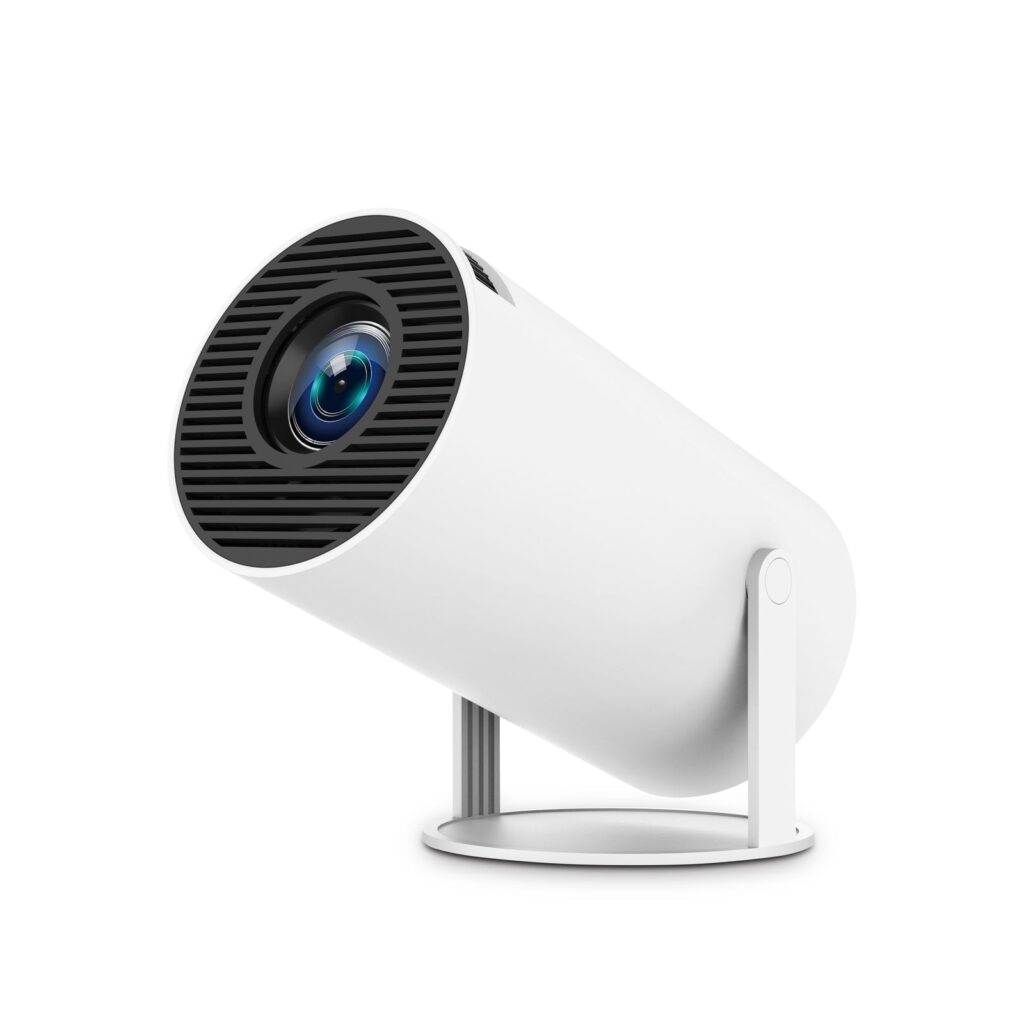
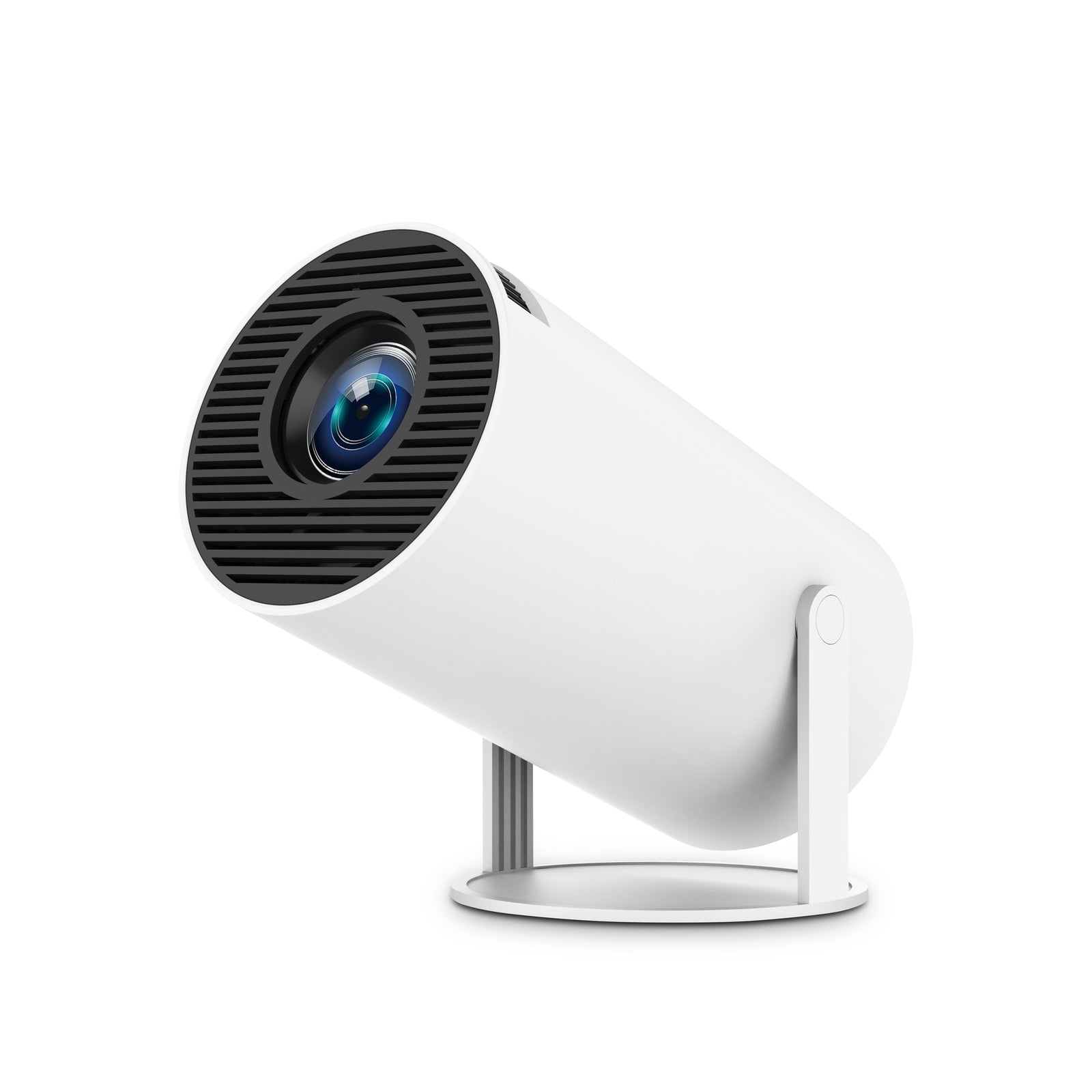
The Lyncast X1 is a palm-sized Android projector made for dark rooms. Think bedroom ceilings, dorm walls and camper nights, with streaming apps built in and a stand that tilts all the way up.
This verdict is built from the brand’s spec sheet, a side-by-side with its closest look-alike and a read through Lyncast’s wider lineup. Where the brand’s own numbers disagree, the text says so.
The short version is a small screen with a narrow job, well suited to the right room and a poor TV replacement. Browse Lyncast’s storefront on Amazon if you want the range open while you read.
What the X1 Is
Lyncast sells the X1 as a self-contained smart projector, so you need no stick or laptop to get a picture on the wall. Here is the spec sheet in plain terms.
- Brightness: 300 ANSI lumens.
- Picture: 1280 x 720 native pixels.
- Software: an H726 chip running Android 14 TV OS, with streaming apps preinstalled.
- Wireless: Wi-Fi 6 and Bluetooth 5.4, plus screen mirroring from Android and iOS devices.
- Ports: HDMI and USB.
- Picture size: anywhere between 40 and 100 inches, thanks to a short-throw lens at 0.8:1.
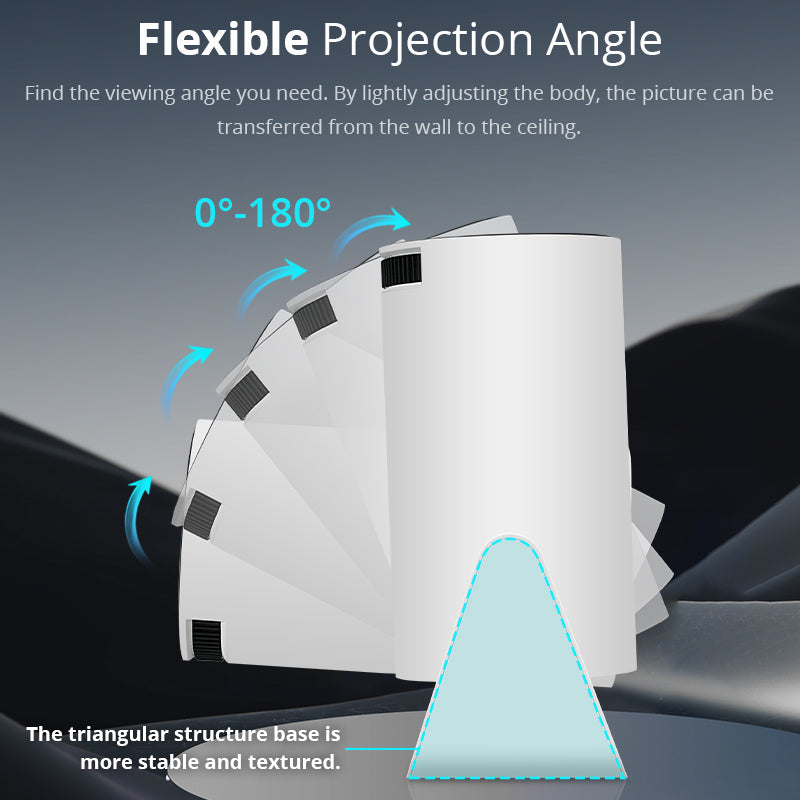
- Adjustments: automatic keystone, manual focus, digital zoom from 50% to 100% and a stand that tilts 180°.
- Size: a compact body measuring roughly 3.5 by 3.5 by 6 inches and weighing 350 grams.
- Power: 48 watts from a wall outlet, with no battery listed.
- Light source: Lyncast says 30,000 hours.
- Control: the remote, or the free Lumina Go app on your phone, which adds an air mouse, touchpad, full keyboard and voice input.
Mounting options on the listing include a tabletop, a ceiling or wall bracket and a tripod.
Native 720P and the 4K Label
This is the spec to read twice. Every Lyncast listing carries a 4K support label, the X1 included. That label describes which files the projector can open. It says nothing about how many pixels land on your wall.
The pixel count that matters is the native one, 1280 x 720 on the X1. Lyncast’s own listing says sharper video gets scaled to that size, so a 4K film plays without trouble and still looks like 720P.
Small on-screen text, console games and close seating all favor native 1080P, which begins with Lyncast’s X3 and continues through the rest of the range.
Spacing is easy to plan by picture size. About 0.71 meters (28 inches) between lens and wall gives a 40-inch image, and about 1.77 meters (70 inches) gives 100 inches, in line with Lyncast’s distance chart.
Contrast is the number to trust least. Lyncast’s spec table gives 15000:1, while one of its product images gives 10000:1. With the brand contradicting itself, lumens and native resolution are the safer way to compare models.
Strengths and Weak Spots
What works
- Quick start. Apps are built in, so you can stream without adding hardware, and Lumina Go turns a phone into a remote.
- Ceiling viewing. The 180° stand points straight up, which suits lying in bed in a dark room.
- Small and light. At 350 grams it is easy to carry in a tote bag.
- Modern wireless. Wi-Fi 6 is designed for homes where several gadgets share one network, and Bluetooth 5.4 lets you pair a speaker or headphones.
- Housekeeping features. A sleep timer, scheduled power-off and over-the-air updates are all listed.
What to watch
- Brightness. 300 lumens is a dark-room figure, so expect daylight or a lit lamp to wash the picture out. Lyncast’s brighter models list 1200 and 1500 lumens.
- Focus. It is manual, so you turn the wheel yourself once the size is set. The X3 and the models above it list auto focus.
- Keystone. The correction is digital, which reshapes the image instead of moving the lens. Set the projector level and square to the wall so the software has less to fix.
- Netflix. The listing names Netflix among its apps, but the X1 does not carry the Netflix-Licensed label that the X3 Pro and X6 Pro do. If Netflix is your main reason to buy, plan on a licensed streaming stick in the HDMI port.
- Power. No battery is listed, so a camping trip needs mains power or a portable power station.
- Audio. The spec sheet gives no speaker wattage for the X1, whereas the X7 quotes 20W and the X5 advertises twin 36W drivers. A Bluetooth speaker is an easy upgrade.
Who Should Buy It
The X1 makes sense when the room is dark, the screen is for fun and a native 720P picture is good enough. That covers a bedroom ceiling, a dorm wall and a camping trip.
- A good fit: bedroom and ceiling viewing, a dorm screen, a camper or van, and anyone who wants a big picture without the footprint of a TV.
- A poor fit: living rooms with the lights on, anyone chasing sharp 1080P detail, and anyone who needs a Netflix-Licensed device out of the box.
Parents weighing it for a teen’s bedroom should put it on a stable surface, since a falling projector is hard on the lens. It also suits a gift for a student, as long as the recipient sets it up straight away.
If you need more light or a sharper image, the step up is a native 1080P model. Lyncast’s X5 lists 1200 lumens with licensed Google TV, and the X7 lists 1500 lumens.
X1 vs the Magcubic HY300 Pro
The X1 follows the HY300 design, a white cylinder on a tilting stand that several brands sell. Magcubic’s HY300 Pro is the closest match, so here is how the two listings line up.
| Projector | Brightness | Largest picture | Throw distance | Wireless | Listed contrast |
|---|---|---|---|---|---|
| Lyncast X1 | 300 ANSI lumens | 100 inches | 0.6 to 3 m | Wi-Fi 6, Bluetooth 5.4 | 15000:1 |
| Magcubic HY300 Pro | 200 ANSI lumens | 130 inches | 0.6 to 2.6 m | Wi-Fi and Bluetooth, no versions given | 8000:1 |
Both have a native 1280 x 720 picture, a 180° tilt and manual focus, and both correct the picture automatically, so the differences come down to the rows above. The X1 is brighter and names its wireless versions. Magcubic claims the bigger maximum picture, but a 200-lumen projector will look dim at 130 inches, so that gap matters less than it sounds.
Both claim 4K support while drawing a 720P image, and neither carries a Netflix-Licensed label. Magcubic’s own claims are that the latest HY300 Pro is 30% smaller than the model before it and that an external power supply keeps the body cooler, at the cost of an extra brick in the bag. Its listing also asks owners to install system updates by hand so the built-in apps run properly.
For me the extra brightness and the clearly listed wireless versions tip it toward the X1. If you agree, browse Lyncast’s storefront on Amazon and check the current price there before you decide.
Returns, Warranty and the Right Seller
Listings name Lyncast Inc. as seller, and Amazon does the shipping. Orders handled that way fall under Amazon’s return guarantee, which the listings describe as a 30-day window with exceptions. The exact terms appear on your order page. Spend the window checking keystone, focus, apps and Bluetooth on your own wall.
Warranty depends on the listing. For the X1, no length is stated. The X3 Pro listing promises two years and a refund within 365 days, and the X5 listing promises one year of returns plus US-based support. Those are the seller’s promises, so keep a screenshot of the listing from the day you buy.
Two quick checks make buying safer. The brand line under the title should read Visit the LYNCAST Store, and the seller line should read Lyncast Inc. Lyncast also lists two X1 versions. One claims 300 lumens with a 180° stand, while the other lists 400 lumens and a 270° stand. Browse Lyncast’s storefront on Amazon and confirm the seller and version on whichever listing you open.
One more warning: lyncast.com leads to an unrelated site, not to the projector brand.
Quick Questions Answered
Does the X1 deliver a true 4K picture?
No. Only 1280 x 720 pixels reach the wall. The projector opens 1080P and 4K files and scales them down to that size, which is all the 4K label refers to.
Does the X1 work with Netflix?
Netflix is among the listed apps, yet the X1 lacks the Netflix-Licensed label. If it matters most, step up to a certified Lyncast model or add a licensed streaming stick through HDMI.
Can it project onto the ceiling?
Yes. The stand tilts 180°, which is enough to point straight up.
Does it have a battery?
The spec sheet lists none, and the X1 draws 48 watts, so it expects a wall outlet. For a campsite, a portable power station is the usual answer.
Can I connect a console, laptop or speaker?
Yes. HDMI and USB ports are built in, and Bluetooth 5.4 covers speakers and headphones. Whatever you plug in, the picture stays native 720P.
The Verdict
The Lyncast X1 is built for one job: a big picture in a dark room, from a ceiling above your bed to a dorm wall. Its limits are plain on the spec sheet, namely native 720P, 300 lumens, manual focus and no Netflix licensing.
If that matches your plans, it is an easy pick. If you watch with the lights on, want crisp 1080P detail or need Netflix certification built in, start with a brighter Lyncast model instead. Either way, browse Lyncast’s storefront on Amazon and confirm the seller and version of the model you pick before you order.