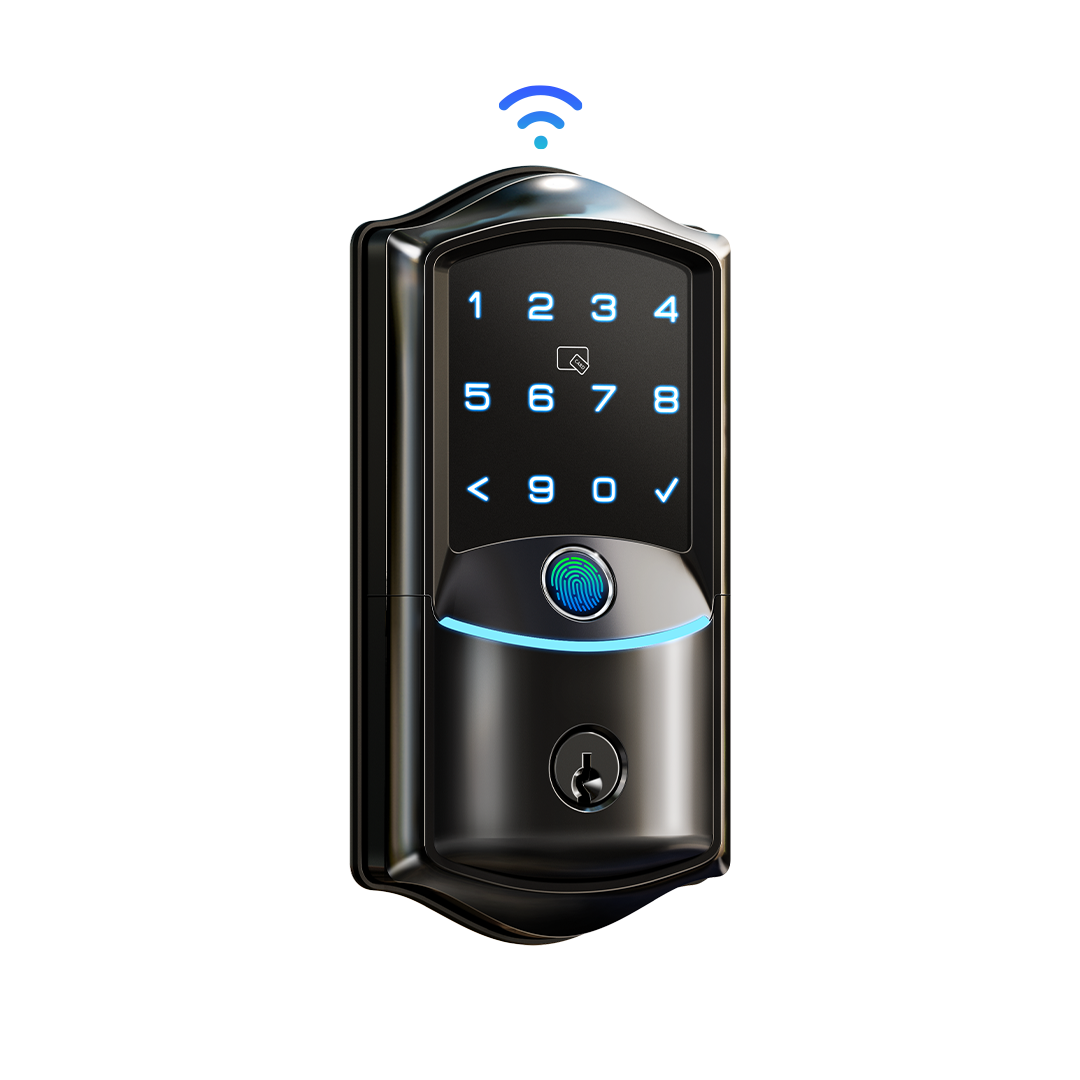
Shopping for a smart lock ought to be simple, yet one brand can list dozens of near-identical models. Veise is a good example. Its catalog runs past 80 listings, and the model names alone won’t tell you which locks work immediately and which depend on an add-on.
This guide untangles that. It explains what to look for in any smart lock, how Veise organizes its range, what the specs mean in daily use and how the brand stacks up against a close rival. It is built from the brand’s published specs and policies plus a note from an independent reviewer, not from hands-on testing.
If you want the quick answer, here it is. Choose built-in Wi-Fi for remote control with the least fuss. Choose a gateway model if you might want remote access later. Choose the keypad-only lock if you would rather have no network at all.
What Matters in a Smart Lock
Before you compare models, decide what you want the lock to do. A handful of questions settle most of the decision.
- Remote access. Do you want to lock or unlock from your phone, check that the door is closed, or use a voice assistant? Some locks do this alone, some need a bridge and some skip it by design.
- Ways in. Fingerprint, keypad, app, key fob and a physical key all appear on smart locks. More options give you more fallbacks.
- Power. Nearly every smart lock runs on batteries, so check how many it takes, how long they last and what happens when they run flat.
- Weather. A front-door lock faces rain, sun and cold, so look for a stated weather rating.
- Door fit. Measure the thickness of your door and compare it with the range the lock supports.
- Security tier. Residential locks are graded, and the entry grade is common at lower prices.
- Warranty and support. You rely on a lock every day, so it matters who answers when something goes wrong.
Keep these in mind as you read on. Every Veise model balances them a little differently.
Who Makes Veise Locks
In North America, Veise is a fairly new name: the brand arrived in 2022. Its own account reaches back much further, to 1986, when its parent company, Kaddas Group, began producing locks in Asia.
Start with the patents: Veise reports 711 of them and calls that the industry’s largest smart lock portfolio. On sales, it claims more than 10 million locks across 41-plus countries, and it says Frost & Sullivan recognized it as a leading seller of premium smart locks worldwide.
Research is a stated priority too. According to Veise, more than 400 engineers work across four R&D centers worldwide, including AI specialists on fingerprint recognition. None of these figures were checked independently for this guide, so treat them as the brand’s own account.
What matters more in daily terms is how the locks are made. Veise says it designs, engineers and manufactures them itself instead of relabeling generic hardware, which, if true, would put warranty and support under a single company. Its tagline is “Easy from Day One,” and its Easy Framework promises ease in choosing, installing, using and getting help.
The tagline is marketing, yet one design choice fits it: building Wi-Fi into the lock spares you from buying a hub.
How the Veise Range Is Organized
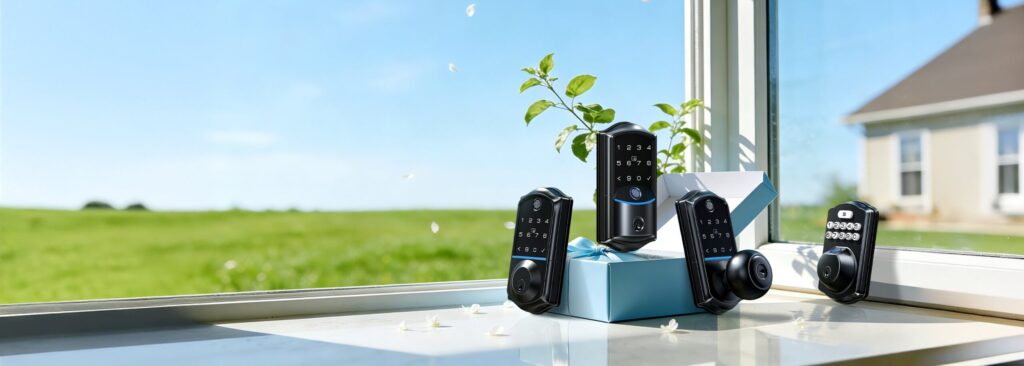
Veise sorts its catalog into five groups. Wi-Fi models connect to your home network by themselves. Keypad-only deadbolts keep everything on the lock, with no network involved. Gateway models use Bluetooth close to the door and rely on a G1 or G2 Wi-Fi gateway for anything remote.
The remaining two are mechanical knobs, levers and handlesets with no electronics, plus a few indoor security cameras. The mechanical locks are meant for doors where a smart lock would be pointless or prohibited.
Knowing the group tells you more than the model number does. A Wi-Fi lock works remotely out of the box. A keypad-only lock needs nothing but batteries. A gateway lock works locally with fingerprint, PIN and key, then gains remote access once you add the gateway.
After you pick a group, price and hardware style do the rest. Veise sells deadbolts, levers, knobs and handlesets, so the hardware already on your door narrows the field quickly.
Built-In Wi-Fi Models
Of the five groups, this is the one that asks the least of you. These locks join a 2.4GHz home network on their own, and once setup is complete the app, remote status checks and voice assistants are available. Before ordering, confirm that your router broadcasts 2.4GHz and that the signal reaches the front door.
VE027, the model reviewed here
For the VE027, check the current price at Veise. The spec sheet lists seven ways to unlock, a fingerprint sensor rated at 0.2 seconds and 99.8% accuracy, room for 20 fingerprints and over 100 PIN codes, an aluminum body and an IP65 rating.
For a spec-by-spec walkthrough, read our full verdict on the Veise VE027.
VE012W, the closest sibling
The VE012W keeps built-in Wi-Fi and fingerprint entry but carries an IP55 rating instead of IP65. Its listed price changes, so check the current price at Veise before weighing it against the VE027.
VE029, the lever option
Choose the VE029 when the door already uses a lever. It takes the lever form instead of a deadbolt body, with Wi-Fi and 100 or more PIN codes retained and an IP55 rating.
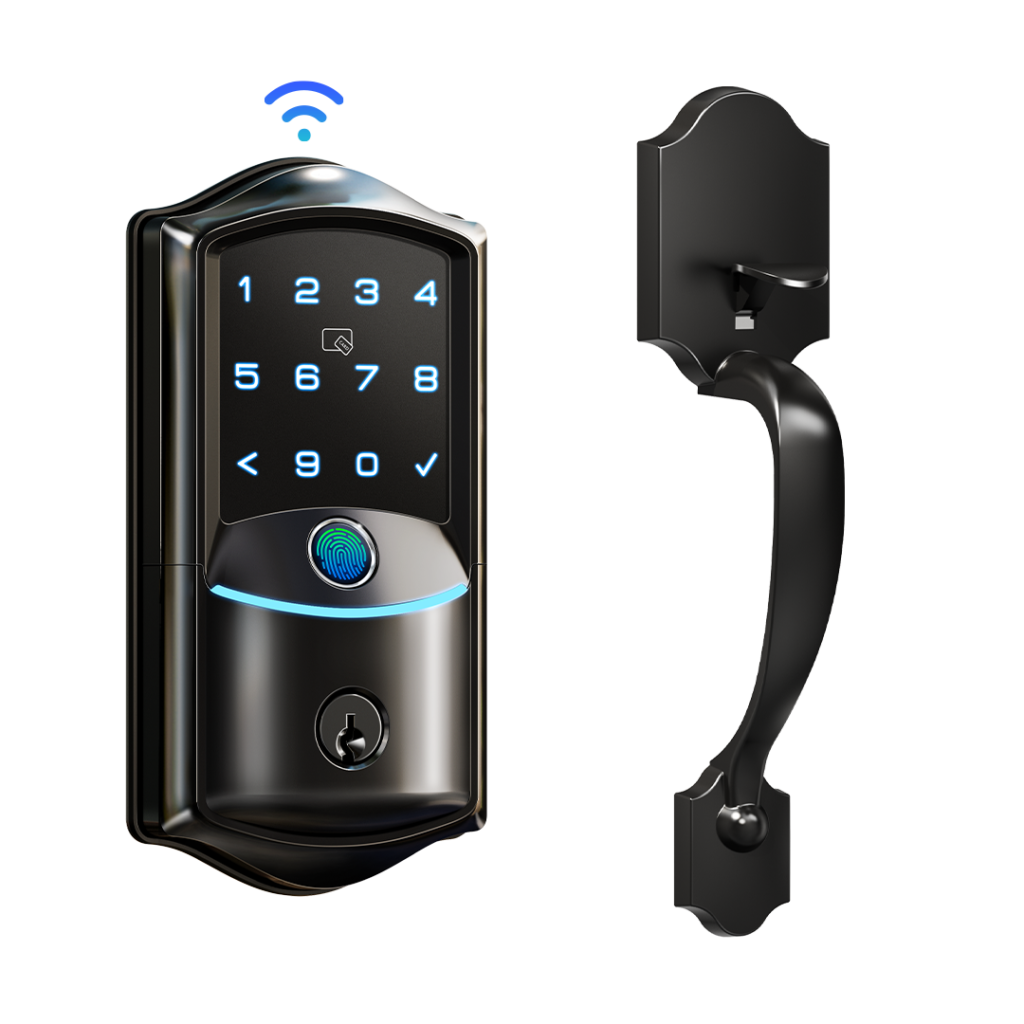
VE027-H, the full handleset
Buy the VE027-H if the handle matters as much as the lock: it puts the VE027’s electronics inside a complete handleset. The fingerprint reader, Wi-Fi, IP65 rating and external USB-C port all carry over.
Battery life is the catch to keep in mind: the listed figure is roughly 240 days on its eight batteries, short of what Bluetooth-only models manage.
Gateway and Offline Models
Not everyone wants a lock that talks to the internet. Veise has two answers for that, and they suit different people.
VE017 and VE017G, Bluetooth with an add-on
The VE017, listed at about $69.99 at Veise, uses Bluetooth for local connections, so fingerprint, PIN and key entry work with no internet at all. Remote access, live notifications and voice assistant control all depend on the G1 or G2 gateway.
The VE017G ships with the gateway included, so there is no second item to track down. Compare current prices at Veise before choosing between the two. The VE017 is rated IP55.
Choosing the lock alone leaves the decision open: if remote access turns out to matter, the gateway can be bought afterward rather than at the start.
KS02A, no network at all
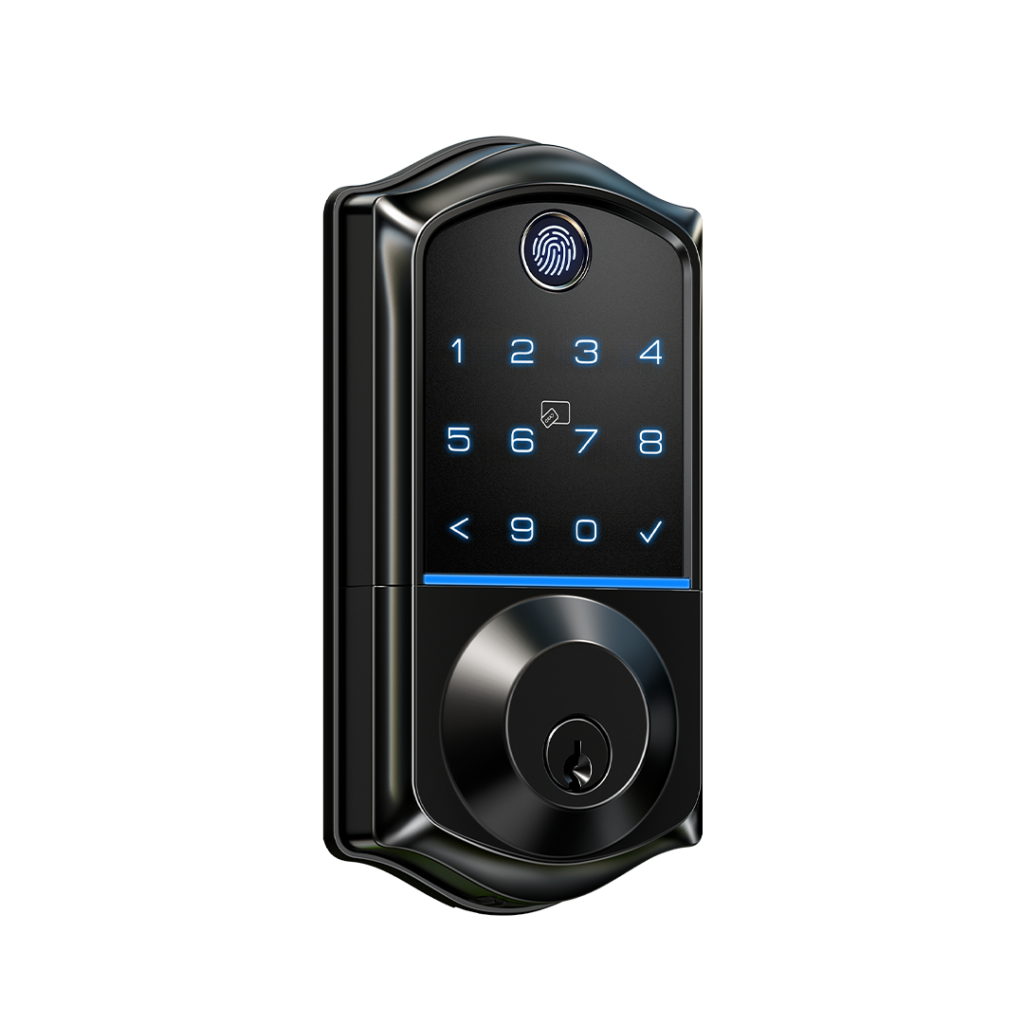
At about $69.99 at Veise, the KS02A is the stripped-back option: fingerprint and keypad entry, with nothing to pair and nothing online. Without a radio or an app, there is no network to manage and no gateway to buy.
Renters are the obvious audience, since the lock needs no Wi-Fi of any kind and a standard lock can go back on the door when the lease ends.
Everyday Use and Care
Day-to-day care for a smart lock comes down to four things: batteries, weather, the fingerprint reader and the auto-lock setting. Wi-Fi and gateway models add a fifth, firmware.
Batteries
Battery counts differ by type. Wi-Fi models want eight AA cells and are quoted at up to eight months, while gateway and keypad-only models typically use four and are quoted at 10 to 12 months. None come with batteries in the box, so buy them in advance.
Install all the cells fresh and alkaline at once. Mixing old with new lets one weak battery pull down the voltage of the rest. When a low-battery warning appears on the keypad or in the app, change the set promptly, and it helps to keep spares nearby.
As a last resort, the VE027 and VE027-H have a USB-C port on the outside; connecting a portable charger there powers the lock even when the batteries are completely dead.
Weather
Veise gives its locks an IP55 or IP65 rating, depending on the model, and presents them as suitable for rain and ordinary outdoor exposure. Neither rating means a lock can be submerged.
Do not aim a pressure washer at the keypad or the fingerprint sensor. A door that faces storms directly benefits from a wipe-down once the weather passes.
The fingerprint sensor
A sluggish reader is worth a clean before anything else, using a soft, dry cloth. Alcohol-based cleaners and solvents should stay off the surface. For comparison, the brand rates the response at 0.2 seconds.
One finger that keeps failing is better handled by deleting its entry and enrolling it fresh in the app than by trying to coax the old record back.
The auto-lock timer
On most models the auto-lock delay can be set anywhere between 10 and 180 seconds, and the choice is a trade. Set it short and the door secures itself fast, but it may lock while you are still chatting on the porch. Set it long and you get breathing room, with the door left unlocked for longer after each entry.
Live with the default for a week or two before changing it, so the adjustment reflects how you actually use the door.
App and firmware updates
Wi-Fi and gateway models can receive firmware updates, so open the app from time to time and look for one. Updates may bring recognition-speed and connection fixes rather than headline features, but a lock left alone for too long ends up on old software.
Veise Compared With TEEHO
On paper, TEEHO’s TE012W is nearly a twin of the Veise VE012W. Each joins 2.4GHz Wi-Fi without a hub, each unlocks by fingerprint, PIN, app, voice assistant or physical key, and each is rated IP55 and works with Alexa.
Price is where the shopping gets practical. Listings move around, so compare both at the moment you buy instead of trusting a number printed in an article.
Support and warranty are where the two differ on paper. Veise lists two years of warranty coverage, phone support in the U.S. and ongoing maintenance for mechanical parts. TEEHO’s published terms cover less.
An independent review rated the TEEHO TE012W four stars out of five, describing it as simple and affordable but unproven over the long term. That kind of caution applies to any newer budget lock.
My read: the spec sheets alone make this nearly a tie. Veise pulls ahead once warranty length and support are counted, since those are the areas where it publishes more than TEEHO does. On the figures available, the TE012W does not offer a feature the VE012W lacks.
Warranty, Returns and Buying Safely
Veise gives every lock two years of coverage: a one-year base warranty, then a free second year after you register the product. The brand also says mechanical parts get lifetime maintenance.
Buying straight from Veise brings a 30-day money-back guarantee and free standard shipping. A month gives you time to fit the lock, use it daily for a couple of weeks and return it if it is wrong for your door.
Phone support is available at +1 (855) 400-3853. Weekday hours are 9 AM to 5 PM Pacific, and on Saturdays the line opens from 7 AM until 3 PM. Email goes to [email protected]. A phone line is a useful option when a lock problem cannot wait for an email reply.
The catch is the seller. Veise’s distribution policy excludes products from unauthorized sellers from its warranty, after-sales service and recall support. That is a real gap for a device that guards your door: a faulty fingerprint reader or short battery life would be your problem alone.
Signs a listing deserves a second look:
- A price well under what Veise itself charges, with no reason given.
- A storefront name that is generic and unrelated to Veise.
- A model number that does not correspond to a current Veise model, because some listings pair discontinued hardware with up-to-date firmware and app support.
Skipping the reseller question altogether means buying at Veise’s own store. After the lock arrives, register it so the free second year applies.
Frequently Asked Questions
Are Veise and Weiser related?
No. Despite the similar names, Weiser is an unrelated North American lock brand with its own long history, and it has no connection to Veise’s manufacturing background.
Which Veise locks need a gateway?
Bluetooth-only models, such as the standalone VE017, need the G1 or G2 gateway for anything remote. Without it they still open by fingerprint or keypad, but remote access and voice commands are unavailable.
How many fingerprints and PIN codes can I store?
The VE027 and VE012W lines hold up to 20 fingerprints and more than 100 PIN codes, according to Veise. Each code can be set as permanent, recurring, scheduled or single-use.
Where is my fingerprint data kept?
According to the brand, your fingerprints and PIN codes live on the lock itself, protected by AES-128 encryption, instead of on a remote server.
What door thickness does a Veise lock fit?
Veise says most models are built for doors from 1-3/8 to 2 inches thick, so measure yours before ordering.
Do Veise locks work with Alexa and Google Home?
Yes, with a condition. The Wi-Fi models talk to both assistants themselves, whereas gateway models need the G1 or G2 unit connected before voice control works.
Can I return a Veise lock if it isn’t right?
Yes, when the order went through Veise directly: the 30-day money-back guarantee applies there. Products from unauthorized sellers fall outside Veise’s coverage.
How hard is installation?
The VE027 is a do-it-yourself job that needs only a screwdriver and no wiring. Measure your door first and have batteries ready, since none are supplied.
Which Veise Lock Fits You
Match your situation to a model, then confirm the details on Veise’s page before you order.
- You want remote control with no extras: the VE027 delivers it without extra hardware.
- You want built-in Wi-Fi and are comparing prices: look at the VE012W and check its current price.
- You want a full front-door upgrade: the VE027-H adds the handleset.
- Your door calls for a lever: the VE029 keeps the Wi-Fi in a lever body.
- You may want remote access later: the VE017 lets you add the gateway when you are ready.
- You rent, or want no network: the KS02A runs fully offline.
A built-in Wi-Fi deadbolt is the setup with the fewest parts to buy, which makes it a natural first smart lock. Whichever way you lean, remember that Veise locks carry the entry-level residential security grade, which is normal for the price range. When you are ready, browse the range at Veise’s store.