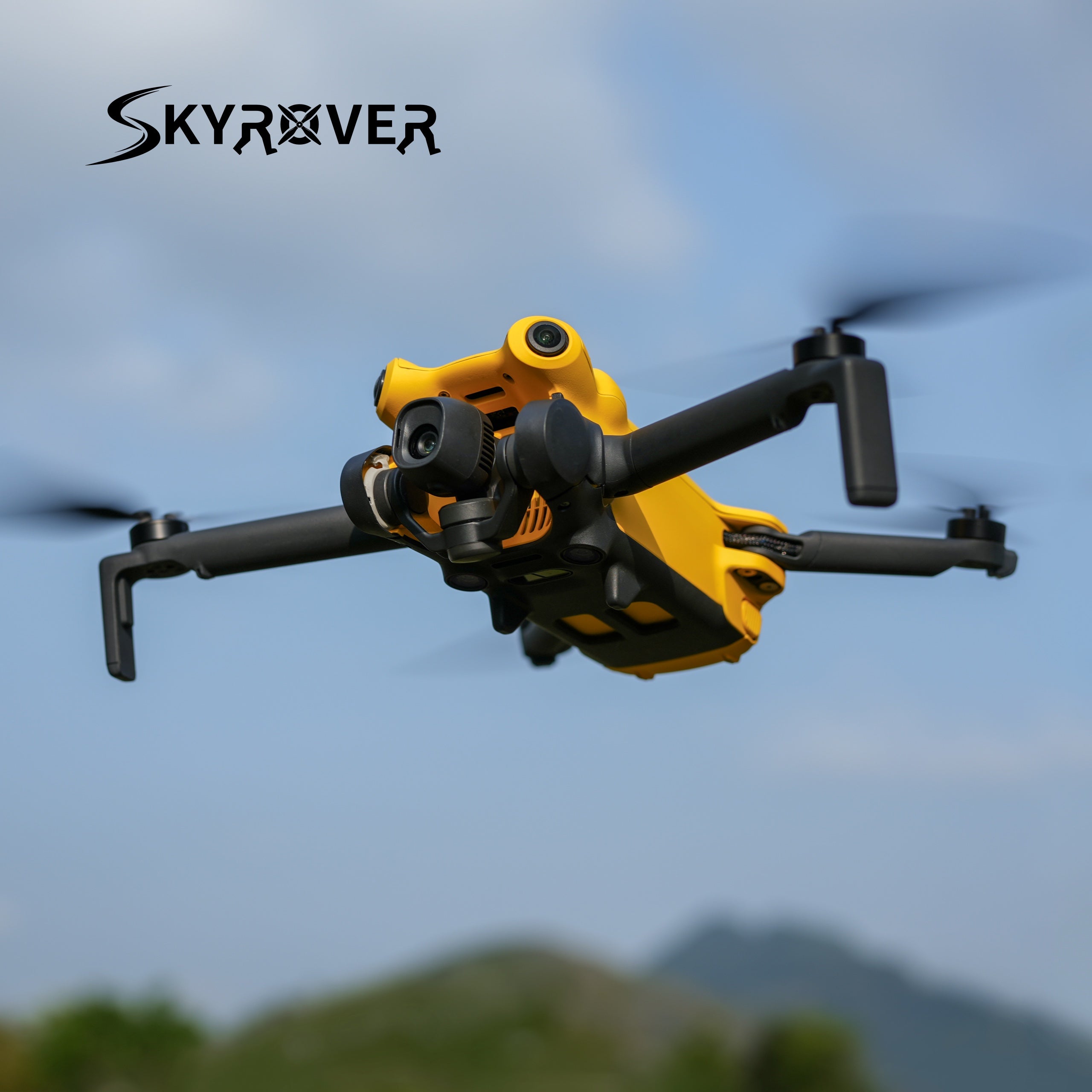
SkyRover makes just two drones, so the buying decision is narrower than at a brand with a long catalog. The harder part is working out which model suits what you will really shoot, which kit to start with and where to buy it safely.
This guide covers who is behind the brand, how the S1 and X1 differ, what the spec sheet means once the drone is in the air, how SkyRover compares with DJI, and how to look after something this small.
The product facts here come from the brand’s own specs and policy pages, plus independent field tests and reviews. Whatever those sources do not cover is left out, so you will not find guesses dressed up as facts.
Who Is Behind SkyRover
SkyRover is a young company headquartered in Dover, Delaware. Its founder, Henry Zhang, leads a team that includes engineers who have worked at DJI.
Where the idea came from
Zhang says the idea took shape around an early prototype. His child was close by while it held a steady hover, steered around an obstacle and flew itself home.
His conclusion was that most drones are built with professionals in mind, and that his should not be. That is the brand’s own telling, so treat it as context rather than proof. It does explain why the lineup leans toward easy, automated flying.
A US-focused pitch
Product Head Nathan Chan has described the aim as an American-style user experience at global-grade quality. Two things back that up on paper: support staffed in the US, and a service model the brand calls “swap not mend”.
In plain terms, a problem unit is replaced rather than sent away for repair.
Retail presence and certification
SkyRover made its retail debut at Best Buy, and B&H Photo Video stocks the lineup too. Zhang called the Best Buy launch a strong endorsement of the brand’s quality, reliability and value.
That is the brand’s view, and a store listing says little about how one drone performs. Lean on the field-test results later in this guide instead.
The drones are also listed as FCC-approved. That certification covers the radio hardware, including transmission range and frequency use under US rules, so think of it as a baseline rather than a bonus.
One software detail worth knowing
Security researchers who examined the X1’s companion app found code that references DJI’s cloud infrastructure. That fits a team with DJI engineering roots, and it may be why flying a SkyRover feels familiar if you have used a DJI drone.
Nothing in the coverage ties it to a safety problem, but it is better to know before you buy.
The S1 and X1 at a Glance
The lineup is two folding drones, both under 249 grams. The S1 is the entry model and the X1 is the flagship. Check SkyRover’s store for current pricing on both before you decide.
| Feature | SkyRover S1 | SkyRover X1 |
|---|---|---|
| Rated flight time | 40 minutes | 32 minutes |
| Farthest transmission | 7.45 miles | 9.32 miles |
| Camera sensor | Sony CMOS, 1/2-inch | CMOS, 1/1.32-inch |
| Color depth | 8-bit SR-Log | 10-bit HLG SR-Log |
| Obstacle sensing | Forward and downward | All around, 360 degrees |
| Subject tracking | Auto Track | Dual Track plus Spotlight |
| Stills | 48MP | 48MP in an 8K format |
| Video | 4K at 60fps | 4K at 60fps with HDR, plus 4K at 100fps |
One touchscreen controller serves both drones, with a 5.5-inch display rated at 700 nits, and the screen-remote combos include it. The more costly engineering sits in the drone body and the sensor, not the remote.
What the Specs Mean in the Air
Battery and range
On paper the S1 stays up longer, at up to 40 minutes per battery against 32 for the X1. The X1 makes up for it with reach, up to 9.32 miles against 7.45.
Treat those figures as ceilings. An independent X1 field test landed at about 25 to 26 minutes per charge, and wind, cold and active tracking all draw extra power.
Sensor size and low light
The X1’s 1/1.32-inch sensor is the headline difference. A larger sensor generally gathers more light for each pixel, so it is expected to help at dusk and in high-contrast scenes.
Independent reviewers found the S1’s daytime footage close to flagship quality. After sunset, they said its video falls away quickly and looks closer to an older, cheaper drone.
Color depth
Both drones record SR-Log, SkyRover’s flat color profile made for grading after you land. The X1 saves it as 10-bit HLG and the S1 as 8-bit.
Ten-bit files hold more color and brightness information, so heavy grading is less likely to cause banding or dull skies. If you edit your footage, that gap is worth weighing. If you post straight from your phone, it matters much less.
Obstacle sensing
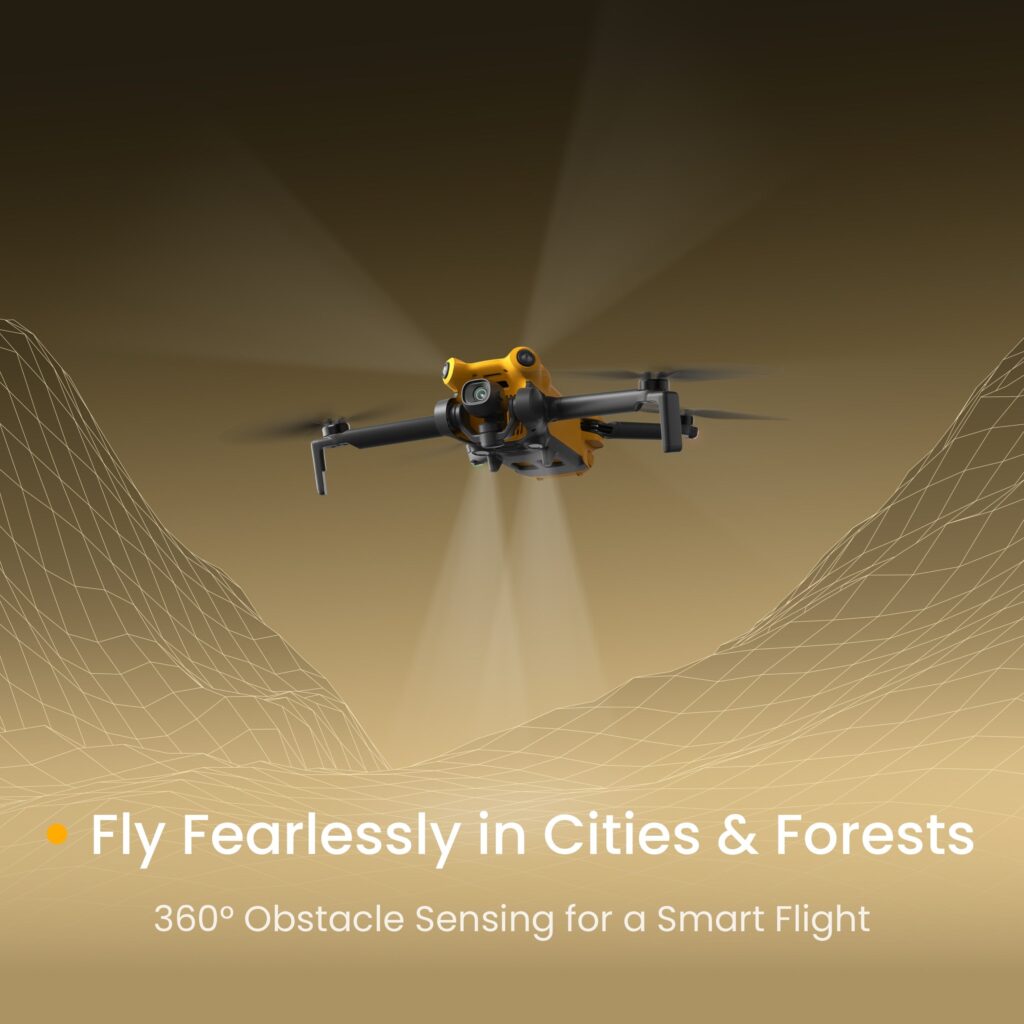
The S1 watches forward and downward. The X1 senses in every direction, which can help when you fly backward, follow a moving subject or weave past branches and rooftops.
Sensing is still a backup rather than an autopilot. One independent reviewer saw the X1’s rear sensor throw occasional phantom warnings, so keep your own eyes on the airspace.
Subject tracking
The S1’s Auto Track stays with one locked subject. The X1 adds Dual Track plus Spotlight, which can follow a subject while the camera stays aimed at a fixed point.
That suits action shots where a landmark should stay in frame while your subject moves through it.
X1 or S1: Which One Fits You
Start with what you will shoot, then match it to your budget. With only two models, the choice comes down to a handful of trade-offs.
| If this sounds like you | Better fit | Why |
|---|---|---|
| You shoot at dusk, indoors or in uneven light | X1 | The bigger sensor plus 10-bit recording |
| You fly near trees, buildings or crowds | X1 | Sensing in every direction |
| You follow fast subjects | X1 | Dual Track plus Spotlight gives more control |
| You want to fly farther from where you stand | X1 | Up to 9.32 miles of transmission range |
| You mostly shoot in daylight | S1 | Independent reviewers found its daytime footage close to flagship quality |
| You want the most minutes per battery | S1 | Rated for up to 40 minutes |
| You want the lower-priced model of the two | S1 | It is the entry model |
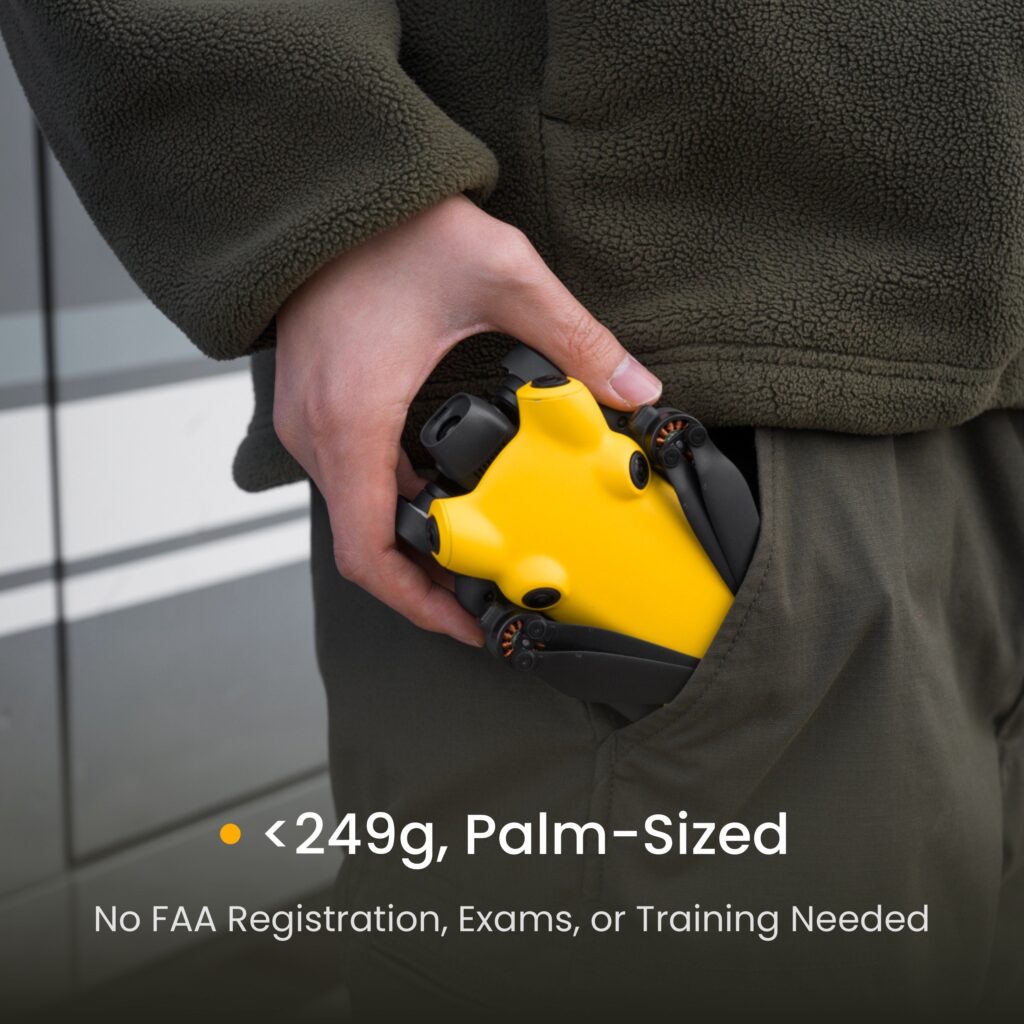
Whichever you choose, both stay under 249 grams. Recreational pilots typically do not need to register a drone that light, though it is wise to confirm current FAA rules before your first flight.
You can browse SkyRover’s range on SkyRover’s own site, which opens the brand’s store in a new tab.
If the X1 is your pick, our full verdict on the SkyRover X1 goes deeper on the field-test results and the build-quality notes.
How SkyRover Compares With DJI
DJI’s Mini 4 Pro is a natural point of comparison for drones under 249 grams, and SkyRover invites it with a closely matched feature list. Here is how the X1 lines up.
Spec by spec
| Detail | X1 | Mini 4 Pro |
|---|---|---|
| Fly More Combo price | Check the current price at SkyRover | From about $1,099 |
| Sensor size | 1/1.32-inch format | 1/1.3-inch format |
| Top video mode | 4K/60fps HDR, 4K/100fps high-speed | 4K/100fps |
| Remote ID | Can be switched off | Always on |
| Weight | Under 249 g | Under 249 g |
| Obstacle sensing | All directions | All directions |
The sensors are close enough in size that the difference should be small in everyday footage. Price is where SkyRover pitches the X1 as the lower-priced alternative, so check its current price at SkyRover’s store.
What the field test showed
An independent tester flew both drones side by side in the Alaska wilderness, so the test included real wind, cold and uneven ground rather than a parking lot. The result was closer than expected.
The X1’s subject tracking coped well with rugged ground and, at moments, beat the Mini 4 Pro. Both handled wind about equally, and drift showed up only when the X1 was flown extremely close to a subject in gusts.
A reviewer who compared the S1 with DJI’s cheaper Mini 4K reached a similar view. In that reviewer’s words, the S1 only has to compete, and it does, partly because it includes forward and downward sensors that the DJI model leaves out.
Where DJI still leads
SkyRover has not fully caught up. DJI’s edge is history and infrastructure: more than ten years of firmware work, a bigger accessory and repair network, and a longer record with regulators and insurers.
Testers also criticized some build details on the X1, including a visible seam along the housing and part of the battery bay left exposed. Anyone who values low-light performance or a long brand history above price will find the extra DJI money goes there.
The Remote ID switch
With the X1, Remote ID broadcasting can be turned off or on while the drone stays in the sub-249-gram class. DJI does not offer that at this weight, and the coverage says it gives pilots more flexibility for certain commercial uses.
Kits and Add-Ons
Each drone comes in a few configurations, plus a protection plan. The table shows what changes from one kit to the next, and SkyRover’s store lists the current price of each.
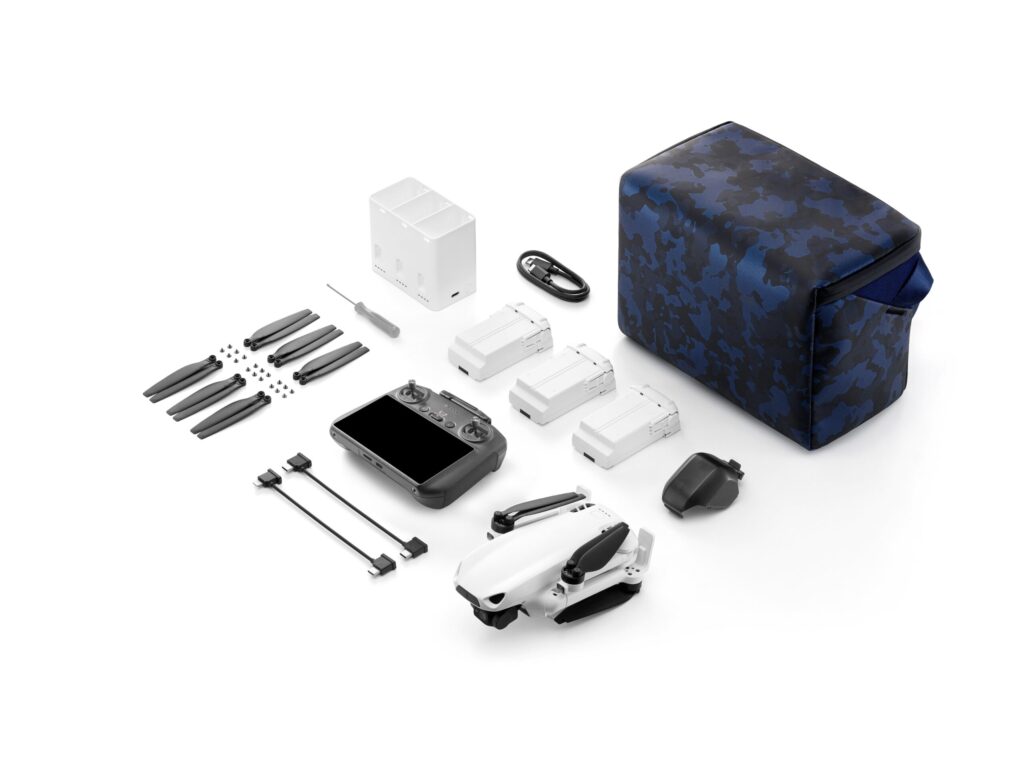
| Kit | What comes with it |
|---|---|
| S1 standard | Drone, controller, one battery and spare propellers |
| S1 Fly More Combo | A charging hub, a carry bag and two more batteries added |
| S1 combo with screen remote | Fly More Combo contents, with the touchscreen controller in place of a phone-mounted remote |
| X1 standard | Drone, controller and one battery |
| X1 Fly More Combo | Three batteries in total, spare propellers and a carry case |
| X1 combo with screen remote | Fly More Combo contents plus the touchscreen controller |
Standard kit or combo
The S1 standard kit is a sensible way to learn to fly without paying for batteries you may never use. A combo earns its place once you plan more than one session per outing.
With three batteries, the S1 Fly More Combo stretches total flight time to about 120 minutes. The X1 Fly More Combo is the configuration the DJI comparison above is built on.
A simple rule: if you fly more than once a month, a combo usually costs less than buying extra batteries one at a time later. If you fly rarely, the standard kit is plenty.
Screen remote or phone
The screen-remote versions are the top configuration for each drone. A dedicated screen should be easier to read in bright sunlight than a phone, so it is worth considering if you often fly outdoors in full sun.
SKYROVER CARE
This is a protection plan rather than a drone, at about $59 for the S1 or $119 for the X1. The brand says each plan pays for up to two replacements over 12 months, covers accidental damage and includes free shipping both ways.
Compared with buying a second drone, it is a smaller outlay against a hard landing or a clipped branch, so it is worth budgeting for.
Care and Daily Habits
A drone that folds into a jacket pocket can also be damaged by things a larger one would shrug off. Grouping the habits by when they apply makes them easier to remember.
Before every flight
- Look over the propellers. Nicks and cracks are easy to miss, and a damaged blade can upset stability in the air.
- Update the firmware in the companion app before a session.
- Check the airspace yourself. The app’s map does not show restricted zones.
- Wipe the obstacle sensors. Clean sensors are what the drone relies on for avoidance, and one tester saw phantom warnings from the rear sensor.
Where you fly
- Skip sand, dust and salt air. Neither model carries a protection rating against them, so a beach day is a poor fit.
- Keep it dry. The brand’s FAQ says neither drone is waterproof, so rain and anywhere water can reach it are off the table.
Batteries and flight planning
- Store batteries partly charged if you will not fly for a week or two.
- Plan on 25 to 30 minutes in the air, not the rated 32 to 40, because wind, cold and active tracking draw extra power.
Carrying and cover
- Use the case that comes with the Fly More kits instead of dropping the drone loose into a bag.
- Consider the protection plan if you are new to flying.
If you take the plan, free shipping both ways applies whenever you need to send a unit in. SkyRover sells it through its own store, so look for it when you browse the range on SkyRover’s own site, which opens in a new tab.
Buying From the Right Place
A genuine unit comes from one of three places: SkyRover’s own site, Best Buy or B&H Photo Video. Best Buy sells online and in select stores.
Buying from the brand’s site brings US warehouse shipping, and the 12-month warranty applies automatically.
Red flags on marketplaces
A newer brand is easy for unauthorized resellers to exploit. Watch for these signs before buying anywhere except the retailers above.
- A price far below what SkyRover’s own store charges, especially on a listing marked as new.
- A seller that is not SkyRover, Best Buy or B&H, especially on marketplaces that mix official and third-party sellers.
- No mention of the 12-month warranty or the 30-day return window.
- Photos that do not match the real kit contents, such as one battery in a Fly More listing.
Buying from an unauthorized reseller does not always mean receiving a fake. It can still put your coverage at risk, because the brand’s warranty and protection plan are tied to authorized channels.
Returns, warranty and shipping
SkyRover offers 30-day returns on eligible purchases. Every drone carries a 12-month warranty against manufacturing defects. Shipping is free on orders over $99, and either drone clears that on its own.
Frequently Asked Questions
Is the drone waterproof?
No. SkyRover’s FAQ says to keep both drones away from rain and any setting where water can reach them.
Does the X1 broadcast Remote ID?
Yes, the X1 includes Remote ID, with a toggle that lets the pilot turn compliance mode on or off.
How long does one X1 battery last?
The brand rates it at up to 32 minutes under ideal conditions. An independent field test measured closer to 25 or 26 minutes, and the S1 is rated higher, at up to 40 minutes.
Is FAA registration required for a SkyRover drone?
Usually not for recreational flying. Both models weigh under 249 grams, below the usual registration cutoff. Rules can change, so check current FAA guidance.
What is SR-Log?
It is SkyRover’s flat color profile, which keeps a wide dynamic range so you can grade footage after landing. Other camera makers offer log profiles for the same purpose.
Can the X1 shoot time-lapse or hyperlapse?
Yes. The X1 records 4K time-lapse and hyperlapse in Free Mode and also in CourseLock Mode.
What does One-Tap Pro Shots do?
One tap starts a cinematic clip. The drone flies one of SkyRover’s built-in patterns, so you do not pilot it by hand.
Does the X1 support bracketed exposures and ND filters?
Yes to both. Auto Exposure Bracketing takes several exposures that can be merged into one HDR image, and official ND filters are sold as accessories for bright daylight.
Is there a shipping fee?
Not on orders over $99. The brand also says it does not collect US sales tax at checkout, though you remain responsible for any local taxes that apply.
SkyRover’s pitch is easy to summarize: a spec list that closely tracks DJI’s, offered as the lower-priced alternative, from a young company stocked at Best Buy and B&H Photo Video. Choose the S1 as a gentle entry point, the X1 for the bigger sensor and all-around sensing, and buy from a verified seller so the warranty stays intact.