Five HiDock devices share one brand and one app, but their names say little about what each is for. The P1, P1 mini, H1 Lite, H1E and O1 cover very different jobs, from recording a call while you walk to capturing a whole conference table.
This guide sorts them out. It covers who is behind the brand, the technology the range shares, what each device is for, how to choose between them, how the P1 stacks up against Plaud’s Note Pro, and what HiDock’s return and warranty terms say.
I haven’t handled any of these devices. Everything below comes from HiDock’s published specs and policies and from an independent hands-on review of the P1, and I write “the brand says” wherever a claim comes from the maker.
Who Is Behind HiDock
Start with how HiDock describes itself. Its design approach carries the name “Geometric Functionalism” and the motto “geometry is nature, function is humanity,” which in practice means clean, deliberate shapes and physical dials where many rivals would use a touchscreen. The company also says it believes communication is the answer to roughly nine in ten problems, and that its devices exist to keep conversations feeling natural.
The company dates itself to 2022, when, by its own account, two co-founders traded frustrations about how impersonal meeting tools felt. The founding team did not come from hardware retail. They had spent years on audio front-end engineering that earned Alexa certification, the unseen layer that lets voice assistants and speakerphones hear a speaker clearly, and that work shipped inside cars and inside other companies’ electronics. It fits with how much emphasis the range puts on microphones and noise cancellation.
The first product was the H1 audio dock, which launched on Kickstarter in late 2023 and closed before the year ended with 2,431 backers. Its pitch was a ChatGPT-powered dock that recorded meetings, transcribed them and wrote summaries automatically. A funded campaign is no guarantee of quality, but it does show that people wanted this particular problem solved.
Desk-bound by design, the H1 left out anyone taking calls on the move, and the P1 was HiDock’s answer for them: a compact recorder for Bluetooth earphone calls. Other models followed for different working setups, and HiDock sells five main devices, through hidock.com and through an official storefront on Amazon.
BlueCatch, Noise Cancellation and HiNotes
Three pieces of technology run through the range. Knowing them makes the product pages far easier to read.
BlueCatch
Many voice recorders cannot reach audio that travels over a Bluetooth connection, such as the caller’s voice playing in your earphones. For anyone who spends the day on calls, that is a big gap.
BlueCatch is HiDock’s answer. The brand says it lets a device record the audio flowing to Bluetooth earphones without interrupting the call, so you hear everything as usual while a copy is saved for transcription. On the P1, that works because the recorder is paired with both your phone and your earphones.
Bi-directional noise cancellation
HiDock calls this BNC and says it filters background noise at both ends of a conversation, your surroundings and the other caller’s, instead of cleaning up one side only. The O1 uses it too, since a meeting-room device has to cope with several voices at once.
HiNotes
HiNotes is the companion app. It handles transcription, summaries and speaker identification for every device in the range. Every owner gets lifetime free transcription, and the paid tiers add extras such as speaker labels. The membership section below covers the split.

The Five Devices, Explained
The summaries below stick to what HiDock publishes for each model, grouped by whether it travels with you, serves a room or stays on a desk.
HiDock P1: the portable flagship
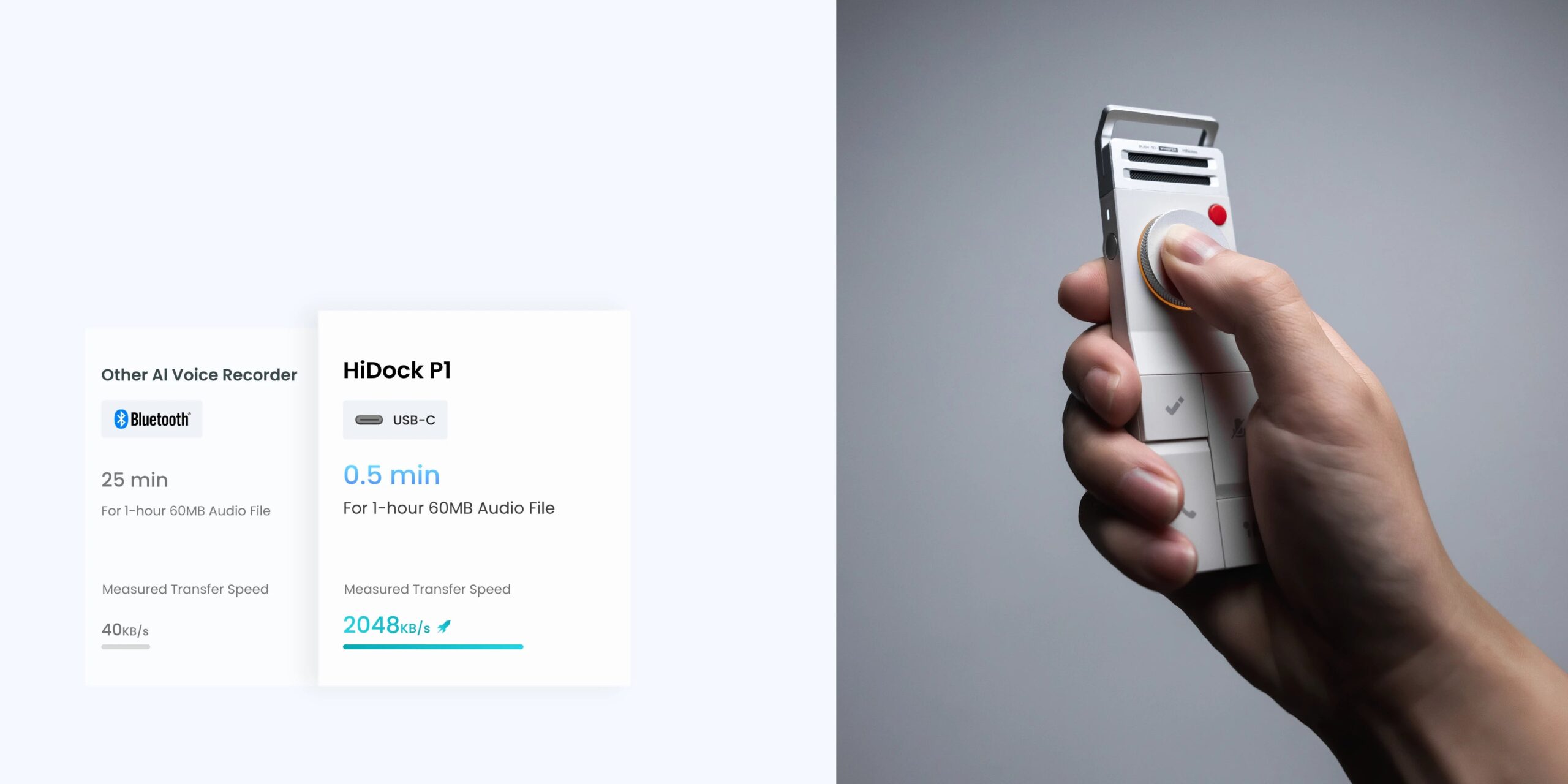
The P1 is the model HiDock leads with, and an independent hands-on reviewer rated it positively overall. It uses BlueCatch, so it pairs with both your phone and your earphones, and its two studio-level microphones handle in-person conversations in Call, Room or Whisper mode.
On the hardware side, the P1 offers 64GB of onboard storage, Bluetooth 5.3 and a 600mAh battery that HiDock rates at up to 8 hours of nonstop recording. For compatibility, think iPhone 15 or newer, Android phones with OTG, and macOS or Windows computers. For the complete rundown, read our full verdict on the HiDock P1.
HiDock P1 mini: the phone-first option
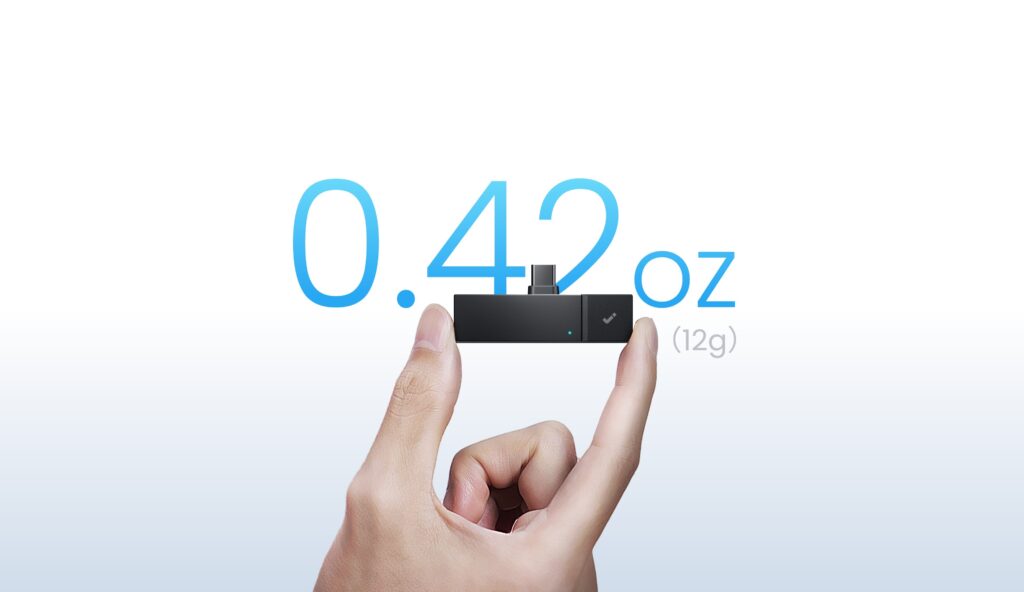
Rather than bridging Bluetooth by itself, the P1 mini connects to a phone or tablet over USB-C. It stores 32GB, offers Call and Room modes, and at 12 grams it is a fraction of the 72-gram P1.
HiDock O1: the meeting-room device
The O1 is built for shared rooms rather than individuals. HiDock gives it 360-degree omnidirectional pickup and bi-directional noise cancellation, intended to cope with a whole table of people talking on Zoom or Teams, or recording a podcast.
HiDock H1 Lite: the stay-put option
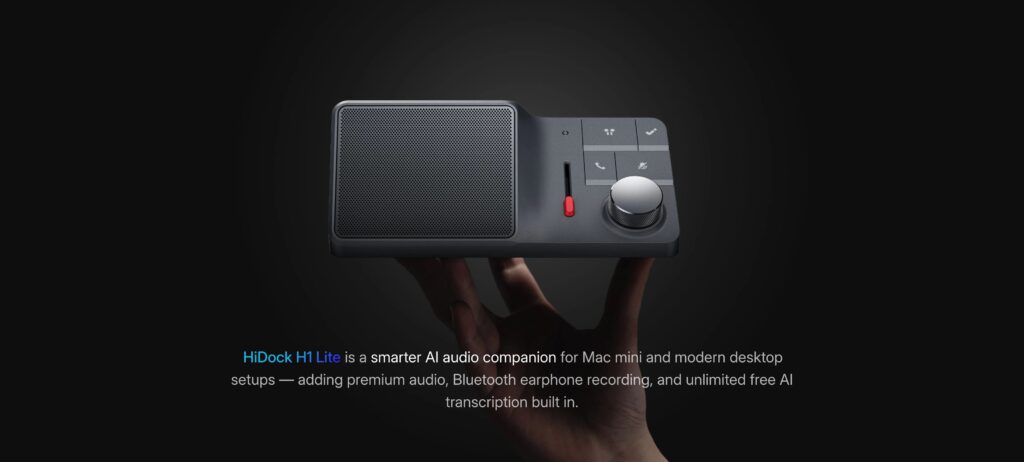
The H1 Lite does not travel. HiDock markets it for Mac mini setups as a companion that adds AI audio features, so it suits someone who takes nearly every call from the same desk. Compared with the H1E, it leaves out the extra ports while keeping the AI recording.
HiDock H1E: the docking station
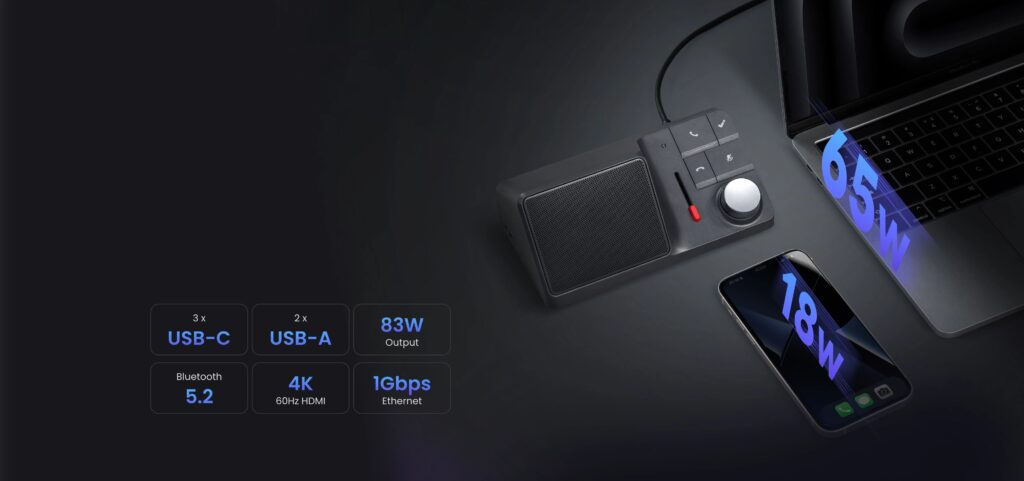
The H1E combines a dock and a recorder. As an 8-in-1 unit it offers three USB-C ports, two USB-A ports, 4K HDMI at 60Hz, Gigabit Ethernet and Bluetooth 5.2, along with the AI recording and transcription tools used across the range.
Total power delivery is 83W, which per HiDock’s specs is enough to run a laptop and charge a phone together. The unit also has its own speakerphone and writes AI summaries of meetings, and a wireless earphone is included in the box.
Accessories worth knowing
HiDock also sells a leather case and a compact 65W GaN charger. The case is aimed at anyone who carries the P1 in a bag daily, as protection for the metal body against scratches. The charger pairs naturally with the H1E, since the dock supports fast charging.
How to Choose the Right Model
Start with where your recording happens, because that settles most of the decision. The table turns it into a quick match.
| Your situation | Best fit |
| Calls mostly on a phone or tablet | P1 mini |
| Regular calls on Bluetooth earphones | P1 |
| A fixed desk with a Mac mini | H1 Lite |
| You already need a USB-C dock | H1E |
| A shared meeting room | O1 |
Questions that settle it
- Do you take calls through Bluetooth earphones? If so, the P1 is the device built for that job.
- Do you move around, or sit at one desk? Portable points to the P1 or P1 mini. A fixed desk points to the H1 Lite or H1E.
- Do you already need a dock? The H1E folds a dock and a recorder into one purchase.
- Is it one voice or many? Individuals suit the first four models. A conference table suits the O1.
- Do you need speaker labels? They sit behind a paid HiNotes tier on every model.
On budget tiers, the P1 mini is the entry-level way in, and the H1E sits at the top end of the personal devices. Prices change, so check the current price on Amazon before you decide.
What the Specs Mean for You
Storage and battery
Storage is quoted in gigabytes, but what you care about is hours of audio. HiDock estimates around 1,000 hours on the P1’s 64GB, which is plenty until you record every day. Battery figures are quoted for continuous recording, so a day of stop-and-start meetings may look different from the headline number.
Compatibility
Check your phone before anything else. The P1 pairs the way it was designed to on iPhone 15 and later, and on Android phones that support OTG, a feature that lets a phone act as the host for accessories plugged into its USB port. Computers running macOS or Windows work too.
Older iPhones are not officially supported for the full feature set, so basic use may work while Bluetooth call recording is the piece most likely to fall short.
Ports and power on the H1E
Port counts only matter if they match your desk. List what you plug in each day, then compare it with 3 USB-C, 2 USB-A, HDMI and Ethernet. The 83W figure is the total the dock can deliver, so a laptop and a phone share it.
Languages
HiDock lists 75 transcription languages for the P1 and H1E. If you work in a language outside that list, confirm support before you buy. Plaud’s Note Pro lists more, at 112.
HiNotes Membership, Free and Paid
Every HiDock owner gets the free Member tier for life, and it covers more than you might expect. The paid tiers add the features that make long meetings easier to review.
| Tier | What it includes |
| Member (free) | Unlimited transcription with timestamps and 8+ summary templates |
| Pro | Speaker identification, custom templates, translation and 39+ templates, bought in bundles of 1,200 or 12,000 minutes |
| Unlimited | Everything in Pro with no usage cap, billed yearly |
Whether to pay comes down to how you use the output. If you need to know who said what, want your own templates or translate recordings, a paid plan is the route. If you mostly scan a transcript for action items, the free tier may be enough.
Membership terms can change, so check the HiNotes app or HiDock’s site for the current details.
HiDock Versus Plaud Note Pro
Plaud’s Note Pro is a natural point of comparison for HiDock, and the two designs start from different ideas.
Plaud aims for a recorder you barely notice: 0.12 inches thick, 30 grams, about the size of a credit card, with a small AMOLED display and a magnetic attachment to a phone. The P1 is a chunkier standalone device at 126 by 38 by 15.8 mm and 72 grams, operated by a physical dial instead of a touch display.
- Battery: up to 50 hours for Plaud, up to 8 hours of recording for the P1.
- Languages: 112 for Plaud, 75 for the P1.
- Earphone call recording: the P1 can do it, and Plaud cannot.
- Recording modes: two for Plaud (phone and in person), three for the P1.
- Noise cancellation: single-sided for Plaud, bi-directional for the P1.
Plaud comes out ahead on battery, language coverage and portability. HiDock’s advantages are Bluetooth earphone recording and a choice of AI models for summaries.
Someone who wants the slimmest body and the broadest language list, and seldom takes earphone calls, is better served by the Plaud. Someone who is on Bluetooth earphones through much of the day will find the P1 more useful.
Both brands offer a free tier. HiDock’s is lifetime with no minute cap but no speaker identification. Membership terms change, so compare the current ones on both sites before buying.
Getting Cleaner Recordings
Check support and etiquette first
Make sure your phone is on the supported list, since an older iPhone will not give you the Bluetooth call feature. Tell the people on the call that you are recording, too. Rules on recording conversations vary from place to place, so check the ones where you live.
Handle loud rooms with care
Independent testing found that the P1’s mics can distort and add static in noisy surroundings. In a room like that, try Whisper Mode, or move the recorder close to the speaker rather than expecting Room Mode to cover a large space. Distance from the voice is the first thing to fix with any recorder.
Copy files off often
An hour of audio crosses over USB-C in about a minute, according to HiDock, so backing up to a computer is quick. Do it on a routine and the 64GB is unlikely to fill.
Know where free ends
A transcript that does not say who spoke is not faulty. Speaker labels belong to the paid HiNotes tiers.
Protect your warranty
Taking the unit apart, misusing it and dropping it all fall outside the warranty, so leave the casing alone, keep your proof of purchase and think about the leather case if the P1 travels in a bag.
Where to Buy and What the Policies Say
There are two official places to buy: hidock.com, and the Amazon storefront that carries the HiDock Official name. HiDock’s warranty excludes purchases from unauthorized resellers, so those two channels are the safe route.
If you would rather shop on Amazon, you can browse HiDock’s storefront on Amazon. The link opens Amazon in a new tab.
Before you order
- Save your order confirmation, because HiDock asks for proof of purchase on returns and warranty claims alike.
- Check who is selling: the listing should come from hidock.com or from HiDock’s verified Official storefront on Amazon.
- Report any damage to HiDock inside 24 hours of delivery, the window its policy sets.
- Treat any listing that looks too good to be true with suspicion.
Return policy
The return window is 30 days, counted from when the order arrives, and it applies to products that are not faulty. Send everything back as you received it: unused, in original condition, with the packaging and every accessory. A return starts with a message to HiDock giving your order number and the reason. HiDock says it answers within one business day and issues the refund within five business days of receiving and inspecting the item.
Shipping depends on the cause. A manufacturing defect gets return postage paid by HiDock up to a capped amount, while a change of mind leaves the postage to you, with no refund of it.
Warranty
Coverage lasts 18 months from delivery and applies to manufacturing defects only. Damage from taking the device apart, misuse, water or fire is excluded, as are accessories, cables and ordinary wear and tear. A claim also needs proof that you bought from an authorized seller.
Frequently Asked Questions
Does the P1 work with any Bluetooth earphones?
According to HiDock, yes. BlueCatch links the recorder to your phone and to your earphones at once, so it can pick up both voices on a call.
Is HiDock transcription really free?
The transcript is. HiDock’s free Member tier provides lifetime transcription with timestamps and no minute limit, while speaker labels and translation sit behind the paid HiNotes plans.
How does the P1 mini differ from the P1?
The mini is the phone-first model: it connects over USB-C instead of bridging Bluetooth on its own, weighs far less and stores 32GB against 64GB.
Which HiDock suits a meeting room?
The O1. It is designed for shared spaces, with 360-degree pickup meant to cover a whole conference table instead of a single speaker.
What if the device arrives damaged?
Report it within 24 hours of delivery, and keep your proof of purchase. HiDock asks for it on both returns and warranty claims.
Which HiDock should I start with?
The P1 is a sensible default if you take calls on Bluetooth earphones, and it is the model HiDock leads with. Choose another model only if your setup matches the P1 mini, H1 Lite, H1E or O1 described above. When you are ready, you can browse HiDock’s storefront on Amazon and check current prices there. The link opens Amazon.