Dangbei sells everything from a palm-sized travel projector to a triple-laser 4K flagship, so “just get a Dangbei” is not much help. Which one fits comes down to three questions. How bright is the room, will the projector travel, and how large should the image be?
This guide pulls together the brand’s spec sheets, its warranty and shipping policies, independent lab comparisons and owner discussion. It is research and not a test bench of my own, and any claim that comes only from Dangbei is labeled as the brand’s.
Work through it in order and you should land on a short list of one or two models. Care tips, buying advice and a FAQ follow at the end.
Who Is Behind Dangbei
Dangbei’s story starts with software, not hardware. The company was founded in Hangzhou, China, in 2013 by Jin Linglin and Lei Qi, and for its first six years it made Dangbei OS, an operating system for large screens, along with Dangbei Market, an app store meant to make streaming apps simpler to find and install.
The first smart projector followed in 2019. Dangbei says it became one of China’s three biggest projector names within four years of selling hardware. That is the brand’s own description and not an audited ranking. Its headquarters remain in Hangzhou, with branches in Shenzhen and Beijing.
The brand describes its mission as well-made audio and video gear for many kinds of buyers, and its vision as large-screen entertainment within everyone’s reach. The more useful takeaway is practical. A software-first history fits with Google TV and native streaming apps sitting at the center of most Dangbei models.
The two independent reviews covered in this guide fit that picture: praise for the image and the app support, alongside notes about software glitches. A glitch that software can address is a different kind of issue from a hardware flaw.
The Lineup at a Glance
Dangbei’s range reads best as a ladder. At the bottom are the N2 Mini and N3 Max. The Atom is the first step up with laser light, and the DBOX02 and MP1 Max sit on the top rung. Two models do not fit the ladder neatly: the Freedo runs on a battery, and the DBOX02 Pro is aimed at gaming.
| Model | Brightness (ISO lumens) | Native resolution | Software | Suited to |
| N2 Mini | 200 | 1080p | Linux-based | Travel and occasional viewing |
| Freedo | 450 | 1080p | Google TV | Battery use and backyard movie nights |
| N3 Max | 1,000 | 1080p | VIDAA | Entry-level home setup |
| Atom | 1,200 | 1080p | Google TV | Portable laser brightness |
| DBOX02 Pro | 2,000 | 4K | Google TV | Fast-motion gaming |
| DBOX02 (Mars Pro 2) | 2,450 | 4K | Google TV | Native 4K with Google TV and Netflix |
| MP1 Max | 3,100 | 4K | Google TV | Bright rooms and color accuracy |
Brightness is listed in ISO lumens because Dangbei uses that one measure across the whole catalog. It makes the models easy to compare with each other. Keep that in mind when you read lab results from other sources, which often use a different scale.
Light, Resolution and Screen Size
Start with the room
Room light counts for more than pixel count. A 4K picture washed out by daylight loses to a 1080p image shown in a dim room, so settle brightness first.
- Dark room or home theater: any model from 450 ISO lumens up is workable with the room dark.
- Living room with a lamp or two on: aim for about 1,200 ISO lumens or more, which is where the Atom starts.
- Bright daytime room: the MP1 Max (3,100) and DBOX02 (2,450) offer the most brightness for a room where the lights stay partly on.
Think about when you will actually watch. A family that settles in after dark has different needs from someone who streams a game on a sunny afternoon. If you are unsure, stand in the room at your usual viewing time and notice how much light is coming in.
Native 4K or native 1080p
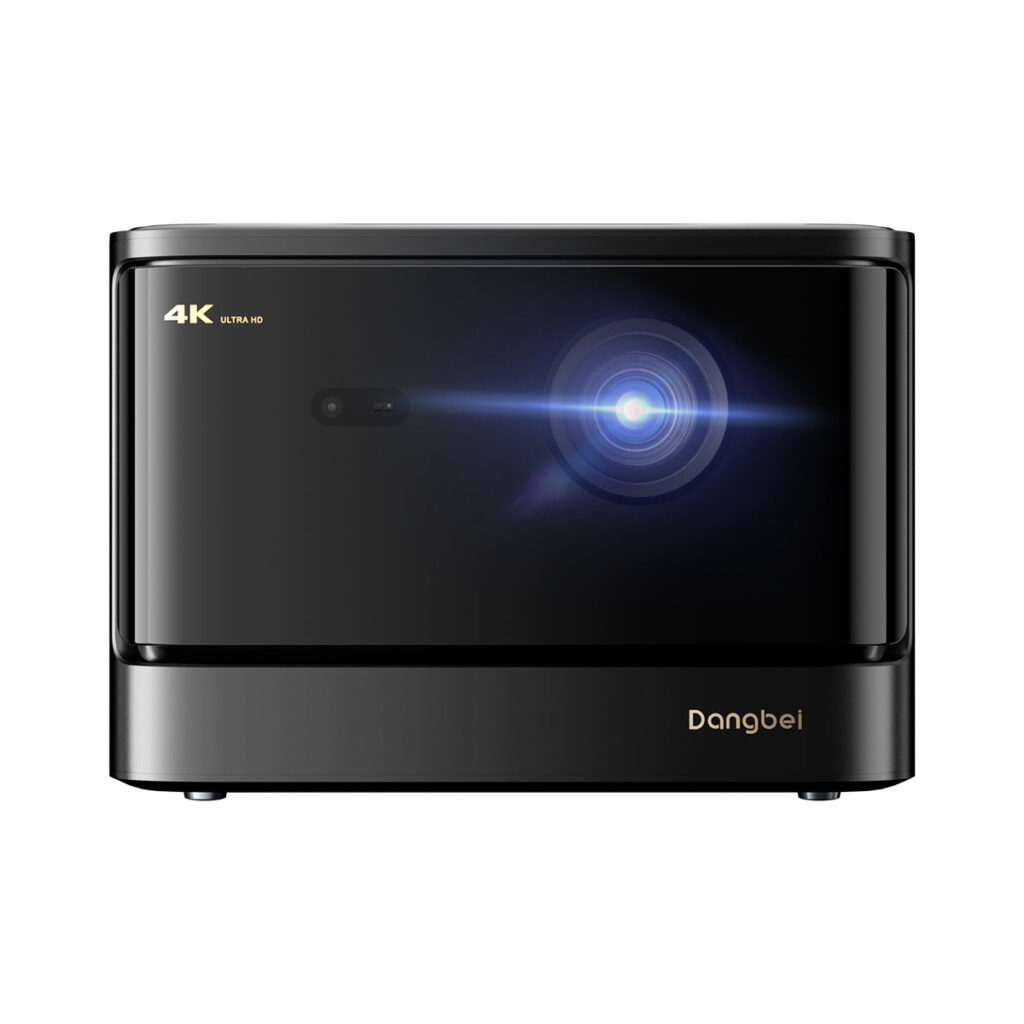
Three models have a native 3840×2160 DLP chip: the DBOX02, the DBOX02 Pro and the MP1 Max. The other four, the N2 Mini, N3 Max, Freedo and Atom, project at native 1080p. A few of those can take in a 4K signal, but that input does not raise the resolution shown on the wall.
The three 4K models are also the brightest, so a lit room tends to point you toward 4K whether you want it or not. In a dark room the question is simpler. It comes down to how large the picture will be.
Screen size and the wall
Dangbei’s own guidance suggests about 100 inches as the ideal picture size, with the best throw distance depending on the model. As a rule of thumb, the difference between 1080p and 4K is subtler on a smaller image and shows more as the picture grows past roughly 120 inches.
A flat, plain wall or a proper screen makes life easier for the automatic tools. The brand says its keystone correction is less precise on textured or uneven surfaces, so a rough wall may mean manual adjustment. If you want to see how the range is laid out for yourself, you can browse Dangbei’s storefront on Amazon while you compare.
Laser, Lumens and Auto Setup Explained
Spec sheets for these projectors lean on abbreviations. A few describe real differences between models, while others rebrand features that projectors have offered for a long time. These three terms are the ones to decode before you compare.
ALPD laser light
Dangbei uses ALPD, short for Advanced Laser Phosphor Display, as the light source in the Atom, the DBOX02 and most other models above the entry level. The brand says it is free of mercury and lasts about 30,000 hours before the image visibly dims.
Lamp-based projectors dim after a few thousand hours and then need a new bulb, so a laser rated in tens of thousands of hours removes that chore. ALPD is not unique to Dangbei, since it is a laser display standard used across the industry. Models differ in how many lasers they use and how those lasers are tuned.
One laser or three
The DBOX02 and DBOX02 Pro each use either a single ALPD source or a dual-laser design, and the Pro adds LaserVibe blue and red lasers. The MP1 Max sits above both with three lasers plus an LED, built on NICHIA QuaLas lasers. Triple-laser setups generally cover a broader color range, with reds and greens that are typically truer than on single-laser designs.
The MP1 Max and the DBOX02 share the same 4K resolution, so the gap between them is not sharpness. It lies in color performance and brightness headroom, which is what the extra lasers are for.
Auto focus and keystone
InstanPro AI is Dangbei’s name for the automatic setup on its mid-range and top models. A direct time-of-flight sensor and a camera work together to focus the image, correct keystone distortion up to 30 degrees, size the picture to the screen and steer around obstacles, so the projector can square itself to a wall without your help.
That automation is also where Reddit owner threads on earlier Mars Pro units found fault, describing the keystone correction kicking in unprompted. Those threads cover the previous generation, so treat them as something to watch and not as a verdict on the DBOX02.
Software, Sound and Streaming
Four models, the MP1 Max, DBOX02 Pro, DBOX02 and Atom, run Google TV with a licensed Netflix app already installed, and the Freedo runs Google TV as well. With the full Play Store on board, you can add YouTube, Prime Video, Disney+ and Hulu from the Play Store, with no sideloading.
The lighter models take a different route. The N3 Max uses VIDAA OS, with more than a thousand apps and licensed Netflix and YouTube. The N2 Mini runs a Linux-based interface. Neither offers the open app store that Google TV brings.
Built-in sound is the weaker side. The DBOX02 and MP1 Max have dual 12-watt speakers with Dolby Audio and DTS:X support, but independent comparisons describe the bass as decent and the treble as short on clarity, so a soundbar is worth considering with either one.
A smart projector depends on software as much as optics. Updates arrive the way they do on a smart TV, and checking for them now and then is part of ownership. One independent reviewer summed up the DBOX02’s 4K image as “worth every ounce of hype”. Another liked its HDR10 image and Play Store access but flagged glitches and a large, heavy body.
Dangbei Against XGIMI
XGIMI is a useful yardstick, since both brands aim at people who want laser brightness and true 4K without a custom theater build. In an independent lab comparison, the earlier Mars Pro came out ahead of XGIMI’s Horizon Pro on brightness and contrast and handled dark scenes better.
That test measured in ANSI lumens, so its figures do not carry over to the DBOX02’s ISO rating. Treat it as a result for the earlier model and not as proof about the newer one.
XGIMI comes out ahead on sound. Independent comparisons rate the Horizon Pro’s Harman Kardon speakers as the clearest and loudest of the group. The Horizon Pro also uses Android TV 10, an older platform, and getting the major streaming apps onto it has historically meant extra sideloading, whereas Dangbei’s flagships ship with Google TV and licensed Netflix.
On build, Dangbei’s higher-end units combine 2.5D nano-coated glass with an aerospace aluminum frame. XGIMI’s look is more understated. If you want a closer read on the model at the center of this comparison, here is our full verdict on the Dangbei DBOX02 (Mars Pro 2).
A Simple Way to Choose
- Occasional casual viewing or travel: the N2 Mini.
- Portable and battery powered: the Freedo.
- Entry-level home setup with no battery needed: the N3 Max.
- Portable with real laser brightness: the Atom.
- Native 4K with Google TV and Netflix: the DBOX02.
- The same 4K aimed at gaming: the DBOX02 Pro, with 240Hz at 1080p and motion smoothing.
- The most brightness to spare: the MP1 Max.
The closest call in the lineup is DBOX02 versus MP1 Max, since both are native 4K lasers. If your room gets very bright or color accuracy is your top priority, lean toward the MP1 Max. Otherwise the DBOX02 already has the 4K resolution and the 2,450 ISO lumens to work with.
Care Habits That Keep It Running
Dangbei rates its laser engines at around 30,000 hours of use. A few habits help a projector get there, and they also keep you clear of the kinds of damage a warranty excludes.
Check the lens before blaming the laser. Smudges and dust can make the picture look soft or hazy. Wipe the glass gently with a dry microfiber cloth and keep liquid cleaner off it entirely. The autofocus camera gets the same treatment, because Dangbei’s troubleshooting guidance lists a smudged or blocked sensor among the usual reasons focus goes wrong, which is easy to mistake for a hardware fault.
Leave room around the vents. A laser gives off real heat, so keep the projector out of closed cabinets and a little way from the wall, with a few inches of open space beside each vent.
Look for updates now and then. Depending on the model, a Dangbei projector runs Google TV, VIDAA or Linux and receives software updates much like a smart TV. Autofocus and keystone behavior is software-driven, so updates are where any fix would arrive, and a check every few months takes minutes.
Be gentler with the portable models. The Freedo and N2 Mini travel more than a stationary flagship. Carry them in a padded case, keep them out of a hot trunk or direct sun, and run the Freedo’s battery down and back up from time to time instead of leaving it full in storage for months.
Some habits also protect a warranty claim. Avoid opening the unit yourself, and hold on to your order confirmation. Plug the projector into a surge protector if your power is unreliable, unplug a stationary unit during long trips or storms, give it breaks to cool during long sessions, and keep decor and cables clear of the autofocus camera and the obstacle sensor.
Buying Safely, Warranty and Returns
Before ordering any projector, it is worth knowing which sellers the maker treats as official. Dangbei names two: its own U.S. website and its branded storefront on Amazon. If you prefer the second route, you can open Dangbei’s storefront on Amazon and confirm the seller shown is the brand.
Dangbei says the standard warranty and return window cover only purchases made through those official channels. Anyone who buys elsewhere is pointed to that retailer’s returns process and not to Dangbei’s support team.
Checks for any third-party listing
- Who is selling: read the “ships from and sold by” line and look up the seller’s return history.
- Serial number: Dangbei says a genuine unit has a serial number of 15 to 18 digits on the underside, which any warranty claim requires.
- Paperwork: keep the invoice or order confirmation, since a claim asks for the platform and date of purchase.
Warranty and returns in brief
Warranty. Dangbei’s warranty page gives projectors and streaming boxes 12 months from the date of purchase and accessories such as remotes and mounts 3 months. Damage from water, drops or extreme temperatures is excluded, along with misuse, repairs by anyone unauthorized and everyday cosmetic wear. A claim needs proof of purchase, the serial number and a description of the fault.
Returns. Under Dangbei’s policy, an undamaged product can go back within 30 days of delivery for a full refund, whatever the reason. You pay the return shipping unless a manufacturing defect is the cause, in which case Dangbei pays and sends a replacement. A separate 15-day window offers a simpler exchange that skips the usual claim paperwork, and refunds are credited three to five business days after the item reaches the warehouse.
Shipping. Dangbei’s own site ships only within the United States, and shipping is free there. Expect one to two business days of processing and three to seven for delivery, and note that an address cannot be edited after an order ships.
Frequently Asked Questions
What screen size suits a Dangbei projector?
The brand’s guidance points to roughly 100 inches. How far back the projector sits depends on the model, because each has its own projection ratio.
Can I project straight onto a wall?
Yes, if the wall is flat and clear of obstacles. The brand notes that auto keystone is less accurate on textured or uneven surfaces, so be ready to adjust by hand.
Does Netflix come pre-installed?
On the Google TV models, yes, licensed Netflix comes installed. The N3 Max gets licensed Netflix and YouTube through VIDAA OS instead.
Which Dangbei model suits gaming?
The DBOX02 Pro is the one Dangbei built around fast-moving content, with 240Hz support at 1080p and motion smoothing.
Does a Dangbei projector have to stay plugged in?
Only the Freedo can run unplugged, on an internal battery rated for about two and a half hours of video. Every other model, the DBOX02 and N2 Mini included, needs constant power.
What should I do if it will not connect to Wi-Fi?
Dangbei suggests checking the network settings first, then the cable connections on your router, then the router configuration. Only after that should you contact support, which the brand lists at [email protected].
How do I fix autofocus problems?
Start by wiping the autofocus camera and the lens with a soft cloth. Then check that nothing blocks the sensor’s view and that the projector sits within its supported throw distance.
Is Dangbei’s 4K real or upscaled?
It is real on the MP1 Max, DBOX02 Pro and DBOX02, which use native 3840×2160 DLP chips. The remaining models project at native 1080p.