Anona keeps its camera range small, so choosing comes down to a few questions. Even so, the models are built for very different jobs, and picking the wrong one means wrestling with cables or settling for coverage you never wanted.
This guide pulls together what the brand publishes about its cameras, what independent reviewers have noted, and a handful of practical habits that apply to any home camera. It covers where each model fits, what the key specs mean, how the Pano stacks up against a close rival, and how to set up and look after whatever you choose.
One note before the details. The links in this guide open Amazon, and for anything about cost the right move is to check the current price on Amazon instead of trusting a number in an article.
Start With Where the Camera Goes
Every good camera choice begins with a location, not a spec sheet. Ask where the camera will sit, whether power is available there, and how many angles you truly need to watch.
Inside the house and near an outlet, the Pano is the model to look at, since it is Anona’s indoor camera. Its full-circle pan may let one camera cover a whole room from a central spot. Outside, where running a cable is unrealistic, the choice narrows to Aurora, Orbis and Lucio, which all run on a battery with optional solar charging.
Before you buy anything, walk each room or outdoor space with your phone in hand. Note where the outlets are, where the Wi-Fi is strong, and what you actually want in view, whether that is a crib, a pet’s favorite spot or a front step. Tell the rest of your household too, so nobody is surprised by a new camera.
Anona’s storefront on Amazon is one place to browse the range, and that link opens Amazon.
How the Anona Lineup Breaks Down
The catalog is compact on purpose. Each camera has a defined job, and the extras are few.
Pano for indoor rooms
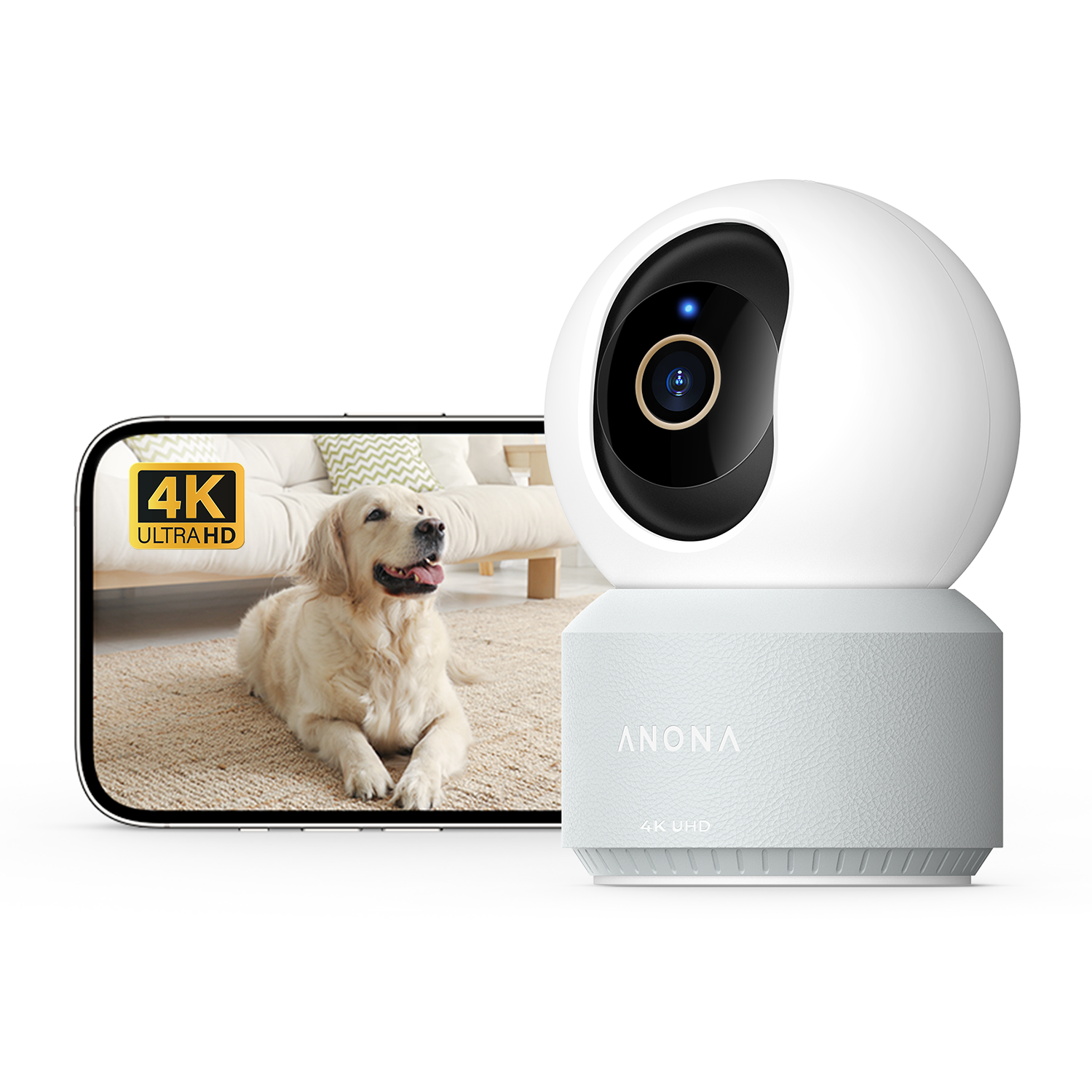
Anona’s Pano is the plug-in indoor camera, recording 4K UHD video with a 360-degree pan and 110 degrees of tilt. Because it relies on steady USB-C power, think of nurseries, living rooms, home offices and hallways near an outlet. For the full breakdown, read our full verdict on the Anona Pano 4K Indoor Camera.
Aurora for outdoor spots without wiring
Aurora is the fixed-lens outdoor option in 4K, with weatherproofing and a battery in place of motorized movement. The brand rates that battery at up to 180 days per charge, and an optional solar panel can keep it topped up. A porch, driveway or backyard without a nearby outlet is where it fits.
Orbis for wide outdoor areas
Orbis is the solar-powered pan-tilt-zoom model. Its motorized movement is aimed at wider yards and driveways where a fixed lens would leave gaps, and it needs no wired power.
Lucio, Holo and SmartBase
Lucio is the smaller solar camera, recording at 2.5K instead of 4K, so it suits spots where coverage matters more than resolution. Holo is a keyless smart lock rather than a camera and handles door access. SmartBase is a hub that pools storage for several cameras, so each one does not need its own card.
| Model | Placement | Power | Typical use |
| Pano | Indoor | USB-C, always plugged in | Nursery, pet room, home office |
| Aurora | Outdoor | Battery with optional solar | Porch or one fixed angle |
| Orbis | Outdoor | Solar | Wide yard with motion coverage |
| Lucio | Outdoor | Solar | Entry-level outdoor view at 2.5K |
What the Pano Specs Mean in Practice
Spec sheets read like a wall of jargon, so here is how the Pano’s main figures translate into daily use.

Resolution and zoom
The Pano records at 3840 x 2160, which adds up to 8 megapixels. Its lens has an F1.6 aperture, and a lower f-number simply means a wider opening.
The 8x zoom is digital, so it enlarges the recorded picture instead of adding optics. That is why the starting resolution matters. One independent reviewer noted that zoomed-in recordings still show facial features, while Lucio’s 2.5K sits a step down in detail.
Movement and tracking
With a full 360-degree pan and 110 degrees of tilt, one camera placed centrally may be able to watch most of a room. Auto-tracking locks onto whichever subject is biggest as it moves through the frame. The frame rate is 20fps, and independent reviews note that the tracking can lag behind a quick pet or child before catching up.
Night vision
Night vision relies on 850nm infrared lighting. Independent reviewers describe usable detail out to roughly 30 feet.
Connectivity and smart home
The camera supports dual-band Wi-Fi 6, so it can join either the 2.4GHz or the 5GHz band. You manage it in the Anona Security app, which has both iOS and Android versions, and it works with Alexa and Google Assistant. Apple HomeKit is not supported.
Detection, audio and privacy
AI detection covers people, pets and a crying baby, and Anona does not charge extra for it. Two-way audio is included. The privacy mode is a mechanical shutter that physically covers the lens.
Storage Without a Monthly Plan
Anona’s whole identity rests on local storage. Each camera records to a microSD card, and there is no cloud tier to upgrade to. The brand positions this against camera makers that charge for cloud plans, which leaves no ongoing bill to budget for.
The Pano accepts microSD cards of up to 512GB per camera. If you want continuous recording rather than motion clips, the largest card is the sensible match, and Anona lists a Pano kit that includes one.
Households with several cameras should look at SmartBase, which centralizes storage across the units. Anona lists a four-camera kit built around it, and that route avoids juggling one card per camera.
Two practical notes apply. Changing the card on the Pano means taking the camera down, so fold it into a planned check instead of waiting for a problem. And with no cloud copy, anyone who wants off-site backup may prefer a rival that offers it as an option.
A small habit helps whichever way you go. Label your cards and keep a short note of which camera holds which footage, so nothing gets overwritten by accident.
How Pano Compares With Tapo C260
TP-Link’s Tapo C260 is the closest match to the Pano. Each is an indoor pan-tilt camera with 4K video and AI detection built in rather than sold as an add-on. Check each listing yourself before deciding.
Where storage differs
Storage is where the two part ways. Anona records only to a local card and has never offered a cloud plan. Tapo cameras generally start with a local SD card too, but add an optional Tapo Care cloud subscription for anyone who wants off-site history.
Either camera can therefore be run without paying a subscription. With Anona the paid option simply does not exist, whereas Tapo keeps it available.
Coverage and detection
On paper the Pano turns a full circle and tilts 110 degrees, and the C260 is generally reported to pan about as widely with somewhat more tilt. Both use AI to spot people and pets. Newer Tapo models promote facial recognition, which is not among the features Anona lists for its current range.
Smart home support
Alexa and Google Assistant work with both. HomeKit is missing from both of these models, so Apple households gain nothing by choosing either one. The Tapo has an advantage for anyone who already owns TP-Link gear, because the Tapo and Kasa families share an app.
Which one suits you
Choose the Pano when you never want a subscription prompt in the picture. Choose the Tapo if a cloud option later, or a bigger family of linked devices, matters to you. Neither is a poor pick, so the call rests on whether simplicity or flexibility ranks higher for you.
Setup and Care Habits That Help
Getting an Anona camera running does not take long. A few habits around placement, tracking, Wi-Fi and storage then shape how it performs from month to month.
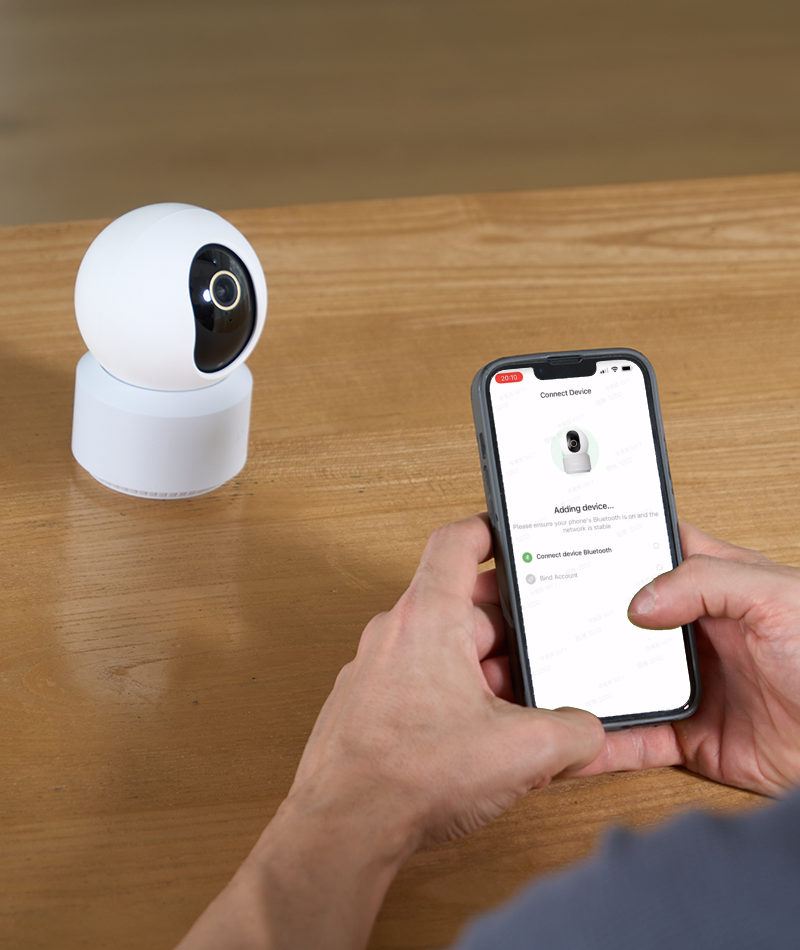
Choose the spot, then route the cable
The Pano has no battery, so its power cord decides where it can go. Pick a central spot, ideally a high corner, then run the cable along a wall or baseboard instead of across a doorway. Aim the lens away from bright daytime windows, since backlight can swallow fine detail even in 4K.
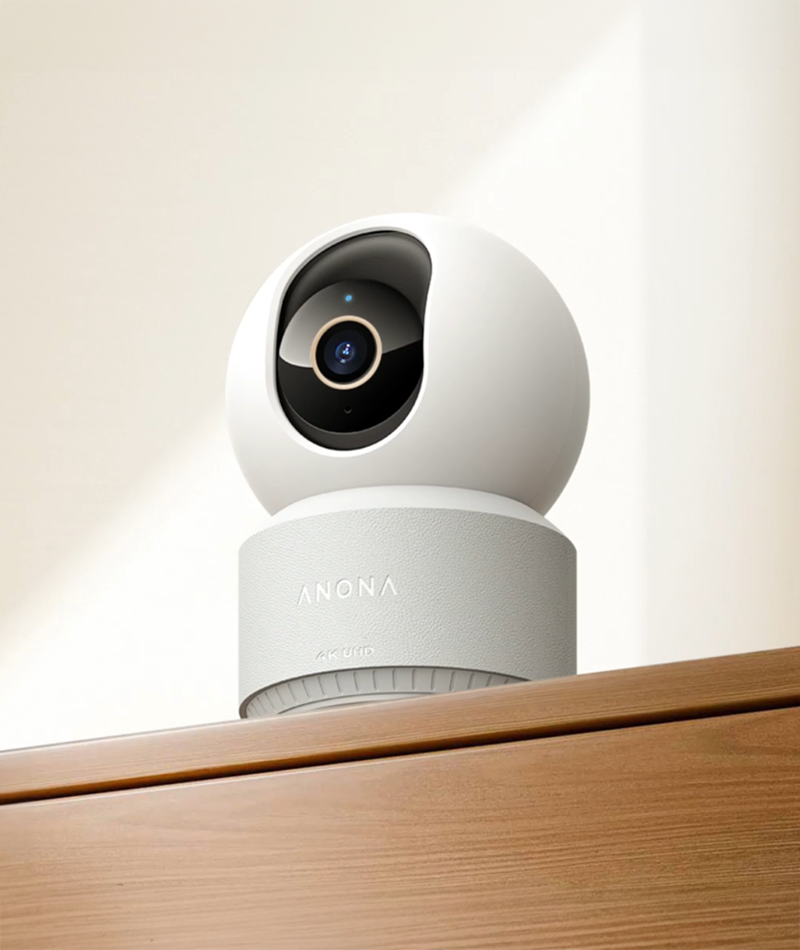
Get the Wi-Fi band right
The Pano can join the 2.4GHz or the 5GHz band. Check the signal where the camera will sit and use whichever holds steadier, because 2.4GHz often reaches further through walls and a fixed indoor camera usually benefits more from reach than from raw speed.
Set tracking up to succeed
At 20fps, auto-tracking has limits, so placement can help it. Aim the camera so a pet’s usual route crosses the frame sideways, because movement straight toward or away from the lens gives the motor less time to keep up. Before fixing a mount, check the live view in the app from a few spots.
Keep the memory card healthy
Let the Anona Security app do the formatting instead of a computer, so the folder layout stays what the camera wants. Pick a microSD card made for continuous recording, often sold as high-endurance, since it is built for heavy writing and suits a camera that records often. When a swap is due, treat it as a planned job, since the camera has to come down.
Make the privacy shutter a habit
The shutter is a mechanical cover, so close it whenever the room is in private use, for example during a video call. A routine you actually follow beats a setting you forget about.
Who Is Behind Anona
The cameras come from Anona Security Technology Limited, which is registered in Dover, Delaware, and has its hardware built at factories in China. What the brand makes public is its product roadmap, not a founding year or a named founder.
No detailed company history is published, so this guide does not invent one. The pitch itself is stated plainly: you buy the hardware, footage stays on your own card or device, and no subscription screen appears.
Anona’s product materials describe durable, weather-resistant materials for the outdoor cameras and a matching look across the range, targeting households across North America who value everyday practicality more than a premium name. The spec sheet fits that description, with everyday features such as AI detection and two-way audio rather than flagship touches.
The brand’s promise is narrow: no recurring fees, a 1-year warranty and a 30-day return window behind each purchase.
Buying Safely, Returns and Warranty
Before ordering, check who is actually selling the camera. Anona sells direct at anonasecurity.com and through authorized retailer listings, and buying from either keeps your warranty and return window intact.
If you prefer to shop through Amazon, Anona’s storefront on Amazon opens Amazon, and the seller name on any listing is worth a quick look.
Warning signs of a fake listing
- A seller name that doesn’t match. The listing should be sold by Anona itself or by a reseller the brand authorizes, not by an unconnected account.
- A model name that doesn’t fit. Genuine Anona products are called Pano, Aurora, Orbis, Lucio or Holo, so a vague or different name on familiar photos is a red flag.
- Vague warranty or return answers. A genuine seller can confirm the brand’s stated warranty and money-back terms.
- An offer that seems too good to be true. Be wary of any listing that looks suspiciously generous, especially from a third-party seller instead of the brand.
A gray-market unit can look exactly like the real thing in photos and still sit outside the brand’s warranty, which can leave you dealing with the seller rather than the maker.
How the refund policy works
Start with the best case for a buyer: a confirmed defect inside 30 days of delivery. Anona refunds the purchase in full and pays the return shipping. A defect that shows up later, but still within the warranty, is handled by repair or replacement instead, and the shipping cost is yours.
Sending a camera back within the 30 days because it fell short of your expectations is also possible, but you pay the shipping. Damage from misuse earns no refund, and you cover shipping on any repair or replacement it leads to.
The policy mentions no restocking fee. Each return goes through an inspection that may last up to 7 business days. A return that falls outside the stated conditions can be refused and sent back to you, with you paying for the shipping.
The warranty
Each Anona camera comes with a 1-year manufacturer warranty, and claims typically need proof of purchase, so keep the order confirmation. Those are the brand’s own terms, so check what the specific listing you buy from adds on top of them.
Common Questions
Does any Anona camera need a subscription?
No. Footage is stored locally on a microSD card in every camera, and no cloud tier is offered.
What resolution does the Pano record?
4K UHD at 3840 x 2160, which is 8 megapixels, through an F1.6 aperture.
What is the frame rate?
The Pano records at 20fps. Independent reviews note that this can contribute to tracking lag with very fast subjects.
How far can the Pano see in the dark?
It uses 850nm infrared lighting, and independent reviewers describe usable detail out to roughly 30 feet.
Does the Pano have to stay plugged in?
Yes. It draws power from a 5V 2A USB-C adapter and has no battery, so it needs a steady supply.
Do the outdoor models need wiring?
No. Aurora, Orbis and Lucio use batteries with optional solar charging, and Anona rates Aurora for up to 180 days between charges.
What is the largest memory card the Pano accepts?
The spec sheet lists microSD cards of up to 512GB per camera.
Does it work with Alexa, Google Assistant or HomeKit?
Alexa and Google Assistant are supported. Apple HomeKit is not supported anywhere in the current range.
Which app controls the cameras?
The Anona Security app, available for iOS and Android.
Is the privacy mode only a software setting?
No. A mechanical shutter physically covers the lens when it is on.
What warranty and return window apply?
A 1-year manufacturer warranty, plus 30 days from delivery to ask for a refund or replacement.
Where does the brand sell its cameras?
On its official site and through authorized retailer listings. The buying section above covers how to check a seller.