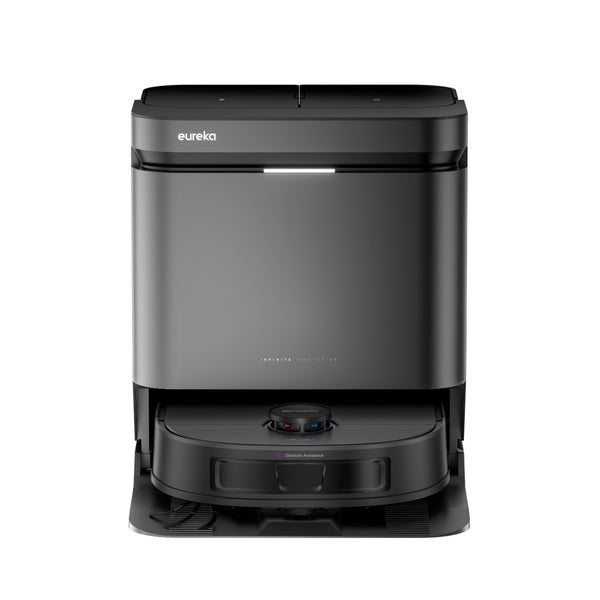
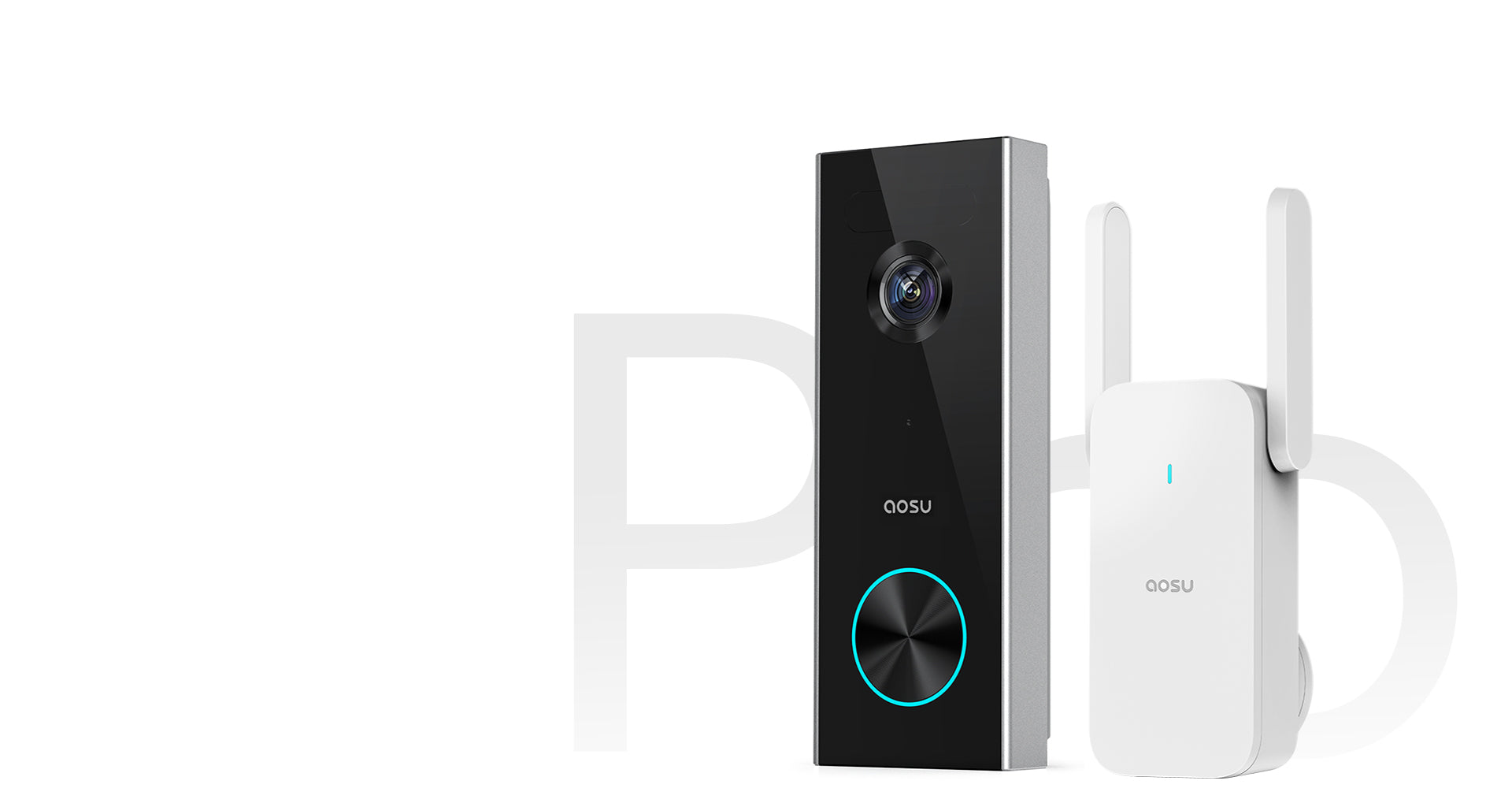
Aosu Life sells outdoor solar cameras, battery-powered doorbells, plug-in indoor cameras and floodlight cameras, and its product pages share one vocabulary: 2K video, color night vision, AI detection and local storage. With that much repeated copy, it is hard to tell which model does what.
This guide draws on Aosu’s spec sheets, its warranty and return pages and coverage from independent outlets. It is desk research, not a test bench of my own, and anything that comes only from the brand’s marketing is labeled that way.
The sections run in a useful order: who the company is, how the lines differ, what the spec terms mean, how to match a model to your property, how Aosu stacks up against Eufy, setup advice, buying and policy details, and a FAQ at the end.
Who Is Behind Aosu
Aosu is a newer name in home security, so it helps to know what is public about the company. The brand styles its name in lowercase and sits under a parent company called Yaosun. Its LinkedIn page puts the founding at about 2021 and the team at 51 to 200 people. No founders are named on the brand’s site or on LinkedIn. That is not unusual for a young direct-to-consumer hardware label, though it matters if a founder story helps you trust a brand.
On the commercial side, the about page lists phone support for four regions (the US with Canada, the UK, Germany and Japan) and prices in many currencies, which suggests a business aimed at overseas customers from the start. The brand claims a YouTube audience above 800,000 subscribers, and it also keeps accounts on Facebook, Instagram, TikTok and X.
The brand’s mission statement promises security and peace of mind for every home and organizes the idea under three headings: family well-being, innovation and dependable protection. On LinkedIn the idea shrinks to a short tagline, “Smart Home More Secure.” Yaosun’s profile there also lists AI-based home products and a related Yaosun brand that sells beauty devices, so cameras are one part of a wider business.
Aosu’s own marketing cites reviews from independent outlets that covered specific solar models favorably. Pull quotes only go so far, so read the full reviews if that coverage matters to you. Put together, the history describes a brand that positions itself on price and on the no-subscription idea instead of on decades of name recognition.
The Camera Lines Explained
The catalog splits into a few lines, each aimed at a different job. Working out the job first narrows the choice faster than comparing model names one by one.
SolarCam, the outdoor solar line
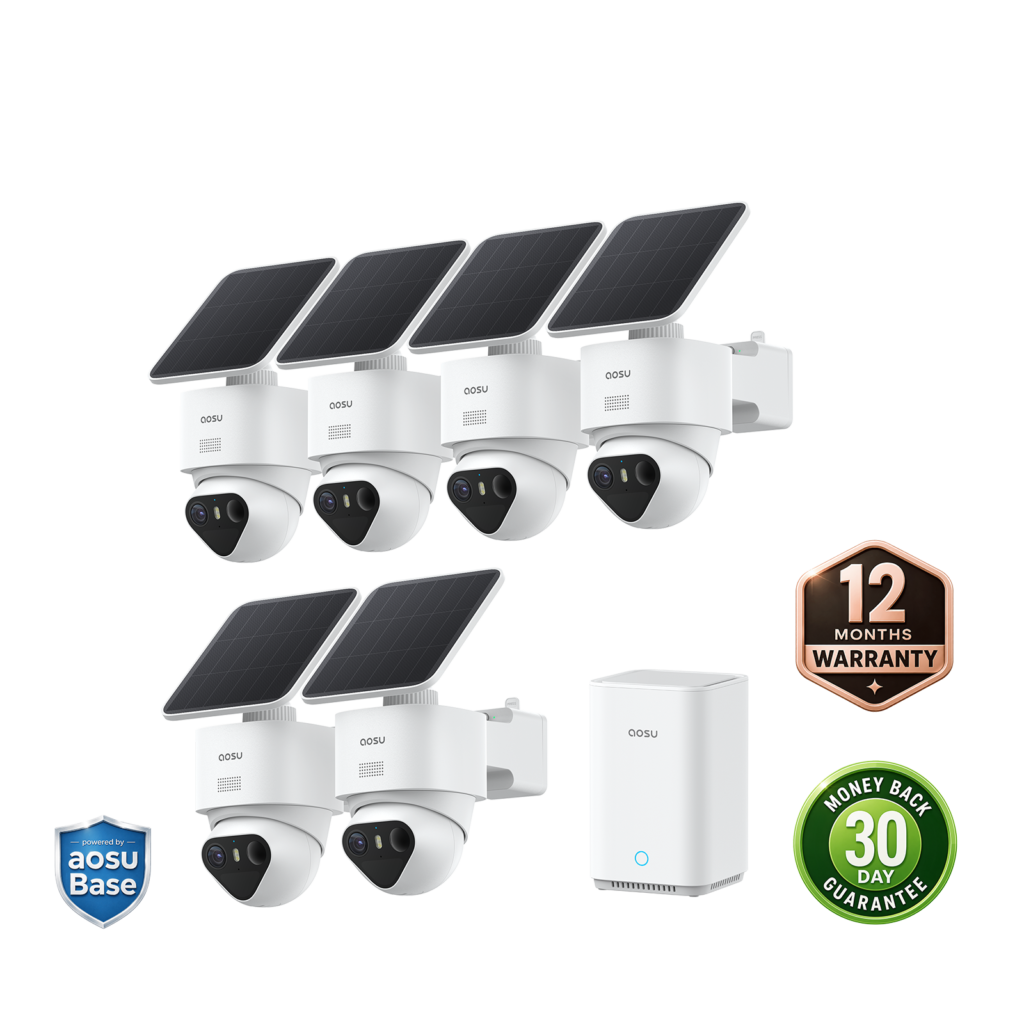
SolarCam is Aosu’s outdoor solar family, and it runs from single cameras to multi-camera bundles. The entry point is the SolarCam Lite, a lone camera with a spotlight and a siren. At the other end sits the D1 Classic Kit, a multi-camera bundle that Aosu treats as its flagship. Across the line, the common specs are an integrated solar panel, an IP66 weather rating, 2K recording and full-color night vision.
Higher-end models add pan-and-tilt movement and cross-camera tracking, in which one camera hands a moving person to the next. The SolarCam System Pro pairs PIR sensing with AI human detection, which Aosu calls triple motion detection and describes as a way to reduce false alerts from cars or swaying branches. The SolarCam T2 Pro works as a standalone outdoor camera for buyers who need longer reach and sharper detection than the Lite gives.
Video Doorbell, battery-powered entry watching
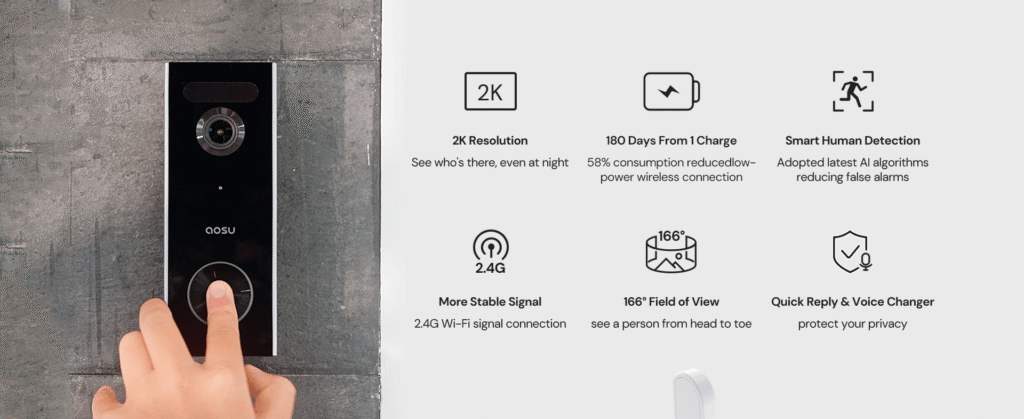
The Video Doorbell Pro and SE trade the solar panel for an internal battery, and Aosu rates the Pro at up to 180 days per charge. Both record at 2K Ultra HD and see 166 degrees across. The Pro lists two-way talk, and its AI is meant to recognize parcels as well as people.
Storage is handled differently from the outdoor kits. Doorbells expand through an SD card of up to 128GB in the smaller aosuBase Mini hub, not in the standard aosuBase. If you can do without the Pro’s extras, the SE is the entry-level doorbell.
IndoorCam, plug-in monitoring
The IndoorCam P1 is the lowest-priced camera in Aosu’s catalog, and its spec sheet shows where the savings come from. It needs AC power, so it has to stay plugged in, and it relies on infrared night vision, not full color. In return you get a 360-degree pan-and-tilt view, automatic person tracking and room for up to five people to watch at once.
What the Spec Terms Mean
Product pages lean on a short list of terms, and each one has a specific meaning. This is what they stand for.
- aosuBase and aosuBase Mini: hubs that boost the WiFi reaching each camera and hold the SD card, so recordings stay in your home. The Mini goes with the doorbell line.
- aosuProtect+: Aosu’s optional cloud tier, which adds 30-day off-site backup. The core features do not require it.
- PIR and AI detection: PIR reacts to heat and movement from anything that moves. AI detection examines the shape in frame and alerts you only if it decides the shape is a person.
- 2K or QHD: about 1440p, which is higher than ordinary 1080p and below the 4K that some rivals sell on premium models.
- Full-color night vision: a built-in light or a larger sensor keeps night footage in color, where the alternative is black-and-white infrared.
- IP66 and IP65: each rating covers protection from dust and from water jets, and IP66 withstands more forceful jets than IP65. Aosu uses IP66 on most SolarCam models and IP65 on the doorbells.
A spec sheet shows capability, not results. Check your WiFi signal at each spot where a camera will mount before you order, because good hardware on a weak connection is a frustrating pairing.
Start With What You Want to Watch
Before you compare models, write down what you want to see. Watching the front door is a different job from covering a whole property, and Aosu’s range runs from a plug-in indoor camera to multi-camera solar kits, so the job decides which line to shop.
Just the front door
A doorbell can do this by itself, with no kit required. The Video Doorbell Pro carries the 180-day battery rating, and the SE is the alternative if you can skip the Pro’s extras. Mount either one at the height shown on the template in the box. Fitting it much higher or lower narrows the 166-degree view, and parcels left at your feet can drop out of frame.
One room or one entry point
The IndoorCam P1 fits a living room, a nursery or a garage interior with an outlet close by. For a single outdoor spot, the SolarCam Lite is a single weather-rated solar camera that includes a spotlight and a siren, better matched to one entrance than to a whole yard.
The whole property
Full perimeter coverage calls for a multi-camera kit rather than a collection of single cameras. The SolarCam System Pro and the D1 Classic Kit are both aimed at this, and each can show up to four camera feeds at once. Aosu sells the D1 Classic Kit as a 2-camera, 4-camera or 6-camera bundle, with the 6-camera version listed at 3K. Aosu lists cross-camera tracking on this kit, which is meant to pass a person from one camera to the next instead of losing them in the gaps between views.
For the flagship bundle, our full verdict on the Aosu SolarCam D1 Classic Kit covers the box contents, the reviews on the brand’s own product page and how to think about pricing.
Quick filters
- Power: with no outlet outside, the IndoorCam is out, since it runs on AC power only. Stay with the SolarCam line.
- Hub: the multi-camera kits, including the System Pro and the D1 Classic Kit, already include the aosuBase, so there is no separate hub to buy.
- Sharing: multi-user access is listed across the range, so it should not be what separates one tier from another.
One exercise makes the choice easier. Sketch the property, mark every spot you want covered and count the marks. That number tells you whether a single camera, a doorbell or a kit is the right size, and it keeps you from paying for coverage you will never use.
How Aosu Compares to Eufy
Eufy is the natural comparison, because the two brands share a core idea: local storage, no required subscription and solar outdoor cameras you can install without an electrician. One major retailer’s comparison tool even lists their solar kits side by side.
On storage, the two are alike. Aosu records to the aosuBase hub or an SD card and offers aosuProtect+ as an optional off-site backup. Eufy likewise defaults to local storage and treats the cloud as an add-on. Neither locks basic motion clips behind a paid plan, which sets both apart from subscription-first brands such as Ring or Arlo.
Resolution is where they differ on paper. Most Aosu SolarCam and doorbell models top out at 2K to 3K, while a few flagship Eufy models, including the eufyCam 3 and the S330 series, reach 4K. Extra resolution is useful if you want to zoom into recorded footage or watch a large property where distant detail counts. Otherwise it mainly pays off when you crop tightly into far-off footage.
On price, do the check yourself. Aosu’s prices move with its frequent promotions, so a figure you remember may be out of date. Line up the current multi-camera kit prices from each brand’s store, then weigh what any difference buys you.
Eufy has been on the market longer, while Aosu is the newer and smaller brand. If app polish and support depth rank high for you, compare the two apps and support options before you choose. If a no-subscription setup matters most and a younger brand does not worry you, Aosu’s kits are worth a look.
Setup and Care Tips
Placement and setup shape how any solar camera system performs, so a little attention at installation is time well spent.
Sunlight and the panel
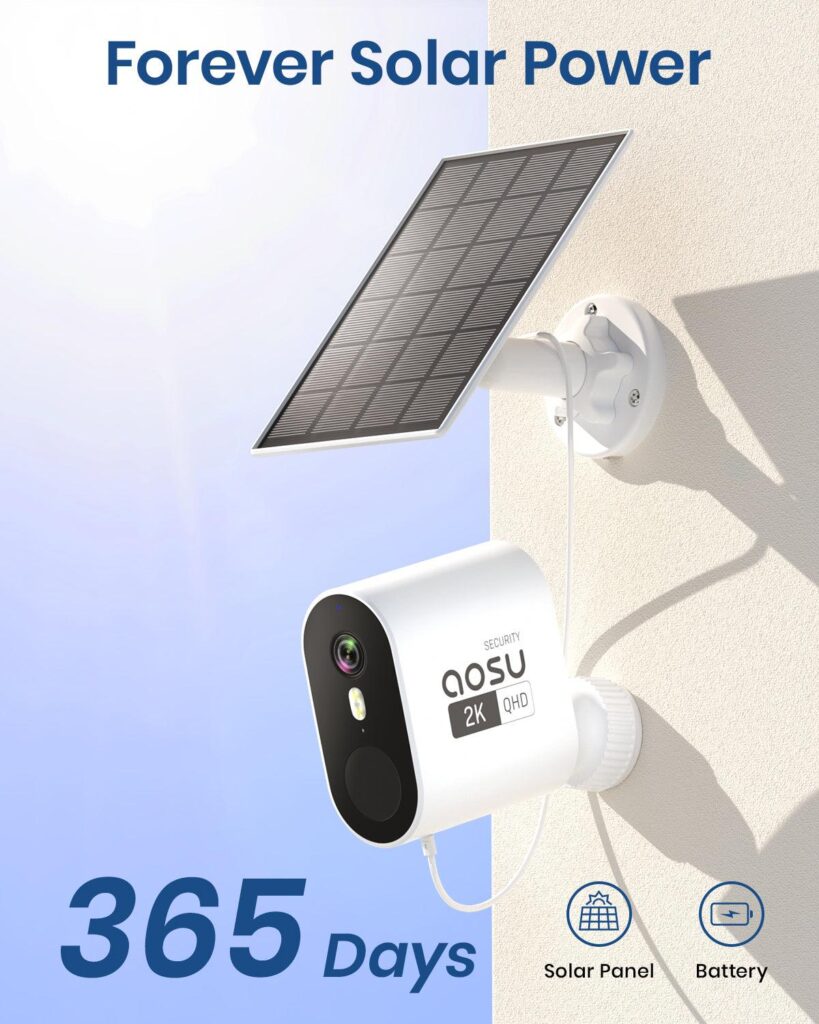
A solar camera is only as good as the sunlight its panel receives. In the Northern Hemisphere, aim for a south-facing spot that gets roughly four to six hours of direct sun. A panel under an eave or facing north may spend more power than it collects, however capable the camera is.
Dirt on the panel reduces what it collects, and dirt on the lens clouds the picture. A dry or slightly damp cloth every few weeks handles both, with extra passes when trees or dust are nearby.
Hub and signal
Treat the aosuBase as the center of the layout. Put it within reach of your router, then shift it toward the middle of the property so the cameras at the far edges are not left with the weakest signal.
Settings and storage
Before a new SD card holds footage you care about, format it through the Aosu app so the card suits the camera. Check for firmware updates once setup is finished and again every few months, since updates can improve detection accuracy and connection stability.
Default motion sensitivity may be too eager near roads or tree lines. Draw the detection zone around your own property and lower the sensitivity a little, which should cut needless alerts without hiding real activity.
Seasonal checks
Before winter, give every battery-powered camera or doorbell a complete charge check. Low temperatures cut into solar output and also lower battery efficiency, and a dead unit is a problem in the months when you most want one working.
Where to Buy and What Is Covered
Where you buy matters here, because Aosu’s warranty does not cover products from unauthorized retailers and the brand has a smaller retail presence than Ring or Arlo. Ordering from the brand’s own store at aosulife.com keeps the 30-day return window and the warranty simple, and Aosu’s support team can confirm an order from that channel most quickly when a problem comes up.
You can see Aosu’s range at its store, which is the most accurate place to check the current lineup and pricing. If you buy anywhere other than Aosu’s own store, make sure the seller is authorized, because the warranty excludes anything from an unauthorized retailer. A price far below what Aosu’s own store charges should raise suspicion, not excitement.
What owners and reviewers report
Reviews on Aosu’s own product page for the flagship kit return to easy DIY setup and dependable solar charging. Third-party review sites are more mixed about the brand as a whole. Reviewers there praise camera quality and responsive support, while the recurring complaint is shipping, with some direct orders taking a week to ten days and a few reported as never arriving. In those reviews, the complaints concern shipping and fulfillment rather than the cameras themselves. Keep your confirmation email either way.
Returns
Start a return by emailing [email protected] with your order number. Aosu confirms a warehouse address before anything ships back, and a parcel sent without that step, or without prepaid shipping, risks being rejected.
The window is 30 days from the day you receive the order. Items must be unused, unmarked and in their original packaging, and only purchases made on aosulife.com qualify. Return shipping is your cost, and the policy mentions no restocking fee. Aosu says refunds are issued 3 to 5 business days after a returned item clears inspection. You can cancel an order during the first 24 hours after payment, though not once it has shipped.
Warranty
The warranty runs 12 months from the purchase date. If a manufacturing defect is confirmed, Aosu supplies replacement parts free of charge. Have your order number and photo or video evidence ready when you file, and be prepared to send the item itself if asked. Cover does not extend to repairs by other parties, purchases from unauthorized sellers, misuse, extreme temperatures or water damage past the rated protection.
If something arrives damaged, photograph it before you install anything. If a camera misbehaves, work through the setup tips above before assuming a defect.
Frequently Asked Questions
Is there a monthly fee for recordings?
No fee is required. Footage goes to a local SD card in the camera or the hub. The optional aosuProtect+ tier is the only add-on, and it covers 30-day off-site backup.
Do the cameras work with Alexa and Google Assistant?
Support is listed on the flagship kit’s product page and is described as applying across the newer camera lines. Check the page for the model you are considering.
How much storage can I add?
The doorbell line accepts up to 128GB through the aosuBase Mini. For the outdoor hubs, limits beyond the base SD capacity were not specified, so check the listing for the model you want.
How long does the doorbell battery last?
Aosu rates the Video Doorbell Pro at up to 180 days per charge. Real life depends on how often it detects motion and gets pressed.
Can several people share one camera?
Yes, multi-user sharing is listed across the range. The IndoorCam P1 is the model with a stated cap of five simultaneous app users.
Can I return a discounted item?
The 30-day policy lists no exception for discounted items. Even so, check the product page for final-sale status before you order reduced stock.
Is Aosu a legitimate company?
Aosu operates its own store and has an active LinkedIn presence, and its marketing cites coverage from independent outlets. Third-party review sites show a mixed picture, with shipping complaints alongside positive product feedback. Buying from Aosu’s own store keeps your order and your warranty straightforward.
Can buyers outside the US get support?
Yes. Aosu’s site gives regional support contacts for Germany, Japan, the UK, and the US with Canada, and shows pricing in a long list of currencies.
How do I contact support?
Write to [email protected] and include your order number, or call +1-866-905-9950 on weekdays from 9 AM to 5 PM Pacific time.
The Bottom Line
Aosu’s pitch is simple: a hub that keeps footage at home, no mandatory monthly bill, and a 12-month warranty with a 30-day return window on purchases from its own store. The brand’s case rests on that combination, not on a long track record.
Choose by job. A doorbell covers the front door, an IndoorCam covers a room, a SolarCam Lite watches one entrance, and a multi-camera kit covers the whole property. Match the line to the job, check WiFi and sunlight at every mounting spot, and keep your order paperwork. After that, the decision comes down to budget and how much you value app polish.