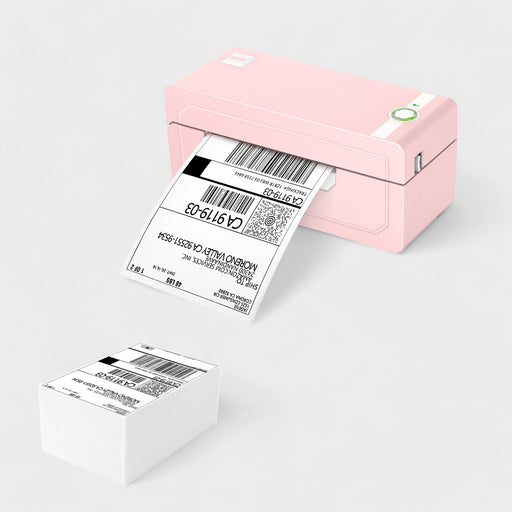
A desktop thermal printer turns parcel day from a post office queue into a few clicks at your own desk. JADENS competes at the budget end of that market.
The catch is that JADENS does not sell just one kind of printer. It sells four, and the shipping range alone has five models with spec sheets that look alike. Choosing on price alone can leave you with a machine that does not suit your computer, your labels or your routine.
This guide covers the lineup, the specs that matter, how to choose, how JADENS stacks up against Rollo, what the warranty covers and how to look after the printer. It draws on the brand’s own product and policy pages, a hands-on review and a comparison write-up, so you will see “the brand says” wherever a claim comes from the maker. I have not handled these printers myself.
Who Is Behind JADENS Printers
The brand’s own history page dates JADENS to Hong Kong in 2015 and credits a founder named Sammy. As that page tells it, thermal and label printers were becoming part of daily shipping, retail and home organizing, and the catalog was built to make them cheaper and simpler to use rather than leave them a niche office tool.
Hong Kong is the headquarters, and the US branch sits in Holly Springs, North Carolina. Products ship to Europe and North America, with separate distribution for US, UK and Canadian orders.
The brand describes its approach as customer first, and its stated mission is to make these printers indispensable for businesses and households alike. Those are the brand’s own words, so the rest of this guide sticks to what each product actually does.
Founded in 2015, JADENS is not a decades-old legacy name, and it does not claim to be. Its pitch is the same across the catalog: Bluetooth printing without ink at a modest price. Rollo, MUNBYN and iLabel are the names it positions itself against.
The Product Families
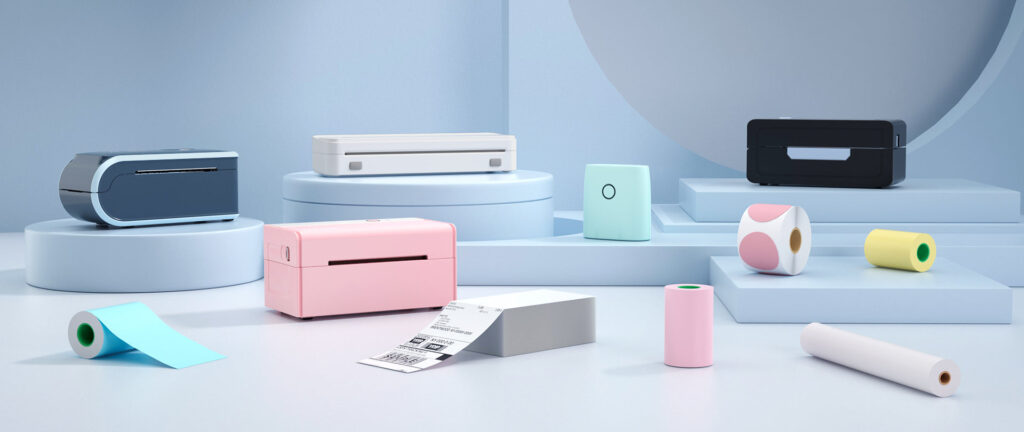
JADENS can look like a shipping label specialist at first glance, but the catalog splits into four separate families. Pick the wrong family and you end up with a printer that cannot do the job you bought it for.
Shipping label printers
The shipping group has five models, namely the 168BT, 268BT, 328BT, 468BT and 668BT. Every one uses direct thermal printing, offers Bluetooth and USB, and takes 4×6 shipping labels as a minimum.
Portable A4 models
The PD-A4 and PD-A4 Pro step away from labels entirely. They are inkless portable printers for A4 and Letter paper, meant for printing documents when a full-size home printer is out of reach.
Smaller still is the JD-166, which the brand calls the smallest, lightest inkless portable printer in the world. Think of it as a travel tool for printing away from any desk.
Photo printer
For pictures there is the JD-21, a photo printer that turns phone images into small prints. It is aimed at casual, personal use instead of work tasks.
Label makers
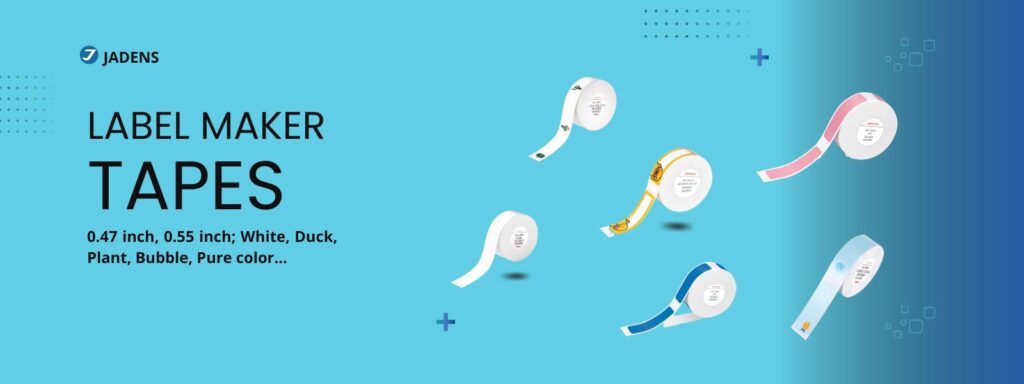
The label maker line has three models, the JD-11, B1 and D11, for household and office tagging: pantry jars, file folders, cables. They are not stand-ins for 4×6 shipping stickers.
Rollo, the rival compared below, concentrates on shipping label printers and skips these other lines, so the breadth is one way JADENS differs from it.
Shipping Label Printers Compared
This family gets the closest look here. The 268BT is the model the available sources describe in the most detail, so it anchors the comparison.
The 268BT prints at 150mm/s with a resolution of 203 DPI. It takes label widths between 1.57 and 4.1 inches and connects by Bluetooth or USB. Bluetooth printing works with Windows, Android and iOS, while a Mac has to use the cable. The printer measures 9.1 x 5.9 x 5.9 inches, weighs 4.13 lbs and includes auto label calibration.
Pricing runs about $96 to $135 at JADENS, depending on color and bundle. If those numbers match your routine, browse JADENS’ range at its own store and look for the 268BT. For a closer read, here is our full verdict on the JADENS 268BT Bluetooth label printer.
The 668BT is the entry model. It keeps Bluetooth and USB, so it suits occasional shippers who do not need the 268BT’s full label width range. Check the current price at JADENS before you compare.
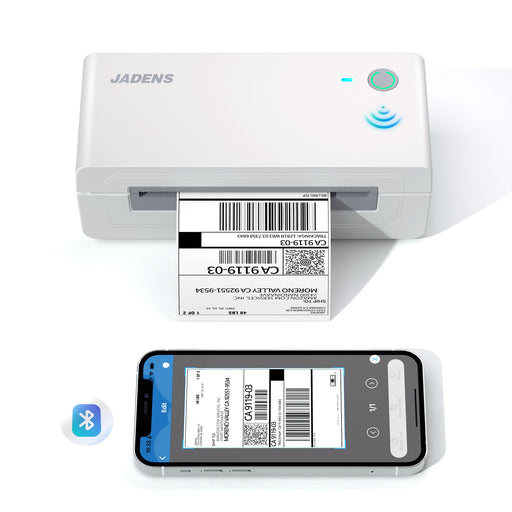
The 168BT is the classic white wireless model. It is a middle option for anyone who likes the wireless app approach and wants a tidier, minimalist look on the desk, and its current price is listed on the JADENS site.
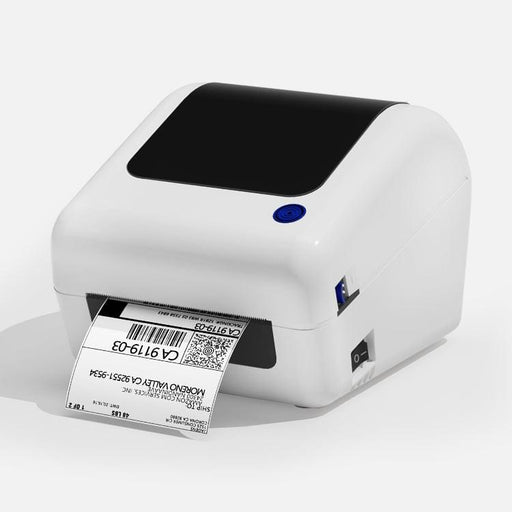
The 328BT and 468BT complete the range. The sources behind this guide do not break down their specs, so check their product pages before comparing them with the others.
What the numbers mean
Print speed is how much label paper the printer pushes out each second, measured here in millimeters. The 268BT’s 150mm/s matches the faster Rollo models, according to the comparison write-up.
DPI stands for dots per inch. A higher number means finer detail, and 203 DPI is the figure JADENS lists for the 268BT.
Direct thermal printing heats the paper itself, which is why there is no ink or toner. The flip side is that the paper reacts to heat in general, which matters for storage and is covered in the care section below.
Questions to Ask Before You Choose
Six questions narrow the field. Answer them in order and the shortlist shrinks.
What will you print from?
Windows computers, Android phones and iPhones can all print over Bluetooth with these printers, but a Mac cannot. A Mac setup means the USB cable and a printer parked within cable reach of the desk.
Which label sizes do you use?
The 4×6 shipping label is supported across the JADENS shipping models. Smaller formats, such as 3×3 and 2×1 labels for inventory tags and shop stickers, are where the 268BT’s wider span, 1.57 to 4.1 inches, helps, because one printer covers all of them.
How many parcels do you send?
For a handful a week, the 668BT is the entry model and covers the basics. Printing daily, or in more than one label size, is where the 268BT’s 150mm/s speed and wider width range come into play. At around 500 shipments a month or more, compare Rollo before you decide.
Wired or wireless?
All the shipping models offer both, so this is about how you work rather than which model to buy. Bluetooth pays off when you print from a phone while moving around a small warehouse. At a fixed desk, USB is the simpler route and skips pairing altogether.
What does it really cost?
Without ink or toner to buy, the printer’s price is the main thing to weigh, and label rolls are the only recurring cost. Add a few rolls to the first order so you can keep printing from day one.
Where will it live?
Measure the spot before you order. The 268BT is small enough for a desk corner, but you also need room behind or beside it for a roll or a fanfold stack. The box also includes a dual-function label holder, so count that in the footprint too.
Putting it together:
- Prints daily or in several label sizes: the 268BT
- Ships a few parcels now and then: the 668BT, the entry model
- Works from a Mac: any model, using the USB cable
- Ships around 500 packages a month or more: look at Rollo first
How JADENS Compares to Rollo
The comparison coverage sets Rollo against JADENS, so it is the fair rival to check.
| Point | JADENS 268BT | Rollo |
| Print speed | 150mm/s | Matched by its faster models |
| Connections | Bluetooth and USB | Wireless models add WiFi and AirPrint |
| Housing | Budget-brand build, closer to iLabel | Metal finish |
| Price | About $96 to $135 at JADENS | Roughly $180 to $260, per a comparison review |
On speed, JADENS closes the gap completely. The 268BT matches Rollo’s faster models at well under the cost. On price, a comparison review puts Rollo’s range at roughly $180 to $260, while the 268BT sits at about $96 to $135 at JADENS.
Rollo’s lead is in connectivity and finish, per the comparison. Its wireless models add WiFi and AirPrint, and a metal housing gives it a more premium feel. JADENS sticks to Bluetooth and USB across the range, and its build sits closer to other budget names such as iLabel, according to that same comparison. Looks do not affect print quality, but they matter if desk appearance is part of your decision.
On setup, the comparison review noted that JADENS can be more involved than the marketing suggests, particularly when installing drivers on a desktop. The sources say nothing specific about Rollo’s setup, so allow some time for the driver install if you print from a computer.
If you send 500 or more parcels a month, or want WiFi on a shared network, Rollo is worth a close look. JADENS suits individual sellers and small shops that want Bluetooth printing without the premium price.
Choosing Outside the Shipping Range
Not everyone arrives looking for shipping labels. The other three families each solve a narrower problem, and the main risk is expecting one to do another’s job.
For documents, the two PD-A4 models are the ones to read about. Ask how often you really print away from your desk, and which paper size you use, since the brand lists both A4 and Letter. The JD-166 trades size for portability, so it is the pick for printing on the road rather than at a desk.
The JD-21 handles photos. It is aimed at personal use more than work, so see it as a way to turn phone pictures into small prints, not a stand-in for the other printers.
For organizing, label makers take a tape format of their own, so their supplies do not swap with shipping label rolls. Buy tape listed for your specific label maker rather than assuming it will fit.
Where to Buy and What Is Covered
The seller you pick can decide whether the warranty applies at all.
Returns
The brand backs each purchase with a 30-day money-back guarantee. Return the printer in its original packaging and you can get a full refund or a replacement, so keep the box and packing until you are sure it is staying.
Warranty
The brand’s warranty runs at least one year from the purchase date and addresses defects in materials and workmanship. Diagnosis and replacement of parts are included. It excludes theft, loss, misuse, accidents and other abnormal use.
Which sellers count
Here is the catch. The brand’s warranty policy recognizes only purchases made through its official sales channels, and anything bought from other sellers is not covered. Buying at the JADENS store, which is where that link opens, keeps you inside that rule. If you buy anywhere other than JADENS’ own site, make sure the seller is authorized.
Third-party listings can bring problems beyond a lost warranty. The unit may not be current stock, may arrive damaged, or may be a rebranded clone instead of genuine JADENS hardware. If a listing undercuts JADENS’ own price for the same model by a wide margin, read that as a red flag, not a bargain.
JADENS also appears at mainstream retailers such as Best Buy and Target. At any of them, confirm that the retailer itself sells and ships the printer as new, not a third-party seller using its platform, and weigh the purchase against the warranty rule above before you pay.
A short checklist before you pay:
- Seller: the JADENS site, or the first-party listing of a large retailer, with the warranty rule above in mind.
- Price: in the same range as JADENS’ own site rather than dramatically lower.
- Condition: the listing says new, and the contents match the box: power supply, USB cable, label holder and manual.
Shipping and support
Orders bound for the US, UK or Canada ship free, the brand says, and delivery inside the continental US is quoted at 3 to 7 business days. Once the order leaves the warehouse, a tracking number arrives by email.
Support options listed by the brand are a US phone line at +1 (833) 470-2950, an email address, [email protected], and a portal at support.jadens.com. A free loyalty scheme, the Elite Program, is also on offer and rewards repeat buyers, which helps if you plan to restock label rolls.
Care and Maintenance
No ink does not mean no upkeep. A few small habits help a thermal printer stay reliable once the warranty period is over.
Buy labels that fit
A label outside the supported width range may jam the feed or upset auto calibration. For the 268BT that range is 1.57 to 4.1 inches, so pick rolls and fanfold stacks made for your exact model.
Keep spare rolls cool
Thermal paper reacts to heat by nature. Unused rolls left in a sunny window, a hot car or beside a heater can fade or darken before they are printed, so a drawer or cupboard at room temperature is the better home.
Wipe the print head
Dust and sticky label residue collect on the print head, the part that heats the paper to form the image. Run a soft cloth dampened with isopropyl alcohol over it every few rolls, never anything abrasive, to help avoid streaky or faded prints.
Update the app and drivers
Printing over Bluetooth or USB depends on the JADENS app or desktop drivers. When connections start dropping, an outdated driver is a sensible first thing to check, especially after a phone or computer system update.
Power it down between jobs
If you do not print every day, switch the printer off between sessions instead of leaving it running. Less time powered on may mean less wear on the internal parts.
If something still goes wrong, start with the warranty terms above and then the support portal.
Frequently Asked Questions
Is JADENS a legitimate company?
JADENS was founded in 2015, publishes a warranty and a return policy, and sells through its own website and mainstream retailers such as Best Buy and Target.
Is ink or toner required?
No. The label models print with heat on special paper, so no cartridges are involved.
Does Bluetooth work with a Mac?
No. The hands-on review found that Bluetooth is not supported on macOS, so a USB cable is required.
Do they work with USPS and UPS labels?
The brand markets its label printers as compatible with several shipping platforms, including USPS and UPS, for standard 4×6 labels.
Can I print from my phone?
Yes. A companion app handles Bluetooth printing from iOS and Android devices.
Are there JADENS printers that are not for labels?
Yes. Beyond labels, the lineup covers portable A4 models, the JD-21 photo printer and home label makers.
How long does the warranty last?
At least a year from purchase, against material and workmanship defects, provided the order came from a recognized seller.
The Short Version
JADENS is a young brand with a clear pitch: Bluetooth label printing without ink, at a price noticeably below the premium names. The 268BT is the model this guide covers in the most detail, the 668BT is the entry model for occasional shipping, and the other families are separate tools for separate jobs.
Know the trade-offs before you order. There is no WiFi, Mac users need a cable, and buying from an unrecognized seller can cost you the warranty. If those fit your situation, buying from the brand’s own store keeps the warranty question simple.