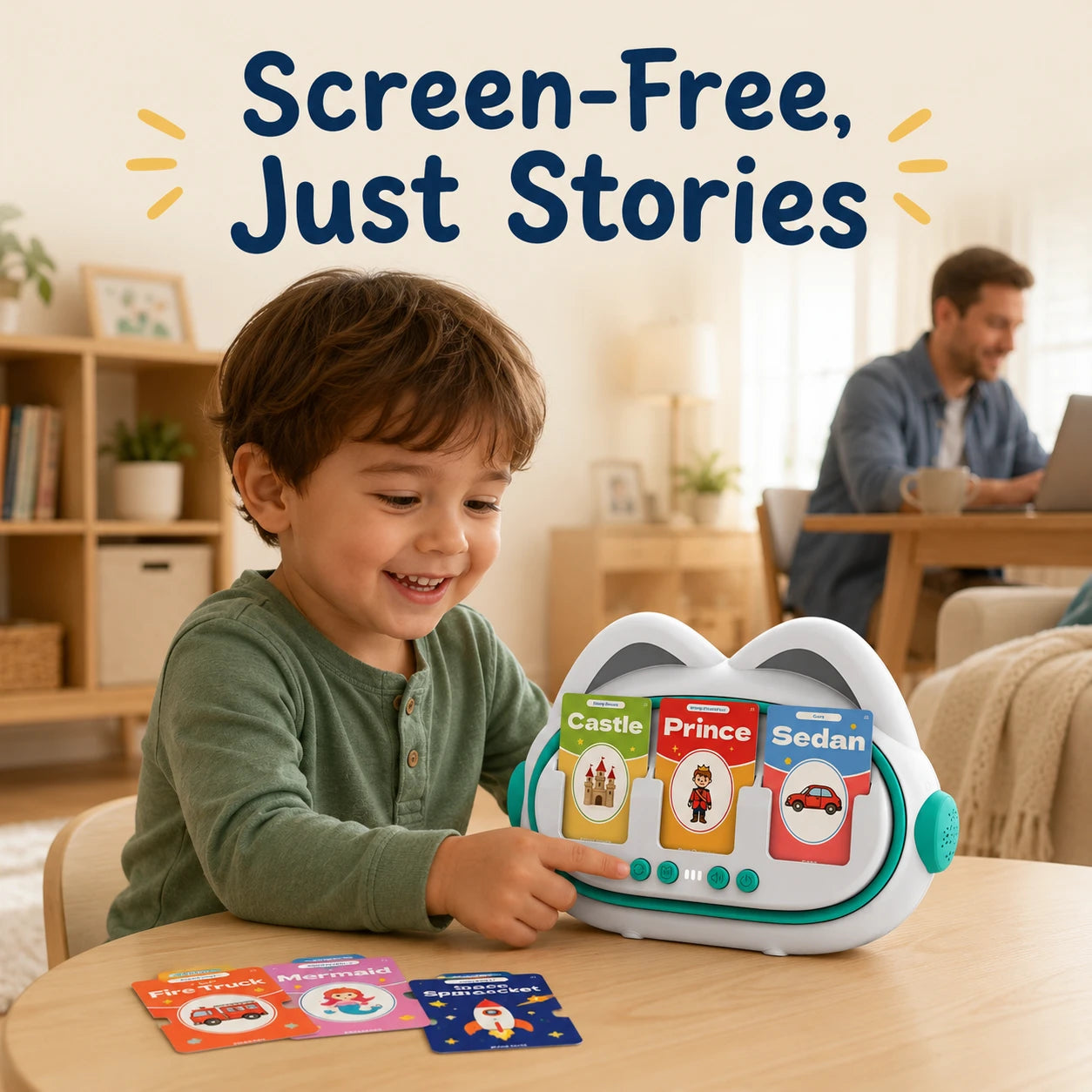
Three picture cards go in, and a short story comes out. That is the whole pitch behind Moreximi’s AI Storytelling Machine, a card reader for young children that runs on audio instead of a screen.
It is also a gadget with a few catches: an app for setup, a Wi-Fi requirement for the stories, and very little public detail about the AI behind them. Knowing about those before you order makes the decision far easier.
This guide covers who makes the toy, how it works, which kids it fits, how it compares with the Yoto Mini, games, care and buying tips. It draws on the spec sheet, the brand’s own pages and a third-party hands-on unboxing, not on weeks of living with the toy.
Who Is Behind Moreximi
Moreximi is a small kids’ technology brand, and nearly everything public about it comes from its own pages. Its store lists just four products: the story machine under two separate listings, an AI storytelling teddy bear called Ollie, and an AI tarot reader that is plainly meant for adults. That mix makes the range look a little scattered. The pages also list warehouse addresses in Texas and Australia.
The brand’s own product timeline runs like this.
| 2020 | A first-generation kids’ camera |
| 2023 | A kids’ smart phone toy |
| Later | Ollie, an AI storytelling teddy bear |
| Latest | The story machine and its 150 flash cards |
The camera and the phone toy both had displays, so the brand’s present “100% screen-free” positioning is a genuine change of direction.
Ollie, which the About page names as the brand’s flagship, set the template. On the bear’s product page, a child asks for a story out loud and Ollie invents one, while a request for a Bible story plays recorded lessons instead. A parent handles the first setup in a phone app, and from then on the child plays screen-free. The story machine reuses that recipe, with a card reader in place of the plush body.
The founder story, as the brand tells it
The Our Story page credits one person, listed as founder and CEO under the first name Tony, with no surname. The brand casts him as a father caught between wanting children to play independently and wanting to hold screen time in check. His answer, per that page, was a range of connected gadgets that would “grow alongside our children,” and the slogan reads “Every kid deserves better companionship.”
The research turned up no interviews, press coverage or business filings to add detail, so treat the origin story as self-told. The same goes for the About page’s claim of 900 smart toys donated to early-learning programs across the US, which no outside source confirms.
What the brand promises
Across its pages, Moreximi promises screen-free play, non-toxic materials that it says meet strict safety standards, and AI toys that it describes as encrypted and COPPA-compliant. Purchases carry a 30-day guarantee and a one-year quality promise, according to the About page.
What the Machine Actually Does
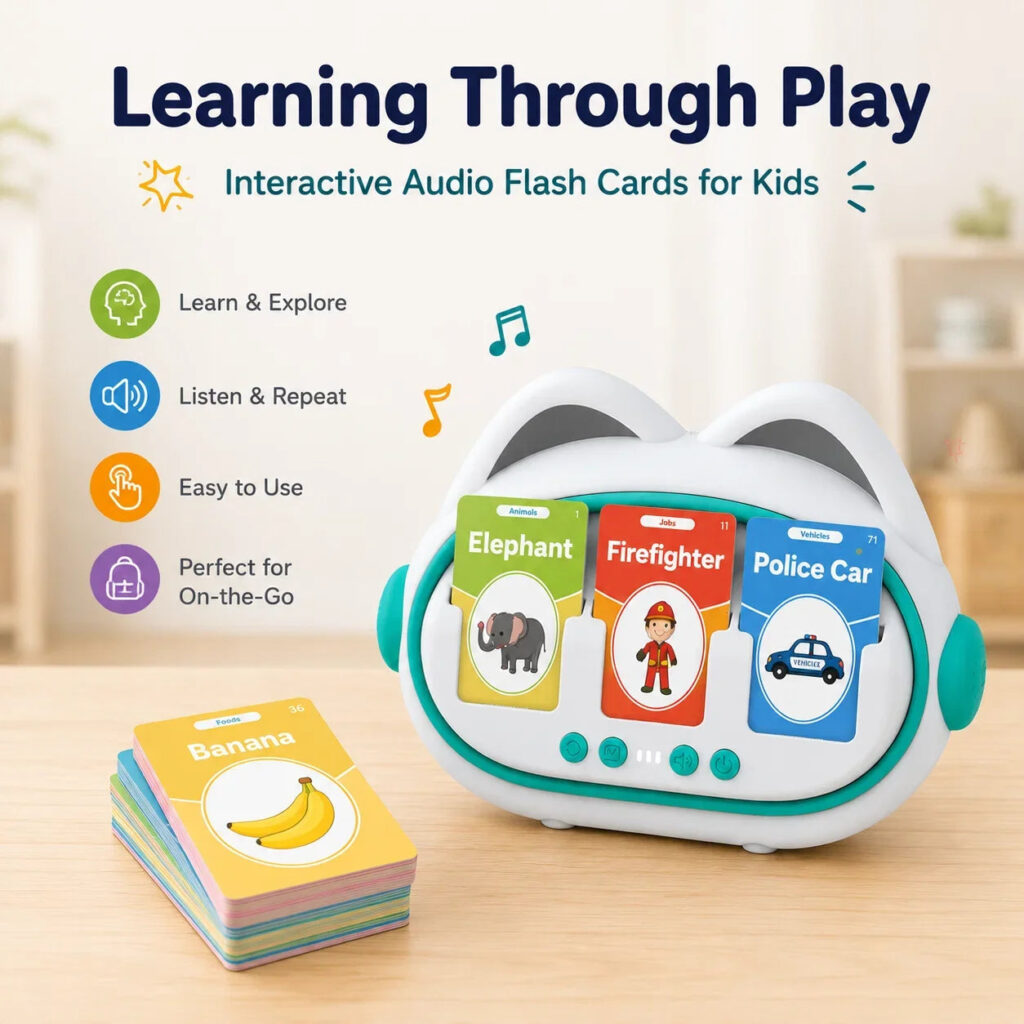
Think of the machine as two toys sharing one shell. One is a talking flash-card reader, and the other tells a short story from the cards a child picks. Both use the same three slots.
Word mode
Drop one card into any slot and the toy says its word straight away, and Repeat plays it again. Nothing about this depends on the story feature or on a web connection, which makes it the dependable half of the toy.
Story mode
Fill up to three slots, press Story, and the toy narrates a brief tale that uses every one of the words. When it finishes, another press of Story starts a new version built from the same cards, while pulling a card out in the middle halts the tale.
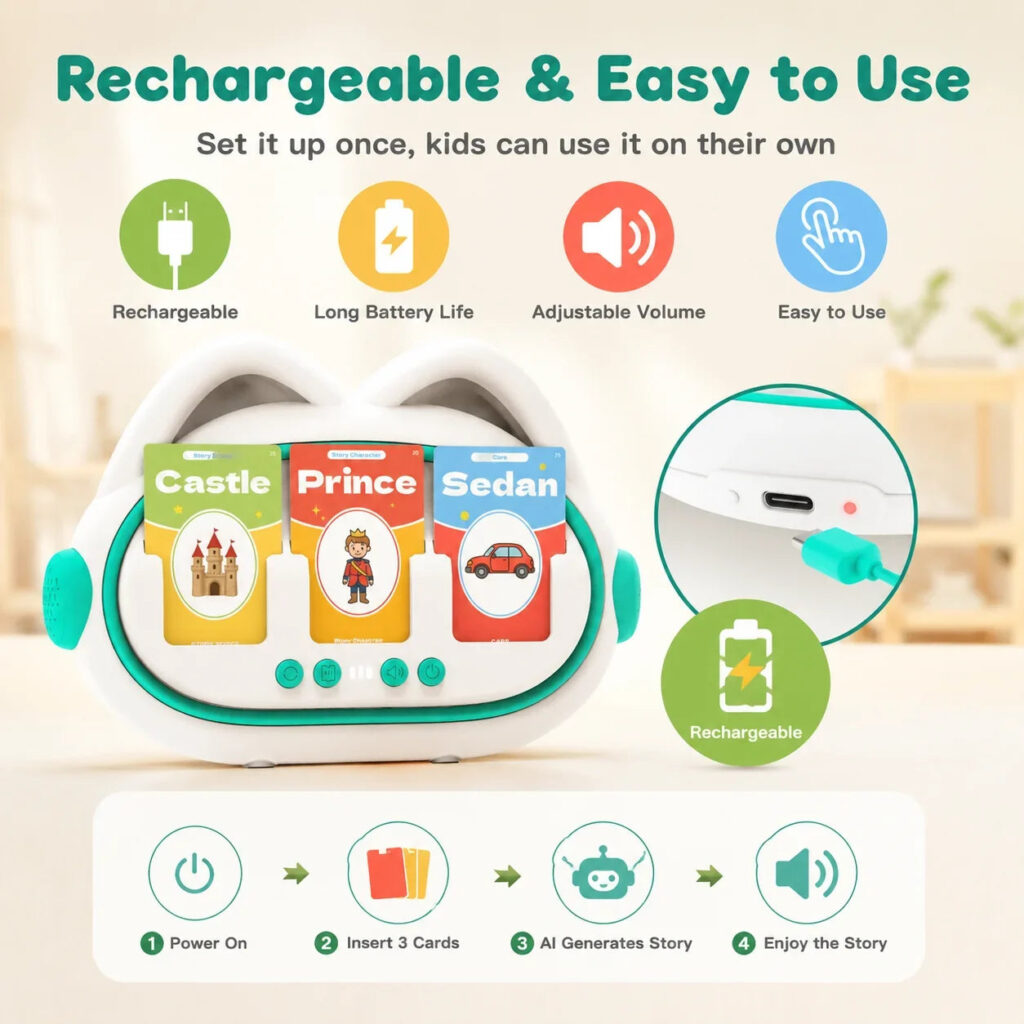
The brand’s setup diagram boils this down to four steps: power on, insert three cards, the AI generates a story, enjoy it. In the app, each story is kept as text for 30 days, and the app offers no way to replay one.
For a tighter, spec-focused buy-or-skip call, our full verdict on the Moreximi AI Storytelling Machine covers the same ground in a shorter format.
The shell and the buttons
The unit is a rounded white body with turquoise trim and two ear-shaped bumps on top. Three card slots span the front, with a status light and a strip of buttons beneath them. No screen is built in.
Four controls matter. A book-icon Story button begins a tale and pauses it when pressed midway, Repeat plays the current word again, Volume steps through three levels per the unboxing, and Power sits next to the USB-C port.
The card deck
The deck holds 150 double-sided cards, which gives the toy a 300-word vocabulary. The cards are grouped into 15 color-coded categories, among them animals, family, shapes and professions. Each shows a large illustration, the printed word and a category label, and the rounded corners suit small hands.
Setup, Wi-Fi and the AI Question
This is not a plug-and-play toy. A grown-up has to install the companion app, pair the toy over Bluetooth, and then add it to the home’s 2.4 GHz Wi-Fi network. During setup the app lists the device under the name “Card Story Machine.”
Afterward the phone can be put away, yet the third-party unboxing is plain that storytelling still requires internet access. Brand copy describes the design as app-free, so the app is the first surprise and the connection requirement is the second. Use story mode wherever your home network reaches, and treat word mode as the part that travels.
| Battery | 3.7V lithium-polymer, 1800mAh |
| Rated runtime | Above 16 hours |
| Charging | USB-C at 5V/1A, up to 6 hours from flat |
| In the package | A charging lead with a USB-A plug, plus a paper guide |
| Label details | Model A2, FCC ID 2BUSL-A2X1 |
What is not public about the AI
Moreximi’s privacy page claims COPPA compliance, yet it reads as though it was drafted for the teddy bear and its voice features, and an unfinished template note is still visible on it. That shows no wrongdoing. It does suggest the paperwork lags the product.
Beyond that page, the brand never names the AI model that writes the stories, and it does not explain how content is screened for young listeners. If data handling matters to you, email [email protected] before ordering.
Therapy-style labels
Some product copy for this toy borrows therapy-style wording. Nothing in the research behind this guide supports that framing. Practicing clear words at home can be a pleasant extra, but a clinician should lead any plan for a child with a speech delay.
Which Kids and Families It Fits
Fit depends on what you want from the toy as much as on a child’s age. This table sorts the common reasons for buying.
| Goal | Fit | Reason |
| Vocabulary practice | Reasonable | Spoken words, and word mode needs no internet |
| Quiet time at home | Yes | Audio and cards only, so no screen to manage |
| Bedtime stories | Mostly | Short tales, but check the volume first |
| Car rides and flights | Partly | Only word mode works away from Wi-Fi |
| Speech delay support | As an extra | A play toy, not a therapy tool |
Younger than 3
The maker recommends the toy for ages 3 and up, although some product copy says toddlers. Follow the age rating. If a little sibling joins in, keep an adult close, since small children can bend or chew the cards.
Ages 3 to 5
This is the target group. Children pick by picture, hear each word spoken, and then get a story starring their own choices.
Ages 5 to 7
Kids who can already read some of the words will treat story mode as a guessing game about what three words will turn into. Around age 7 the vocabulary will probably start to feel too simple.
The household test
Story mode suits you only if three things are true at home: you have a 2.4 GHz network, you are willing to install an app once, and you are comfortable with a children’s AI toy sharing your Wi-Fi. Word mode runs offline, so families who mainly want flash cards can skip that test.
Buying it as a present? Tell the parents, because they will handle the app and Wi-Fi pairing. No wall plug comes in the package, so they will need a USB charger they already own.
How It Compares With the Yoto Mini
Yoto also makes screen-free card players, and its Yoto Mini is a fair point of comparison. In the hand the two look alike, since children slide in cards and listen. Underneath, they run on opposite ideas.
A Yoto card points to finished audio such as an audiobook, an album or a podcast, and you can buy cards or record your own. A Moreximi card carries a single word, and an AI composes a story from up to three of them.
| Moreximi Story Machine | Yoto Mini | |
| Cards in the box | 150 cards, 300 words | One Welcome Card, reusable as a Make Your Own card |
| Where audio comes from | AI-written stories from up to 3 cards | Finished audio or your own files |
| Offline use | Word mode yes, story mode no | Yoto says most listening works after a download |
| Battery | Rated above 16 hours | Up to 14 hours |
| Display | No screen, only a status light | A compact pixel screen |
| Age | 3 and up | 3 and up |
Where the Yoto Mini is stronger
Travel is the clearest win. Yoto says the Mini needs Wi-Fi for setup and for downloading cards, and after that most listening works away from home. Moreximi’s word mode goes anywhere, but its stories require a connection.
Privacy messaging is the other. Yoto’s US product page states there is no microphone and no camera, and it commits to long-term security updates. Its page also carries a small-parts choking warning for children under 36 months. For content, Yoto leans on professionally produced audiobooks and music rather than vocabulary drills.
Where the Moreximi machine is stronger
Creativity is the difference you will notice. Children choose what goes into each story, and pressing Story again turns the same cards into a new tale. The 300-word deck also doubles as talking flash cards.
Getting started also differs. The whole Moreximi deck ships with the machine, whereas the Yoto Mini arrives with a single card, so families who want more audio add story and music cards over time. Yoto’s app does include free podcasts, radio and sleep sounds, so nothing forces you to buy more. Each toy relies on a parent’s phone for the initial setup.
Which one to choose
Choose the Moreximi machine if you want children composing their own stories and meeting plenty of vocabulary, in a home with steady 2.4 GHz Wi-Fi where play stays indoors. Choose the Yoto Mini for dependable offline listening, a curated audiobook library or the clearer privacy statement. Some families end up owning both, because the two do different jobs.
Games That Keep It Fresh
Here are five simple games built on what the machine really does. The first two work without a connection, and the last three need Wi-Fi.
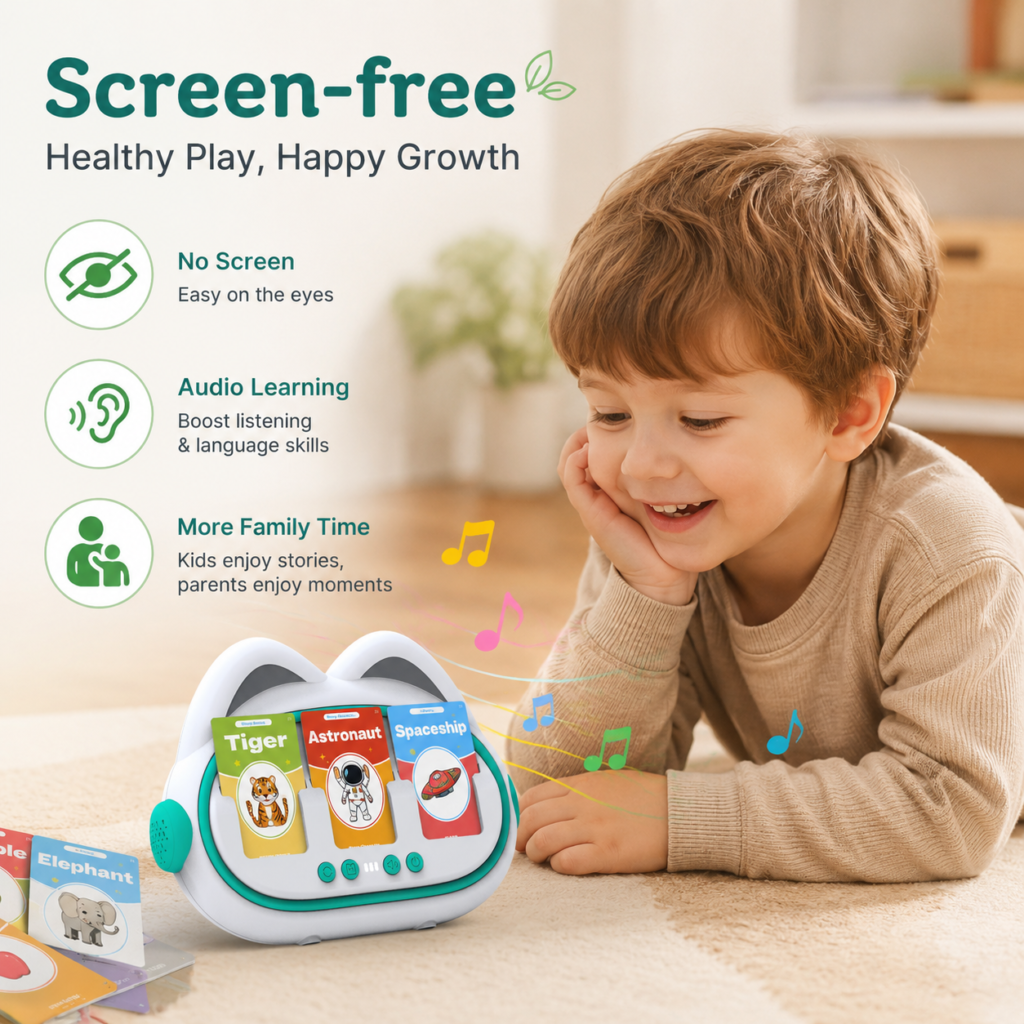
Say It Back. Let your child pick a card, listen to the word, then repeat it in a whisper, a growl or any voice they like. Press Repeat whenever they want another listen.
Color Piles. Spread a handful of cards out and challenge your child to build piles by color, since every category has its own. Afterward, slide a few cards through the slots and listen to the words.
Guess the Story. Before you press Story, ask your child to tell their own version of what the three cards will turn into. Then play the real one and compare the two.
Change One Card. After a story, replace a single card, perhaps a dog with a firefighter, and play again. Ask what changed. Make the swap between stories, because removing a card during one ends it.
Retell It. Once a story ends, invite your child to tell it again using the three cards as prompts. Children who do not talk much yet can act it out or draw it.
Care, Charging and Troubleshooting
Toys get dropped and sat on, so a little routine care pays off. Three things deserve attention: the Wi-Fi link that story mode needs, the deck of cards and the battery.
When the stories stop
Stories are generated online, so a lost connection is the first thing to check when the toy goes quiet. If your router broadcasts separate 2.4 and 5 GHz networks, the toy belongs on the 2.4 GHz one. After changing routers or passwords, pair it again through the app.
To reset the pairing, the unboxing says to restart the toy and then hold Repeat for 9 seconds. If the internet is simply down, switch to word mode, which keeps working.
Looking after the cards
A deck of 150 small cards is easy to scatter, and it ships in a cardboard box, so a sturdier home for it is worth having. A photo-storage case or a recipe-card box would do, and dividers in the category colors turn tidying into a game.
Keep the cards dry, because swollen or bent ones may stop sliding smoothly into the slots. Show children how to push each card in straight rather than forcing it in at an angle.
Charging
The label calls for a 5V/1A input, which an ordinary USB phone charger delivers, and the included lead is USB-A to USB-C. A full charge can take up to 6 hours, so bedtime is the easy slot. Switching the toy off after play is sensible for any rechargeable gadget, and heat is worth avoiding, because lithium batteries dislike hot cars and sunny windowsills.
Cleaning
Moreximi publishes no official cleaning guidance, so this is general advice for plastic electronics. Switch the unit off and unplug it, then wipe the shell with a soft cloth that is dry or barely damp. Never submerge it, and keep moisture out of the slots and the charging port.
Volume and the app
With three volume levels on offer, pick the lowest one that suits the room, particularly if a child will hold the toy close at bedtime. Story text stays in the app for 30 days, so a parent can glance at what the child heard.
Buying, Returns and Warranty
Plenty of talking card readers look like this one, so it helps to know where the genuine toy comes from. Moreximi’s About page points buyers to its own store and warns about scams, counterfeits and unauthorized resellers. If you buy anywhere other than Moreximi’s own site, make sure the seller is authorized.
Buying direct also keeps support simple, since the brand’s returns service covers only purchases made from Moreximi. The store lists free standard shipping within the US, and you can see Moreximi’s range at its official store to check the current price.
Shipping and authenticity
According to the shipping policy, delivery inside the US takes four to seven business days in total, processing included. Other pages mention Australia, yet the policy itself says US only, so ask first if you live elsewhere.
To confirm you have the real thing, look for an orange, space-themed retail box with the product name across the front. The label should show model A2 and FCC ID 2BUSL-A2X1, according to the unboxing, and the app should list the toy as “Card Story Machine.” Other talking card readers look similar but center on words or phonics, so a listing that never mentions three-card stories is a different product. Treat marketplace sellers and social ads that borrow Moreximi’s photos at a suspiciously low price with caution.
Returns
- Window: 30 days from delivery.
- First step: email support, because parcels sent back without approval are refused. If approved, you receive a return label.
- Condition: unused and in its original packaging, plus proof of purchase.
- Refunds: paid to the original payment method within 10 business days. If one is still missing 15 business days after approval, contact support again.
- Exchanges: none directly. Return the item, then order again.
- Damage: check the box on arrival and report anything damaged or defective immediately.
A wrinkle sits in the fine print. The returns page was plainly written for the brand’s plush bear, and it bars returns of sale items. Because a toy’s price can be marked down from time to time, it is fair to ask whether a discounted unit would count as one.
Meanwhile the About page offers a full refund for any reason inside 30 days, provided the product comes back undamaged. The two pages do not quite agree, so get this toy’s terms confirmed in writing before ordering. For a present, remember that the clock starts at delivery, not when the gift is opened.
Warranty
The About page lists a one-year quality promise next to its 30-day guarantee, but no separate warranty document explains what the promise covers. Keep your order email as proof of purchase.
Frequently Asked Questions
What comes in the box?
The machine, the 150-card deck, a charging lead and a paper guide. There is no wall plug.
Does it have a screen?
No. The toy communicates by sound, with cards and buttons for input and a single status light for feedback.
Can it go on trips?
Word mode will. Story mode needs internet, so it only works while traveling if you can give the toy a connection.
Is there a subscription?
The product page promises none, along with no hidden fees.
Is my family’s data safe?
The brand says its AI toys are encrypted and COPPA-compliant, but it does not name the AI service and its privacy page was drafted around the bear. If privacy is a priority, put your questions to the brand before buying.
The Bottom Line
Moreximi’s story machine is a clever idea built on simple hardware. Children get a 300-word deck, a button-driven toy that needs no phone day to day, and a fresh story each time Story is pressed.
The trade-offs are real, though. Stories need Wi-Fi, setup needs an app, and public detail about the AI and the privacy paperwork is thin. If those fit your household, this is a creative screen-free option for children between 3 and 7. If you need an offline travel toy or detailed data policies, look at the Yoto Mini or another alternative instead.