Building a custom keyboard means choosing a case, a circuit board, switches and keycaps. YMDK is a China-based shop whose catalog covers all of them, which makes it a convenient place to see how the pieces fit together.
This guide pulls together what the brand publishes and what independent sources say. It covers who YMDK is, how to choose a layout, what keycap and switch terms mean, which products show the range of the catalog, how the shop compares with KBDfans, and what to expect from shipping, returns and care.
It is research rather than a bench test. Specs and policies come from YMDK’s own pages, and every price is an approximate regular price at YMDK, so check the current figure before you buy.
Who YMDK Is and What It Sells
On its About page, YMDK calls the site an international online shop for keyboards and keycaps and says its customer service department has more than 15 staff. It names no founder, gives no founding year and tells no origin story, so the most useful way to understand the brand is through its catalog.
That catalog is broad, and it falls into four groups of parts.
| Group | What YMDK lists |
|---|---|
| Keycaps | Many profiles, with blank, CO2-engraved, double-shot and dye-sublimation finishes |
| Switches | Outemu, JWK, Everglide, TTC, Cherry, Kailh and Gateron, plus YMDK’s own house options |
| DIY kits | Ten layout sizes, from 10 percent keypads to full-size boards |
| Accessories | Cases, plates, PCBs, stabilizers, wrist rests, cables, foam and lube |
The Alice Layout Connection
The Alice layout is a compact 65 percent design whose keys are split into two angled halves, a shape meant to ease strain on the wrists. Designer Sam Yuk Tsi introduced the original in 2018 through the TGR Alice group buy, a limited run of 40 units for enthusiasts, and several manufacturers have reproduced it since.
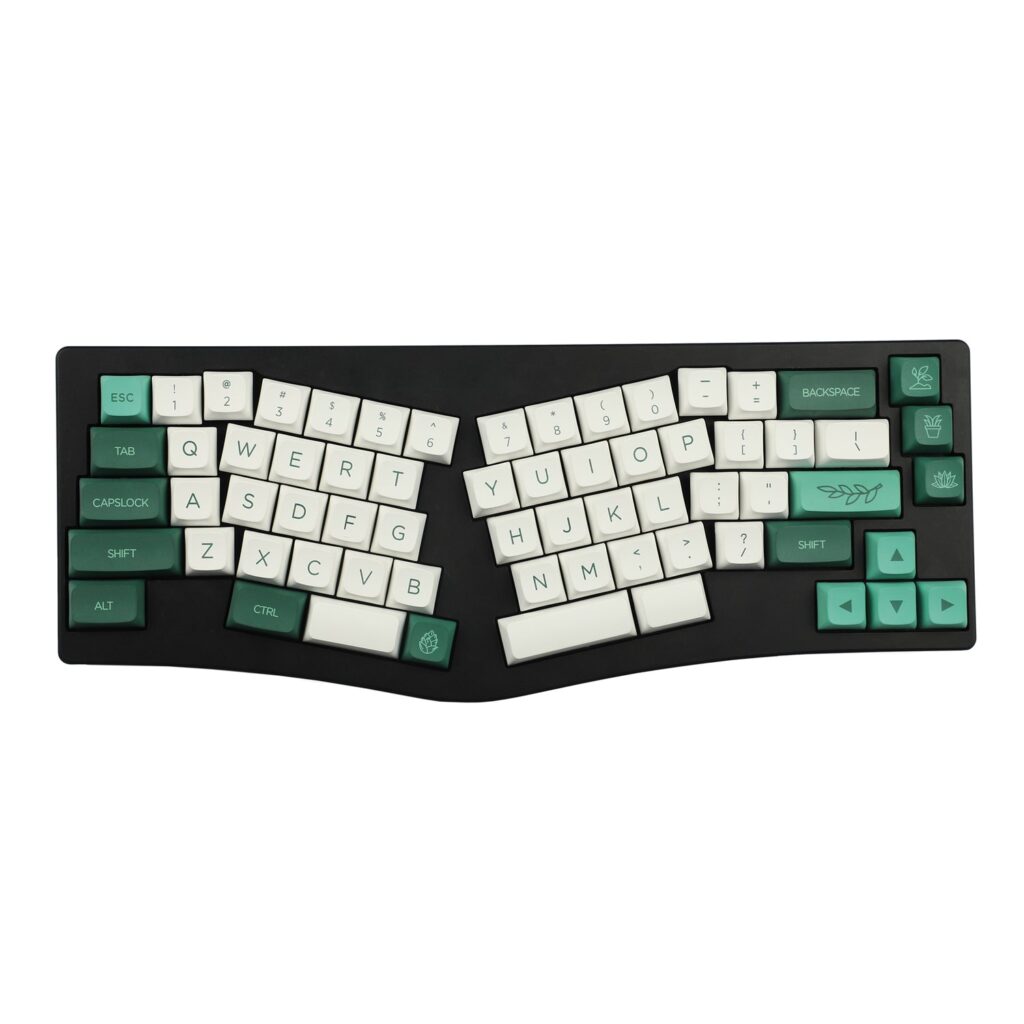
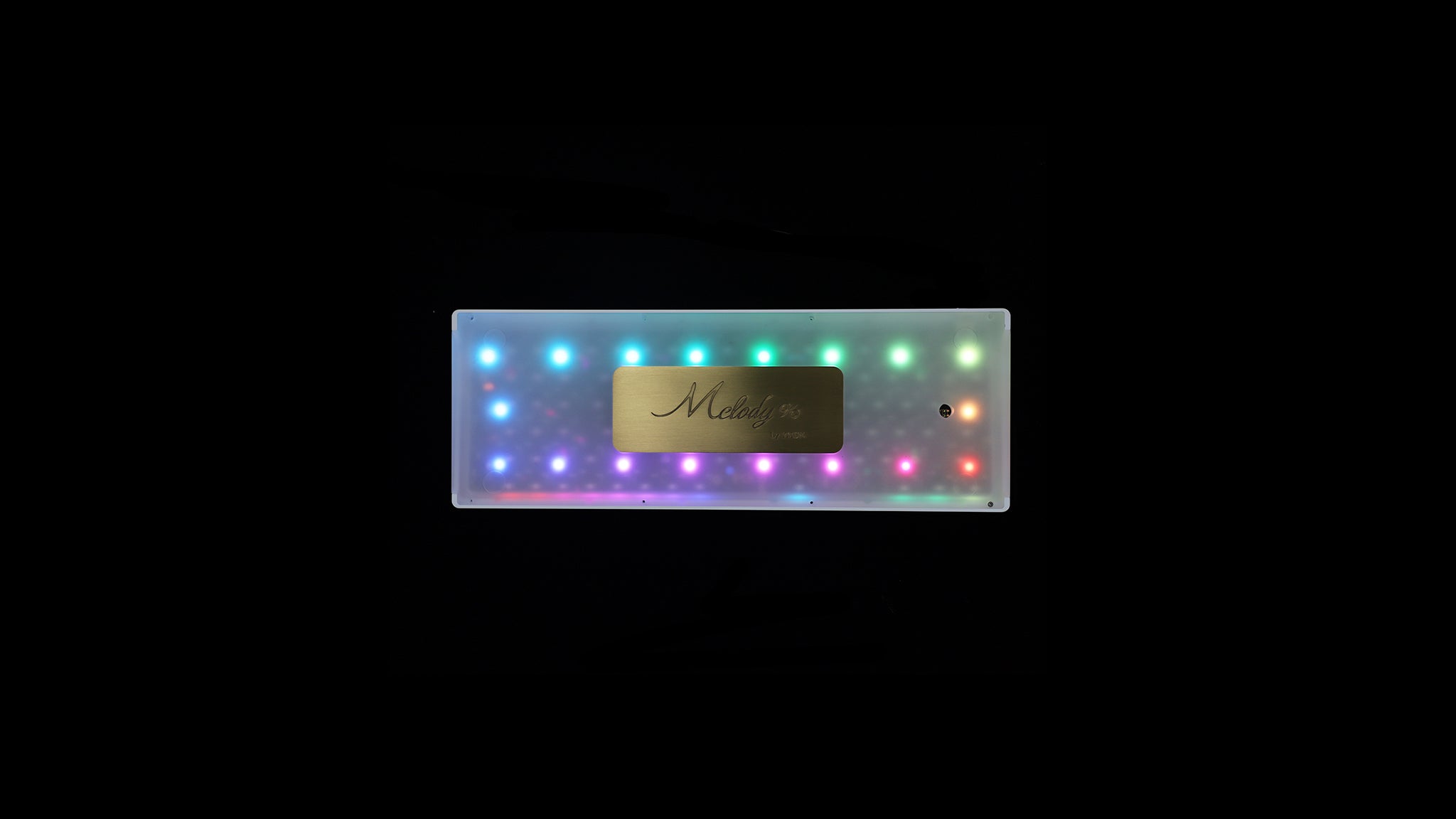
YMDK’s take on the layout is the Wings series. Wings kits ship VIA compatible and pre-flashed, so the firmware side is handled before the box arrives.
Since YMDK did not originate the design, think of the Wings boards as one maker’s interpretation of an existing layout. If the split shape appeals to you, it is reasonable to compare them with other Alice boards before you commit.
Choosing a Layout and Build Style
YMDK lists ten layout sizes, with plenty of kit variations inside each one, so the starting point can feel harder than the build itself. Decide in this order: layout, then hot-swap or solder, then wired or Bluetooth, then budget.
Layout comes first
Think about how you use the board before you think about looks. The table matches common habits to a layout size.
| Your priority | Look at |
|---|---|
| A numpad for daily spreadsheet work | 96 percent or full-size |
| Dedicated arrow keys without a function-layer workaround | 75 percent or tenkeyless |
| The most free desk space, with shortcuts in place of a numpad | 60 or 65 percent |
| Wrist comfort ahead of a small footprint | The Wings Alice boards |
Hot-swap or solder
This is the biggest single decision for a first build. A hot-swap PCB lets you press switches in and pull them out by hand. A solder kit costs a little less for the same layout, but it needs an iron, solder and patience.
A first board is easier on hot-swap. Keep the soldering for the second one.
Wired or Bluetooth
Many hot-swap boards come in both versions. The Bluetooth model carries its own battery and is frequently tagged with an S or X. Wired suits a board that never leaves one desk, with no battery to charge, and Bluetooth earns its premium if you move between devices.
Budget tiers
Entry-level kits with plastic cases sit under about $60, usually in 60 percent layouts, and they are a low-cost way to find out whether building suits you. Aluminum or wood cases run from about $60 to $150, sometimes with a Bluetooth twin of the same board. Ready-built boards, larger layouts and specialty designs such as the Wings Alice series start around $150.
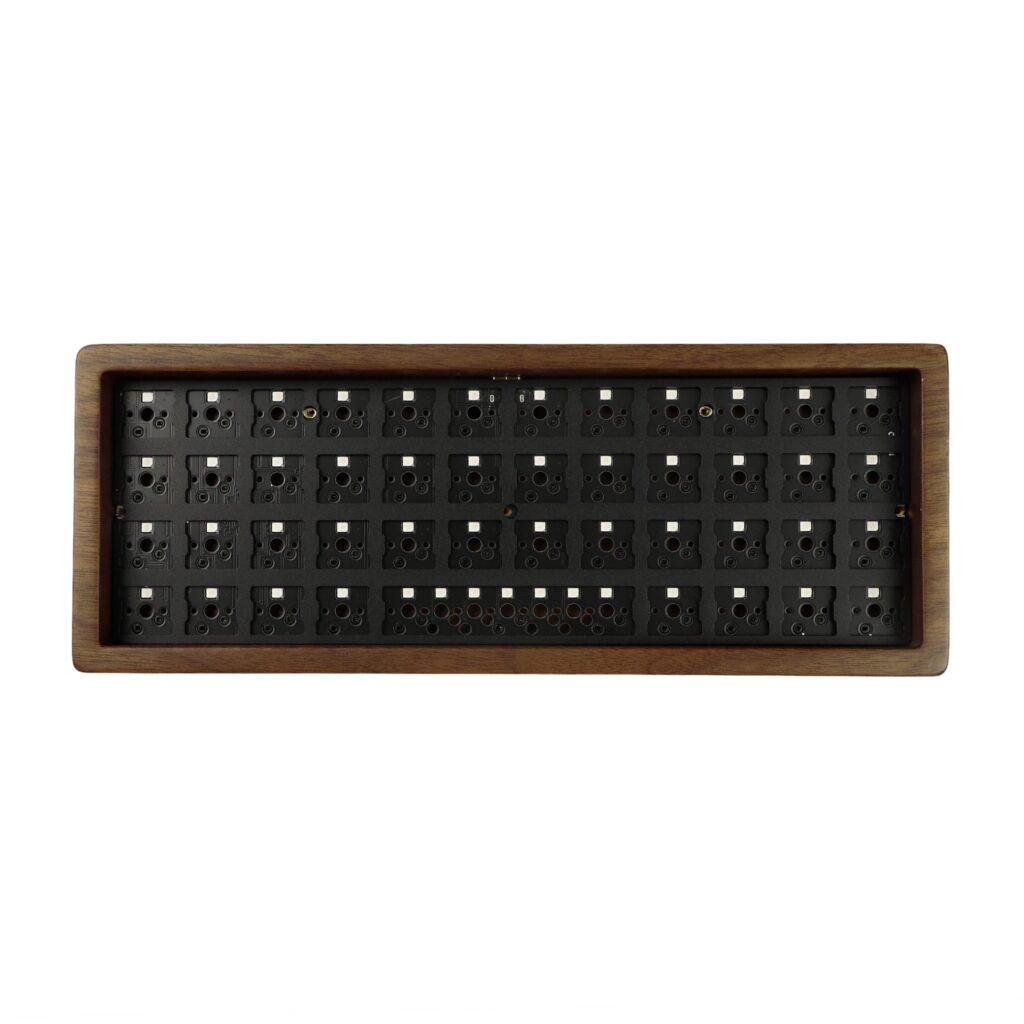
At any tier, switches and keycaps are often sold apart from the kit, and covering both can add roughly $30 to $50. Read the listing before checkout so you know the full cost up front.
Keycap Profiles and Materials
A profile is the shape and height of a keycap, and it changes how your fingers land on the keys. The table covers the names you will meet on YMDK’s keycap pages.
| Profile | Character |
|---|---|
| Cherry | Short and gently sculpted, close to a modern default |
| OEM | A little taller than Cherry, common on ready-made keyboards |
| DSA | Uniform: every key shares one height and shape |
| XDA | Uniform like DSA, but a little taller |
| SA | The tallest and most sculpted, with a retro, typewriter-like look |
| ZDA and MA | Less common variants between the uniform and sculpted styles |
For a first build, Cherry or OEM is the more familiar route. XDA or SA suits a distinctive look and a learning curve.
Material
Most of YMDK’s keycaps are PBT, with some sets in ABS or polycarbonate (PC). PC turns up in translucent and backlit designs, where letting RGB light through matters more than durability.
Between the other two, PBT is generally described as denser and slower to pick up a shiny, worn look. ABS feels smoother at first but tends to shine sooner.
Printing method
The way legends are printed matters about as much as the plastic.
- Dye-sublimation: bonds color into the keycap itself, so the legends are generally described as resistant to rubbing off.
- Double-shot: joins two pieces of plastic, which lasts longer but costs more to make.
- CO2-engraved: etched and then filled in, which gives a textured look.
- Blank: no printing at all, a favorite of touch typists who want a cleaner look.
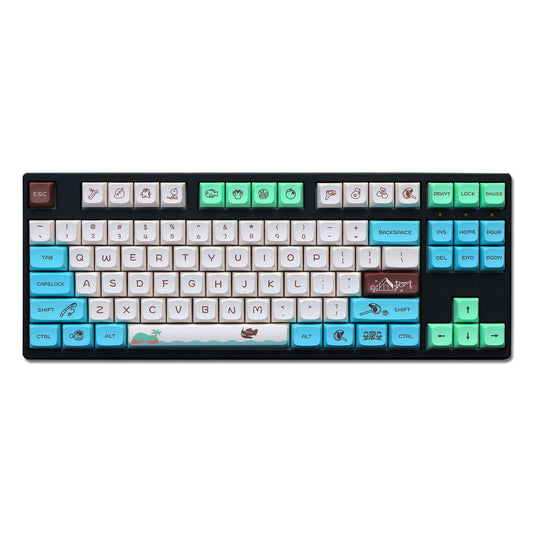
The range runs from playful printed sets such as the Animal Forest theme above to plain wood-grain finishes.
Switches: Feel, Force and Pins
Start with pin count, because it is about compatibility rather than feel. Three-pin switches are the simplest and fit nearly any hot-swap socket. Five-pin switches add two extra legs for stability inside the PCB, which usually means less wobble, but the socket or plate needs cutouts made for five pins.
Feel comes in three types. Linear is smooth with no bump, tactile has a bump partway through the press, and clicky adds an audible click to that bump.
Two numbers describe how a switch performs: actuation force in grams and total travel in millimeters. Lower force gives a lighter, faster press, while longer travel tends to feel softer and can slow rapid typing or gaming input.
One switch YMDK sells shows how this reads in practice: a five-pin linear with 40gf of operating force and 3.6mm of travel, pre-lubed at the factory. Our full verdict on the Leobog GrayWood V4 switch covers its specs, an independent review score and its trade-offs.
With the vocabulary in hand, a product page is quicker to read. Let the profile tell you about feel, the material and print method about durability, and match the pin count to your board’s sockets before buying switches.
Products From the YMDK Catalog
These seven items show the range of the catalog, from a finished board to novelty keycaps. Every price is an approximate regular price at YMDK.
YMDK Wings V2 full keyboard
A fully assembled 65 percent Alice board with RGB lighting on a south-facing hot-swap PCB, an anodized CNC aluminum case and laser-carved OEM-profile PBT keycaps in the box. It lists at about $204 at YMDK. Consider it if the split layout and its wrist-friendly intent matter more than anything else on this list.
GK61 hot-swap kit
A budget 60 percent kit with 61 keys and a presoldered hot-swap RGB PCB, at about $45 at YMDK. Switches and keycaps are not included. The listing mentions QMK and VIA support, though some GK-series kits use YMDK’s own GK Manuals software instead, so check the page for the exact kit.
Leobog GrayWood V4 switch
A pre-lubed five-pin linear switch, from about $8 at YMDK for a small bundle. An independent switch review gave its smoothness 8 out of 10, and sound tests describe a deep tone with a hint of scratch.
Animal Forest XDA keycaps
A 147-key dye-sublimation PBT set in XDA profile, about $20 at YMDK, printed with a full animal-themed design instead of a solid colorway. It suits a board meant to look different from the usual gray-on-black build.
Bear Head blank keycaps
A novelty-shaped blank PBT set, from about $6 at YMDK. It makes a low-cost trial of a playful accent before you commit to a full printed set.
Red Miko translucent keycaps
A frosted, translucent PC set in Cherry profile with a Red Miko outfit theme, at about $18 at YMDK. The translucent plastic is made to let RGB backlighting shine through, which standard PBT would block.
Walnut Wood Grain keycaps
A side-lit Cherry profile set of 130 keys at about $20 at YMDK. It gives a board a warm, natural look while a little RGB shows at the sides of each key.
To look for any of these, browse the range at YMDK’s own store. YMDK runs many items in limited batches, so a listing can sell out until the next restock.
YMDK Compared With KBDfans
YMDK and KBDfans are both China-based shops selling kits, keycaps, switches and cases at budget-friendly prices, so the comparison is a fair one rather than a formality.
| YMDK | KBDfans | |
|---|---|---|
| Catalog focus | Breadth: ten kit sizes, many keycap profiles, seven switch brands | In-house kit lines, led by the Tofu series |
| Founded | Not stated by the brand | 2016 |
| Entry kit pricing | A budget hot-swap kit well under $100 | Tofu60 and Tofu65 base cases from roughly $56 |
| Top of the range | Assembled boards past $150 | Assembled hot-swap boards with keycaps up to about $240 |
| Returns | 7-day window; soldered custom boards excluded | Keycap defects within 7 days; no used keycaps or built keyboards |
The price brackets overlap, so the specific kit or keycap set you have in mind matters more than the shop. Return policies are strict in a similar way: YMDK excludes soldered custom boards, while KBDfans takes back no used keycaps or assembled keyboards, though it offers a paid repair service as an alternative.
On catalog, YMDK is the broader of the two, a good fit when one order needs several kinds of parts. KBDfans is more curated and built around its own kit designs, which makes it the more natural place to look for a design such as the Tofu series.
Nothing stops a builder from buying a case at one shop and keycaps or switches at the other.
Buying Safely, Shipping and Returns
YMDK’s own storefront is the direct source. It shows the full catalog, the stock and the policies in force, so buying there means YMDK’s actual terms apply.
If you buy anywhere other than YMDK’s own site, make sure the seller is authorized and that the listing states clear return terms.
Checks worth making
- Seller track record. Look at the total feedback count as well as the star average, since a handful of five-star ratings proves little.
- Price gap. A price far below YMDK’s own listing deserves a second look at what exactly is being sold.
- Return terms. YMDK states its own terms plainly, and any other seller should do the same.
- Photos and titles. If the photos match YMDK’s but the title is generic or oddly worded, confirm who the seller is before you order.
Shipping times
YMDK ships internationally with DHL, FedEx, ePacket, Yanwen and SF-Express, though SF-Express covers only China, Hong Kong and Macao. Every order spends 2 to 8 days in processing first, and the expedited carriers then need roughly 2 to 8 more days.
| Route | Typical time |
|---|---|
| To the US (Yanwen) | About 7 to 20 days |
| To Canada | About 20 to 45 days |
| To Europe | About 10 to 35 days |
| ePacket | 25 to 70 days, and YMDK advises against it unless nothing else is available |
| To Southeast Asia | About 15 to 50 days |
Double-check the address before you submit an order. YMDK asks for a full name and a phone number with every order, which it says helps it avoid customs or delivery trouble, and it accepts no responsibility for parcels that come back over a wrong address or go missing after delivery. High-priced items may ship only by an expedited carrier.
Returns and support
- Window: 7 days from receipt, for an item not used beyond that window.
- Exclusion: soldered custom keyboards are never taken back.
- Shipping cost: the buyer pays to send a return.
- Damaged on arrival: the policy is a replacement, not a straight refund.
- Lost or stolen after delivery: coverage is limited to partial compensation, and YMDK asks for video proof.
- Process: refund requests go by email with tracking numbers and documentation, and YMDK says it needs several days to confirm returned goods.
YMDK also gives a maintenance service period of 3 months from the delivery date, so test a new kit soon after it arrives. When you are ready to order, YMDK’s own store shows the live catalog and the current policies.
Keeping Your Parts in Good Shape
Most of what shortens the life of a keyboard is ordinary daily buildup, so a light routine does more than an occasional rescue. The tasks below are grouped by how often they come around.
Every week or two
Finger oils are the main enemy of keycaps. PBT resists shine better than ABS but still collects grime, so wipe the caps with a microfiber cloth and a little isopropyl alcohol.
Dust is the bigger nuisance for switches. Use compressed air between the keycaps, not straight down into the switches.
About once a month
Remove the caps and give them a soak in warm, mildly soapy water, then let them dry fully before refitting. A dishwasher or a harsh solvent can strip legends or warp the plastic, so avoid both.
Dye-sublimated, double-shot and CO2-engraved legends generally hold up well to normal washing.
Cases
Wood cases, such as YMDK’s walnut and bamboo options, react to their surroundings more than plastic or aluminum does. Direct sun fades and dries the finish, so keep them shaded and apply a little furniture wax every few months.
Aluminum needs only an occasional wipe, though an anodized finish can scratch if the board gets dragged across a rough desk.
When something feels off
If switches turn scratchier after months of heavy use, the factory lube may have thinned. Opening a switch and brushing a little dielectric grease onto the stem rails can bring back much of the feel.
If the space bar, shift or enter starts to rattle, suspect the stabilizer wire before the switch. A thin coat of dielectric grease on the wire and on the housing it touches usually quiets it.
FAQ
Can YMDK assemble a board for me?
Yes. If an order includes parts that need assembling, such as a PCB with a plate and switches, an assembly service unit can be added to the basket.
Is soldering required?
Only for a solder-specific kit. A hot-swap kit lets switches snap in and out, which is the easier route for a first build.
Are switches and keycaps in the box?
That depends on the listing. Many kits are only the case, plate and PCB, so read the product page before assuming anything more is included.
Are YMDK boards compatible with QMK and VIA?
Many are, and Wings kits ship VIA compatible and pre-flashed. Some GK-series kits run YMDK’s own GK Manuals software instead, so check the listing if open-source firmware matters to you.
Does YMDK sell wholesale?
Yes. The site has separate wholesale collections for keycaps, switches, custom cases, PCBs and plates, apart from the regular retail catalog.
How do I contact YMDK support?
Through the Contact Us page on the site. Refund requests are handled by email and need documentation and tracking numbers.
Is YMDK the same as KBDfans?
No. They are two competing shops whose catalogs overlap but are not identical.