WiiM sells a lot of different boxes, and the product page can feel like alphabet soup. There are streamers, streaming amps, wireless speakers, a subwoofer and a soundbar, all sharing a name and a family resemblance.
This guide sorts them by the job each one does. It also explains the technical terms in plain language, walks through setup habits that help, and lays out how buying, returns and warranty work.
Everything here comes from WiiM’s published specifications and policies plus independent coverage. It is research, not a bench test. Prices are approximate regular prices at WiiM’s own store.
The Company Behind WiiM
The name on the box is a product line. The company that owns it is Linkplay Technology, which is headquartered in Newark, California and manufactures in China, an arrangement that is typical for consumer electronics firms of this size.
Linkplay dates to 2014. Its founding engineers came from Google, Broadcom, InterVideo and Harman, and the company’s own about page links that experience in wireless technology, software and hardware to the direction it first took.
For years, shoppers never saw the Linkplay name. Other audio makers licensed its wireless multiroom streaming modules and built them into their own receivers and speakers, so a smart speaker from a label with no obvious tie to WiiM may have been running Linkplay technology all along.
WiiM changed that. Linkplay describes the launch as a way to sell its streaming expertise under a name buyers can ask for, instead of leaving it buried in someone else’s hardware.
New audio brands usually have to establish their engineering credentials from nothing. WiiM arrived with a long head start in streaming protocols, which may help explain why Roon Ready support and multiroom sync showed up so early.
Outside recognition has followed, including a Red Dot Design Award, an iF Design Award and coverage at CES and in the press. Awards do not guarantee that every unit will behave perfectly, but they point to a real product company.
The catalog falls into three families: streamers (preamps included), amps with streaming built in, and wireless speakers with accessories. The first family adds streaming to gear you own, the second merges streamer and amp, and the third needs nothing else.
Streamers for Your Existing Gear
A streamer is a compact box that sits between your music apps and equipment you already own. It connects to a receiver, an amp or powered speakers and takes care of the streaming, so nothing else in the system has to be replaced.
| Model | Approximate price | Notes |
| WiiM Mini | about $89 | Budget entry with AirPlay 2, Spotify and Tidal Connect, plus multiroom |
| WiiM Pro | about $149 | AirPlay 2, plus optical and coaxial outputs |
| WiiM Pro Plus | about $219 | AirPlay 2, a premium DAC and a voice remote |
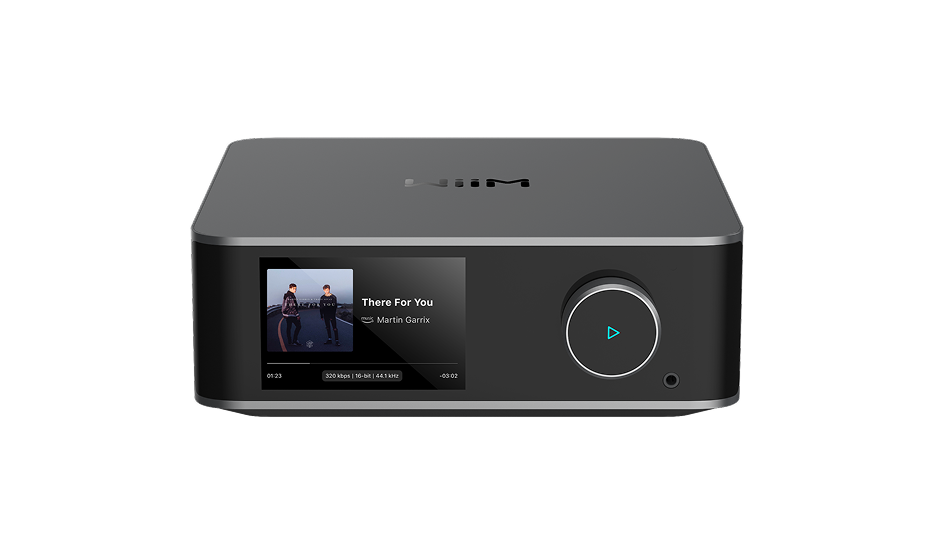
| WiiM Ultra | about $329 | Touchscreen, phono stage and HDMI ARC, but no AirPlay 2 |
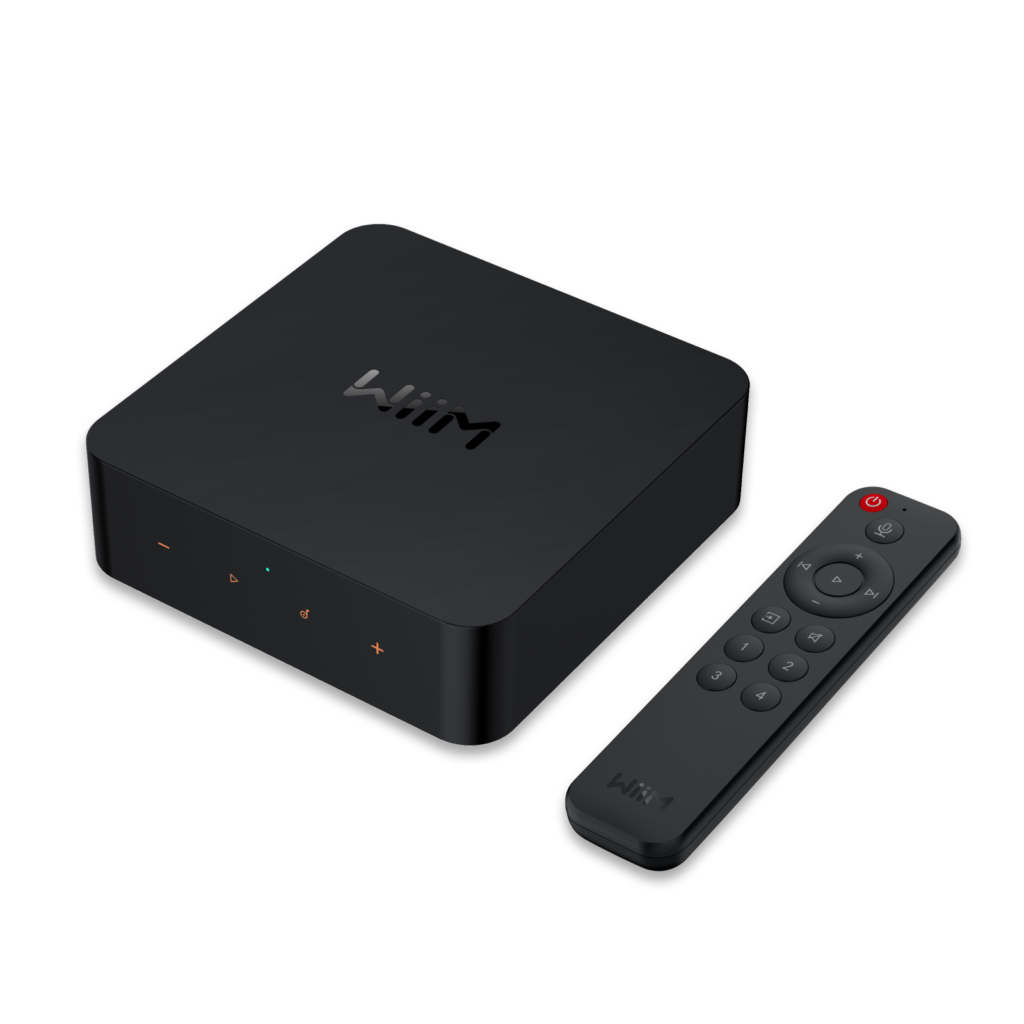
One line divides this group: three of the four keep AirPlay 2, and the Ultra does not. Among the three, the price steps follow the hardware. The Mini is the entry point, the Pro adds optical and coaxial outputs, and the Pro Plus brings a premium DAC and a voice remote.
The Ultra is built on a different idea. It acts as a digital hub with a display, a phono input and TV audio over HDMI ARC, and it gives up AirPlay 2 to get there. Its ES9038Q2M SABRE DAC, hi-res playback and long connection list are covered in our full verdict on the WiiM Ultra, which is worth reading if the flagship tempts you.
Streaming Amps for Passive Speakers
Passive speakers need an amplifier behind them, and this group builds one in. Every model combines streamer and amp, so the speakers wire straight to the unit and no receiver enters the picture.
| Model | Approximate price | Notes |
| WiiM Amp | about $299 | A small, all-in-one streaming amplifier |
| WiiM Amp Pro | around $379 | More power and a refined DAC |
| WiiM Amp Ultra | about $529 | 100W output and RoomFit room correction |
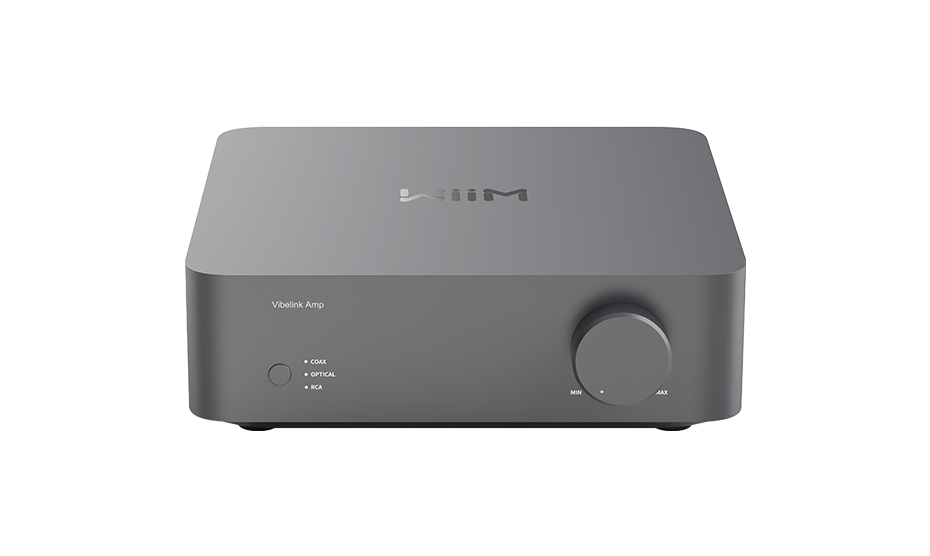
| WiiM Vibelink Amp | Varies by retailer | Purely analog amplifier design |
The plain Amp is the compact choice for smaller rooms, and it saves you from buying two separate components. It also keeps AirPlay 2 support.
Moving up to the Amp Ultra is mostly a decision about power and room correction. It is rated at 100 watts and includes RoomFit, which suits larger rooms or speakers that are harder to drive.
The Vibelink Amp takes a different approach with its pure analog design. Its price varies by retailer, so check before you build a budget around it.
Wireless Speakers and Accessories
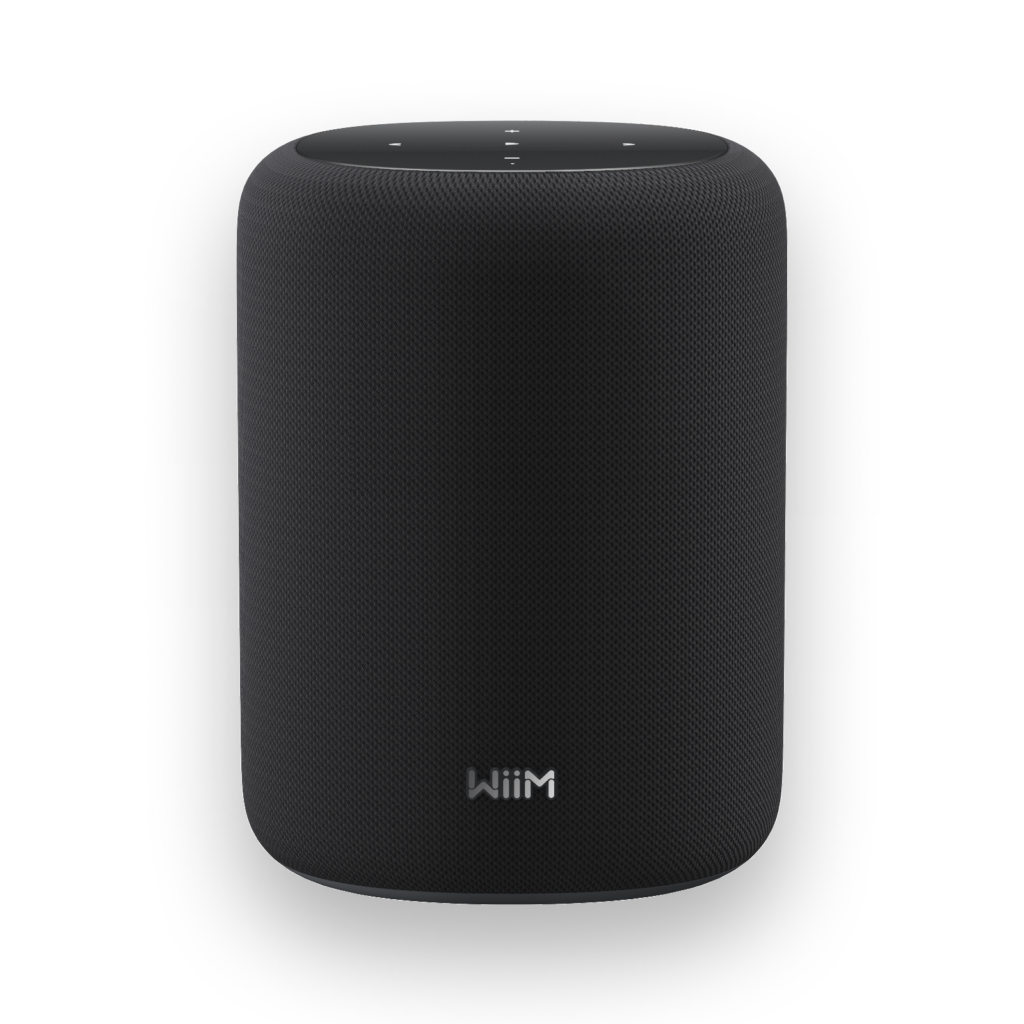
Speakers are the route for anyone who wants no separate components at all. The Sound Lite, at about $229, is the entry point: plug it in and stream to it. The Sound, at about $299, adds a touchscreen of its own, which keeps the whole setup self-contained.
Extra bass comes from the Sub Pro, a wireless subwoofer at about $449, so no cable has to cross the room. It can also complete a 2.1 or 5.1 arrangement built around other WiiM speakers.
For a TV, there is the WiiM Bar, a soundbar with 3.0.2 Dolby Atmos that can grow into a 5.1.2 layout.
The Audio Terms Explained
WiiM’s pages use plenty of jargon. Here is what the common terms mean for your decision.
Bit-perfect hi-res playback
Bit-perfect means a file plays exactly as it is stored, with nothing squeezed or altered on the way out. WiiM lists playback of up to 24-bit/192kHz on most of its models.
RoomFit
RoomFit is WiiM’s room correction feature. WiiM says it measures the space you listen in and adjusts the EQ to compensate for it. Among the amps, the Amp Ultra includes it.
10-band EQ
The equalizer comes in graphic and parametric modes. On higher-end models, each input can keep its own saved setting.
Absolute Sync
Absolute Sync is the WiiM protocol meant to keep several devices in step across rooms, so one song plays in time everywhere.
AirPlay 2, Bluetooth and Cast
AirPlay 2 is Apple’s way of sending audio over Wi-Fi to a compatible device. Bluetooth is the simpler, more universal link. Spotify Connect and Tidal Connect let those apps play straight on the device, with your phone acting as the remote.
HDMI ARC
HDMI ARC sends a TV’s sound to a connected audio device over a single HDMI cable. On the Ultra, it supports PCM and Dolby Digital 5.1 signals.
Moving-magnet phono input
A phono input boosts the very small signal that a turntable cartridge produces. The Ultra has a moving-magnet type, the common style for turntables.
Read against the price list, these terms show what each step up buys. The extra money goes to specific features, and the question for every model is whether it keeps AirPlay 2 or gives it up in exchange for a screen and a phono stage.
Which Device Fits Your Setup
Three questions narrow the field quickly: what equipment is already in the room, which phones live in the house, and how much you want to spend. Jot down the answers before you click anything.
Start with the gear you own
A receiver, an amp or powered speakers already in place point to a streamer, since the box only has to feed what is there. The Mini, at about $89, brings AirPlay 2, Spotify Connect and multiroom. The Pro Plus, at about $219, adds a premium DAC. If you also want a touchscreen, a turntable input and HDMI ARC, the Ultra delivers all three, as long as you can do without AirPlay 2.
Passive speakers with no amplifier behind them point the other way, to the amp line. The Amp handles streaming and amplification for smaller rooms, and the Amp Ultra adds 100 watts plus RoomFit for large rooms and demanding speakers.
If you would rather own no separate components, start with the Sound Lite, or the Sound if you want a touchscreen, and bring in the Sub Pro for bass.
Check the phones in the house
AirPlay 2 is the one hard filter. The Mini, Pro, Pro Plus and Amp all support it, while the Ultra is the single exception. In a household that casts from iPhones every day, that rules the Ultra out. WiiM’s workaround for Apple devices is covered in the setup tips below.
Let the budget settle the rest
Under about $100, the Mini is the entry point to the ecosystem. Between roughly $150 and $250, the choice is the Pro or the Pro Plus, depending on whether the better DAC is worth the difference. Past $300 the decision changes shape: either you want amplification built in, which points to the amp line, or you want a feature-rich streamer, which points to the Ultra. You can see every model on the WiiM range at WiiM’s store.
How WiiM Compares With Bluesound
Bluesound is a natural rival. Both brands target people who want hi-res streaming without assembling a full set of separates, and the comparison that matters here is the WiiM Ultra against the Bluesound Node.
On features and price, the Ultra leads. Its 3.5-inch color display handles album art, source selection, EQ and VU meters, and the Node has no screen. On top of that, the Ultra offers a subwoofer output, HDMI ARC and a phono stage, none of which the Node matches at a similar price. The Node is the more expensive of the two.
Sound is where Bluesound claws some ground back. One head-to-head review found the Node warmer and fuller, with the Ultra good but a little restricted and flat. Across listening comparisons, reviewers gave the Node a slight lead for clarity and instrument separation. The same reviewers called the gap small, and said it shows mainly in systems that already sound bright. Pair the Ultra with warmer speakers or a more mellow room and the difference fades.
If the cleanest sound is your only priority, the Node’s small edge may justify its higher price. If connections, a display and cost matter as well, the Ultra is the more practical choice.
Setup Tips for Better Sound
Setup choices shape a lot of how a streamer sounds and behaves. These tips draw on the app’s feature set and on the brand’s support pages, and they fall into three groups.
Room and network
Run RoomFit before you touch the EQ. WiiM describes it as measuring the room and adjusting the sound to compensate, so any tweaks you make afterward are a matter of taste and not a fight with the room.
Mind the router, too. Newer WiiM models support Wi-Fi 6, but the benefit depends on your router and network. A streamer at the far end of the house will be held back by the connection however capable the hardware is.
Finally, keep firmware current. WiiM ships regular updates through the app, so check after setup and now and then afterward.
Sources and files
On higher-end models, EQ settings can be saved per input. A turntable and a streaming service rarely want the same curve, so give each its own and skip the re-tuning whenever you switch.
For local files, a USB drive has to be formatted as FAT32, NTFS or EXT4. WiiM reads those three, and a drive prepared any other way will not be recognized.
Roon owners can choose Roon Ready playback over the WiiM app. That hands metadata and hi-res decoding to Roon, something the standalone app only partly matches.
Several rooms and Apple devices
When WiiM units share a house, group them with Absolute Sync in the app instead of linking each unit by Bluetooth one at a time.
On an Ultra, Apple devices can use Bluetooth 5.3, which is WiiM’s own guidance. The company says its 256kbps AAC codec matches the quality AirPlay would give. Another route is to place an AirPlay-capable WiiM, such as a Mini or Pro, in the same group.
Buying, Returns and Warranty
Choosing where to buy
You can buy straight from WiiM’s online store. Best Buy and Audio Advice are also listed as verified retailers for the range, and a dealer locator on WiiM’s site lets you check whether any other seller is authorized. If you buy anywhere other than WiiM’s own site, make sure the seller is authorized.
Buying from WiiM keeps the process simple, because the company handles any return or claim itself. A purchase through a reseller starts with that reseller’s rules.
Treat a price far below every authorized seller as a warning sign, not a bargain. AliExpress is not an official WiiM channel, so a listing there cannot be assumed to be authorized.
A different box does not make a unit fake, since WiiM has changed its retail packaging over the years. The better test is the seller: an unauthorized one can put warranty coverage at risk, and that matters most on the pricier models.
What a return needs
Direct purchases carry a 30-day money-back guarantee that starts the day the item arrives. Any undamaged product can go back for any reason, and WiiM pays the return shipping. A full refund depends on the package containing:
- A unit that looks like new, in its original box.
- Every accessory and manual that came with it.
- An order number or other proof of purchase.
After WiiM receives and inspects the return, the refund goes back to the payment method you used within 10 business days. Keep the packaging until you are sure the device is staying.
Some purchases cannot be returned this way:
- Bulk or commercial orders of 10 or more units.
- Items sold as final sale or non-returnable, and gift cards.
- Anything damaged by misuse, accidents or unauthorized repair.
What the warranty covers
The limited warranty runs for one year from purchase and belongs to the first buyer of an eligible product from WiiM’s own site. It addresses defects in materials or workmanship that appear under normal use, and WiiM may answer a confirmed defect with a repair, a replacement or a refund.
Exclusions include misuse, liquid or impact damage, unapproved modifications, cosmetic wear that does not affect function, and units that are lost, stolen or counterfeit.
Two conditions are easy to miss. WiiM’s policy limits coverage to purchases from an authorized dealer, and the factory serial number has to stay intact, because removing or altering it voids the warranty. Both are worth checking on any used or steeply discounted unit.
Starting a return or claim
- Open your order history if you have a WiiM account. Otherwise, write to WiiM support and quote your order number and a reason.
- Wait for the Return Merchandise Authorization, which comes with instructions and a label.
- Ship the item only after the RMA is approved, since WiiM does not accept returns sent without one.
If you bought from another authorized reseller, the return goes through that seller’s policy first. WiiM’s warranty support can still help when you show proof of purchase.
Common Questions
Which WiiM models skip AirPlay 2?
Only the Ultra. The Mini, Pro, Pro Plus and Amp all support it, and WiiM says the Ultra’s gap comes down to hardware.
What is the cheapest WiiM device?
The Mini, at about $89, is the lowest-priced model.
How high does WiiM’s resolution go?
WiiM lists bit-perfect playback of up to 24-bit and 192kHz on most current models.
Is WiiM compatible with Roon?
The higher-end streamers are certified Roon Ready.
Can I play files from a USB drive?
On models with a USB port, yes. FAT32, NTFS and EXT4 drives are the ones it reads.
Can several rooms play together?
Yes, through Absolute Sync, which keeps playback in time across compatible devices.
Which voice assistants work with WiiM?
Most models include Alexa, and several also work with Siri through AirPlay 2 where it is offered.
Who makes WiiM?
Linkplay Technology, a company founded in 2014 with its headquarters in Newark, California. WiiM is the consumer line it launched.
How long is the return window?
Thirty days from delivery on direct purchases, and WiiM pays return shipping on eligible items.
What does the warranty cover, and what voids it?
For one year, eligible products bought from WiiM’s site are protected against defects in workmanship or materials that appear during ordinary use. Removing or altering the factory serial number voids it.