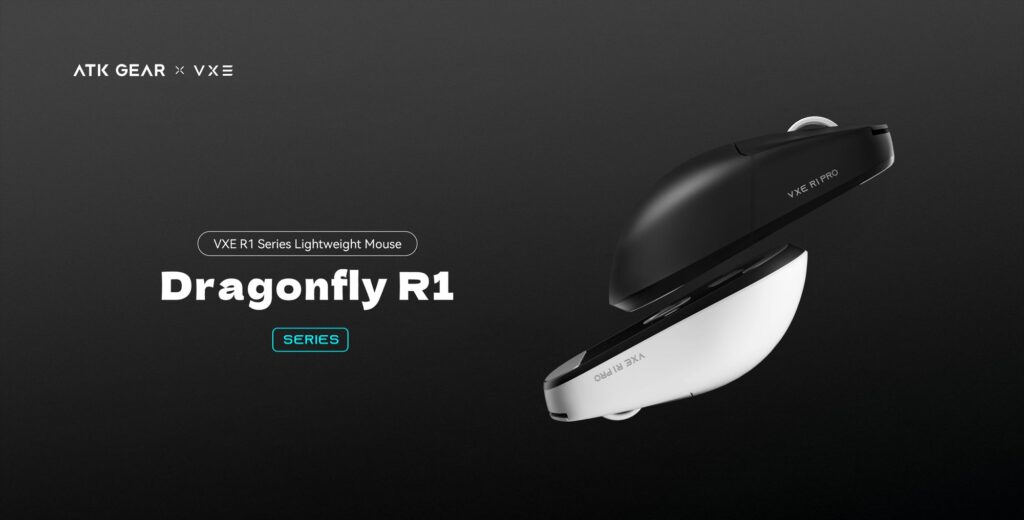
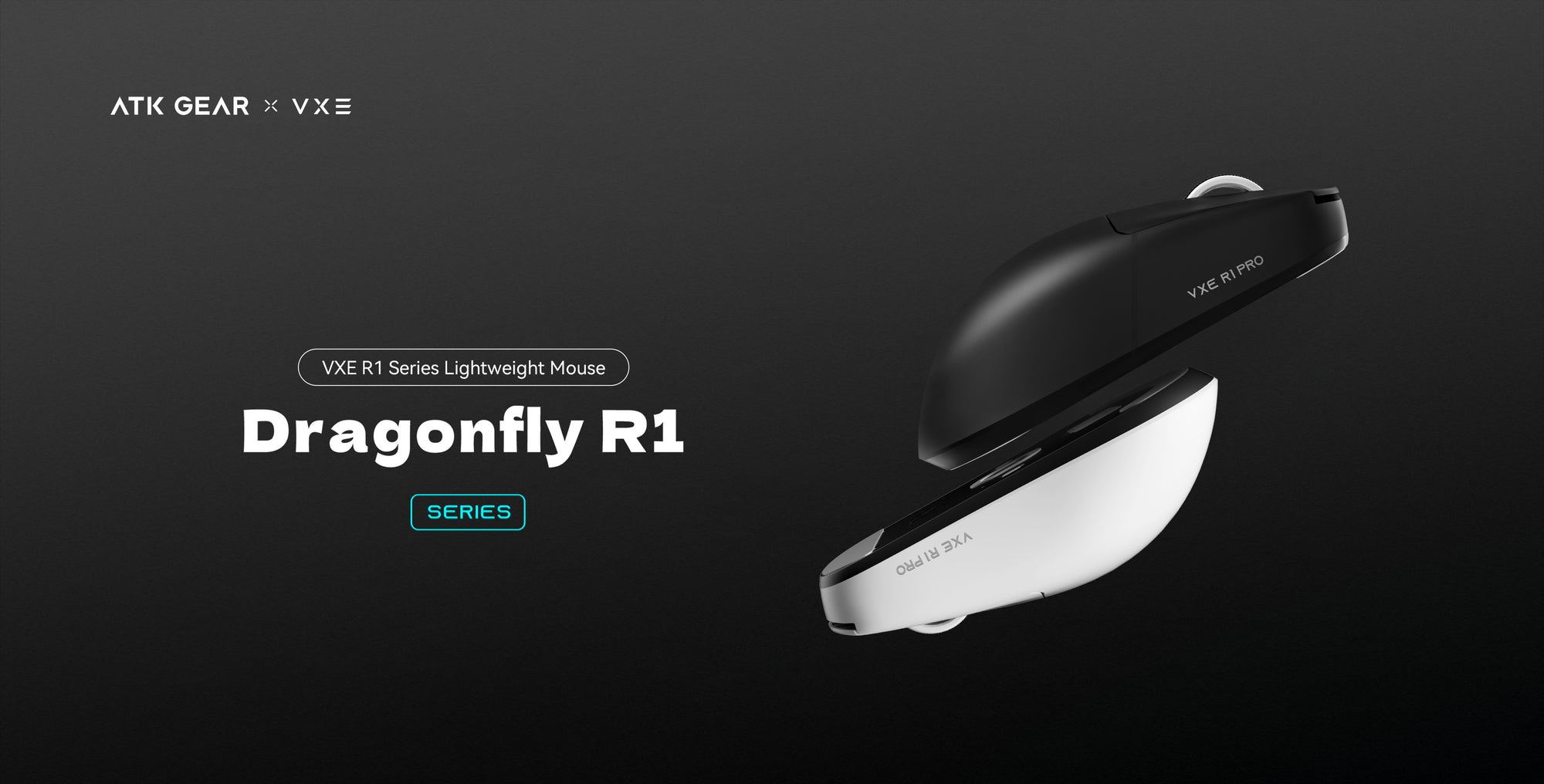
The R1 Pro Max is the larger-battery Pro model in ATK’s budget-friendly Dragonfly R1 line. Its spec sheet reads like a premium mouse: a 54g shell, a PixArt PAW3395 sensor, a Nordic 52840 chip and a battery the brand rates for up to 150 hours.
I haven’t handled one, so this page works from the brand’s spec sheets and descriptions, plus an independent lab test of a close sibling, the R1 Pro. Where a number needs context, I say so.
The short verdict: on paper it suits small to medium hands, shooter-style play and anyone who dislikes charging. It doesn’t suit you if you need Bluetooth, and the 4K polling headline depends on an accessory that is sold separately.
What You Get With the Pro Max
Here are the figures that matter, as the brand lists them.
| Weight | 54g |
| Shape | Symmetrical, about 120.6 by 64.1 by 37.6 mm |
| Sensor | PixArt PAW3395 (26,000 DPI ceiling, 650 IPS) |
| Chip | Nordic 52840 |
| Connection | 2.4G wireless or wired USB-C, no Bluetooth |
| Polling | 1000Hz in the box, 4000Hz with an optional 4K receiver |
| Main switches | Kailh White Blade (100 million click rating) |
| Scroll wheel | FSWITCH E10 encoder |
| Battery | 500mAh cell, rated up to 150 hours at 1000Hz polling |
| Buttons | Six, all programmable |
Inside the box you also find a receiver extender, replacement mouse feet and grip stickers. The cheaper R1 models skip these. The receiver supplied is a standard 1K unit, so you start at 1000Hz.
The body is symmetrical and low, and the brand says it suits small and medium hands best. Lab testing was done on the R1 Pro, whose shell is shared with the Pro Max. The lab described a low profile with flat sides that copes with different hand sizes and grips. If your hands are large, compare the dimensions above with a mouse you already own before you order.
Sensor, Chip and the 4K Catch
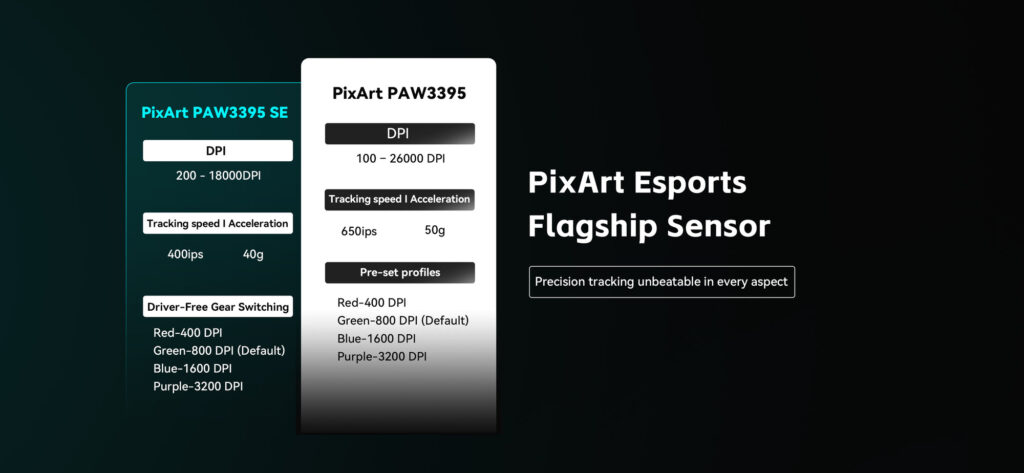
The sensor is a PixArt PAW3395. ATK’s spec line reads 26,000 DPI at the top end, with 650 IPS tracking speed and 50G of acceleration. DPI sets how far the cursor travels per inch of hand movement. IPS is the fastest swipe the sensor can follow, and G is how sharply you can accelerate before tracking slips.
Those ceilings sit far above the four preset DPI stages ATK ships, which are 400, 800 (the default), 1600 and 3200. You can cycle through them without any software, so the top-end figures rarely come into play.
The Nordic 52840 chip runs the wireless link and sets the reporting rate to your computer. It supports polling from 125 to 4000Hz. Out of the box, though, you get a 1K receiver set to 1000Hz, and ATK says a 4K dongle must be bought separately to go higher.
So read “4K polling” as what the chip can do, not what the box delivers. Is the extra receiver worth it? On the R1 Pro, the lab saw a slight latency and consistency gain at 4000Hz, though it judged the gain too small for most players to notice. It also described that mouse’s click and sensor latency as superb and its FPS performance as remarkable.
If those specs fit what you play, you can check the R1 Pro Max on Amazon. The link opens Amazon in a new tab, and the current price is shown there.
Switches, Coating and Battery
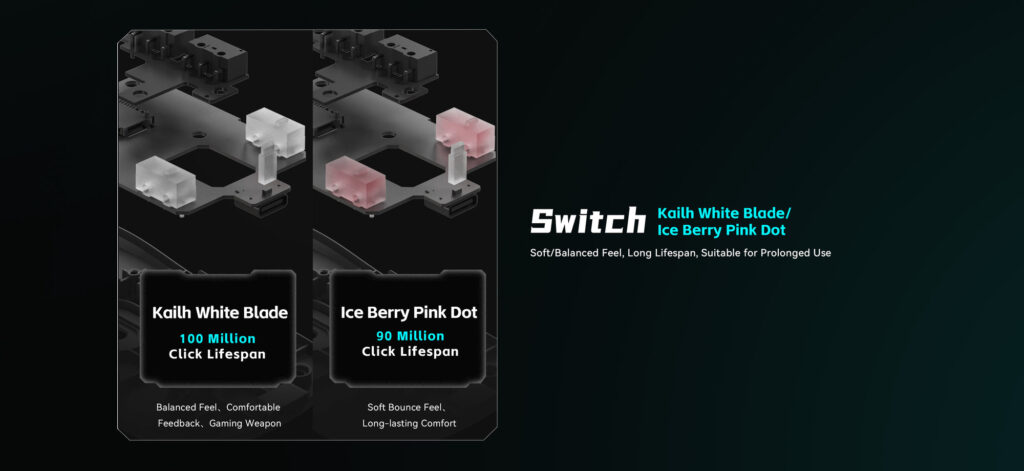
The Pro Max uses Kailh White Blade switches. ATK describes the feel as balanced and crisp and gives them a 100 million click rating. The R1 and R1 Pro get Huano Ice Berry Pink Dot switches instead, with a 90 million click rating and a softer bounce. Every R1 model shares the same FSWITCH E10 scroll wheel encoder.
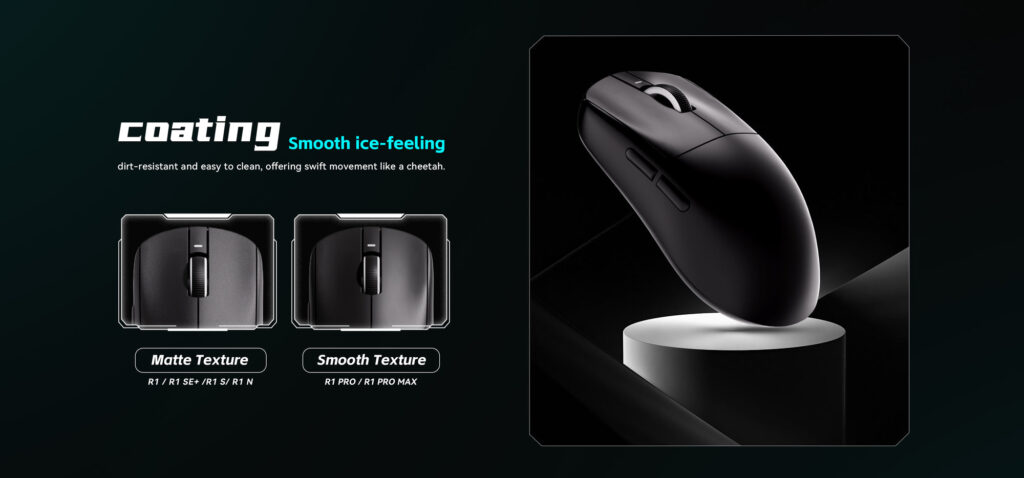
The Pro and Pro Max also get a smooth “ice-feel” coating, which ATK calls dirt-resistant and easy to clean. The lab found it smooth to the touch and slightly grippier once hands sweat. The three cheaper R1 models stay matte.
Battery is where the Pro Max pulls ahead of the R1 Pro. It carries a 500mAh cell against 250mAh, which lifts the rated runtime from 75 hours to up to 150 hours. The cost of the bigger cell is a few grams: 54g against 48g.
Treat the rating as a best case. ATK measures it at 1000Hz, and higher polling rates draw more power. You can also plug in the USB-C cable and keep playing in wired mode whenever the charge runs low.
Pro Max vs Its Siblings and Logitech
Against the other R1 models
All five R1 mice share one shell, so the choice comes down to what is inside.
- R1 Pro: the lightest at 48g, with the same sensor, chip and coating and a rated 75-hour battery.
- R1: the full PAW3395 plus Bluetooth, at 51g and up to 40 hours.
- R1 SE+: the cut-down PAW3395 SE with an 18,000 DPI ceiling, Bluetooth, 55g and up to 70 hours.
- R1 S: an Xhero AI sensor, Bluetooth, 55g and up to 150 hours.
The Pro Max and R1 Pro are dual-mode, meaning 2.4G wireless or a cable. The three cheaper models add Bluetooth 5.4. The lab points out that a mouse without Bluetooth can stay connected to only one device at a time.
Against the Logitech G Pro X2 Superlight
The Logitech G Pro X2 Superlight is the obvious premium rival, and it wins the headline figures. Logitech lists its HERO 2 sensor at up to 44,000 DPI and 888+ IPS, with polling up to 8kHz.
The ATK answers with a lighter body (54g against 60g), a longer rated battery (up to 150 hours against up to 95 on retailer spec sheets) and a higher switch rating (100 million clicks against 70 million). Logitech’s hybrid optical-mechanical switches work differently, so the click ratings aren’t a like-for-like contest. Neither mouse has Bluetooth.
In price tier, the Pro Max is the budget-friendly option and the Logitech is the premium one. The real question is whether the extra headline specs matter for the way you play.
Who Should Buy It, and Who Shouldn’t
- Pick it for shooter games, small to medium hands and a light wireless mouse with a long rated battery.
- Pick it for a PAW3395 sensor and a 100 million click switch rating in a budget-friendly tier.
- Look elsewhere if Bluetooth matters, for example when one mouse must serve several devices.
- Look elsewhere if your hands are large, or if 4K polling in the box is non-negotiable.
Before You Buy
Coverage follows the store. ATK’s 12-month warranty applies to orders placed on atk.store, and VXE’s 12-month limited warranty to orders on vxe.com. ATK’s return policy tells customers of other retailers to go back to the retailer they bought from.
If you order on Amazon, read the return terms on the listing first and keep your order details. In the first days, try every button and each connection type while any return window is still open.
Both brands’ support teams ask for video evidence when you report a fault, so record any problem as soon as it appears. VXE’s warranty terms exclude unauthorized repairs and damage from chemicals or high heat, which means leaving the shell closed and keeping the mouse away from heat sources.
Upkeep is light. The underside has a compartment where the USB receiver can ride along when the mouse travels. For the shell, switch the mouse off, unplug the cable, wipe it with a lightly dampened microfiber cloth and dry it, never applying liquid directly.
When you’re ready, see the ATK VXE Dragonfly R1 Pro Max on Amazon, which opens Amazon in a new tab.
Frequently Asked Questions
Is Bluetooth included?
No. The Pro Max pairs through its 2.4G receiver or the USB-C cable only. If you want Bluetooth, look at the R1, the SE+ or the S.
Does it come with a 4K receiver?
No. A standard 1K receiver is included. The 4K dongle is a separate accessory, and the R1 Pro needs it too.
How long does the battery last?
The brand rates it for up to 150 hours at 1000Hz. Higher polling rates draw more power, so expect less if you move to a 4K receiver.
Does it work with a Mac?
Yes. Windows and macOS are both supported. On a Mac you use the receiver or the cable, since there is no Bluetooth.
What software does it use?
ATK’s V HUB, part of its HUB platform, is where you set DPI, polling, macros and button mapping. A web-based version is also offered, so you can adjust settings in a browser.
Will it fit large hands?
The brand says the shape suits small to medium hands, while the lab found the R1 Pro shell works for a range of hand sizes and grips. Large hands should weigh that against the low profile.
The Verdict
On paper, the R1 Pro Max offers low weight, a PAW3395 sensor, a Nordic chip and a battery rated for up to 150 hours. The lab’s results on its sibling, the R1 Pro, are encouraging on latency.
The caveats are straightforward. There is no Bluetooth, the 4K receiver costs extra, and the shape leans toward small and medium hands. Buy from a store whose return terms you trust.
If you can live with those trade-offs, the Pro Max is worth a look in the budget-friendly tier. You can check the current price on Amazon to see where it stands.